
As stated in my last post regarding AMD 11.8 setting, due to the discrepancy to what I’ve been using for a long time, I’ve been re-tuning my whole system as if it was just newly installed. This is the first of a series of posts regarding my tuning process, and the objective of the first step to reset most of my system back to the state as if they were just installed.
STEP 1: Preparation
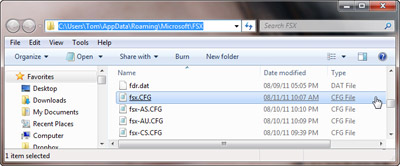
a) Backup fsx.CFG to fsx-Backup.CFG (c:\Users\<username>\AppData\Roaming\Microsoft\FSX)
b) Backup or capture images of the 3D Application Settings of the display card
STEP 2: Back to Basic
a) Delete fsx.CFG
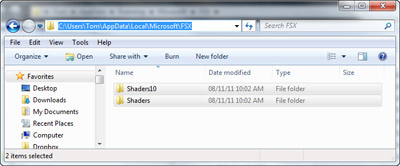
b) Delete ShaderCache contents (c:\Users\<username>\AppData\Local\Microsoft\FSX)
c) Reset 3D Graphic Settings to factory default
When above deletions are done
d) Run FSX
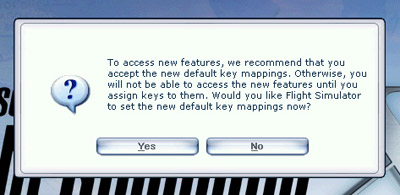
e) Press [Yes] to accept all default features
f) Press [Run] and [Yes] to accept all addons already installed
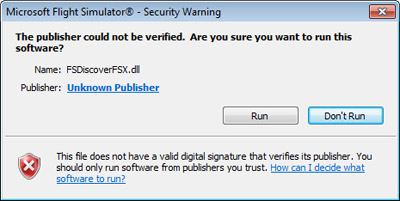
g) Repeat above steps until FSX Home Screen is shown
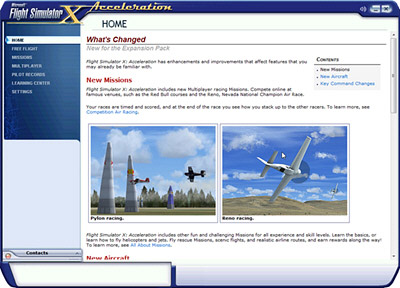
NOTE: It is recommended to keep all existing addons from the start of the re-tuning process so that the result could be compared immediately.
STEP 3: Initial Tune
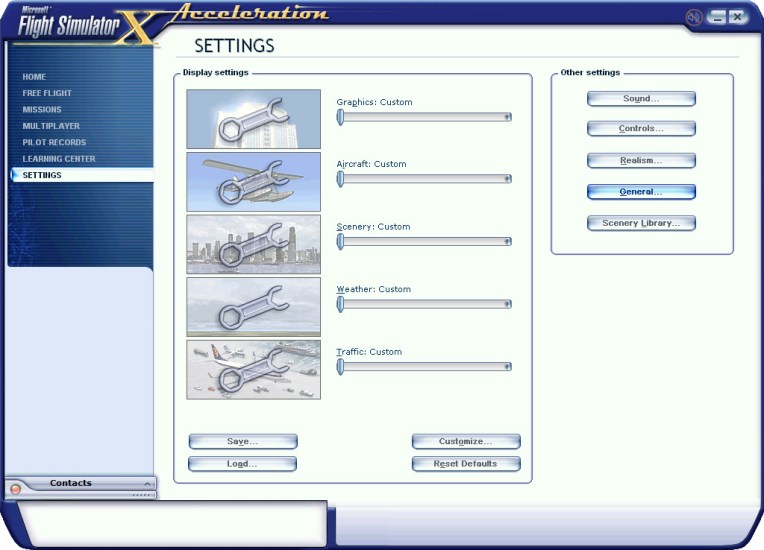
a) Click SETTINGS on menu to initially tune the various aspects of the system
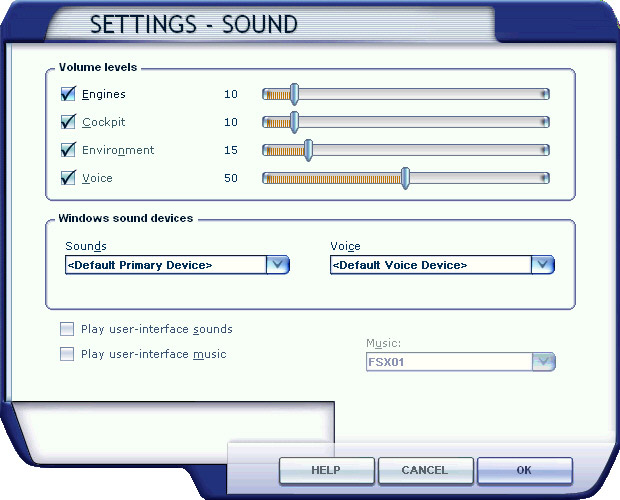
b) SOUND
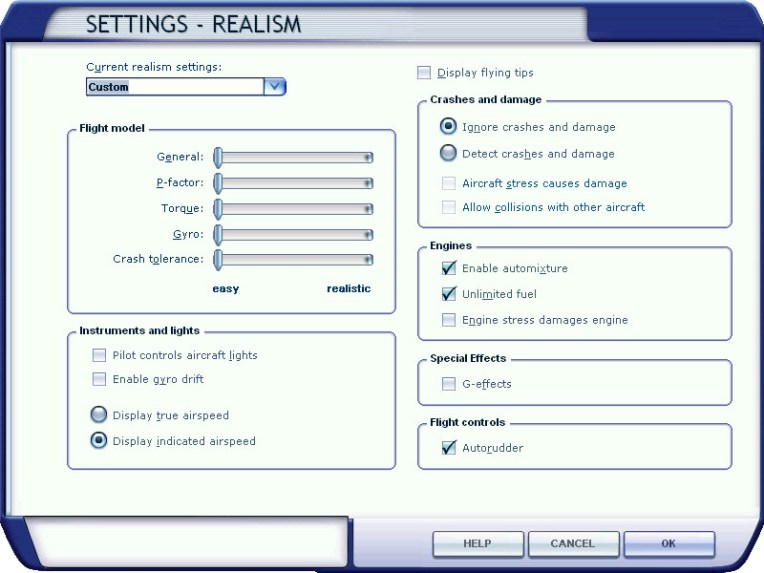
c) REALISM
d) GENERAL
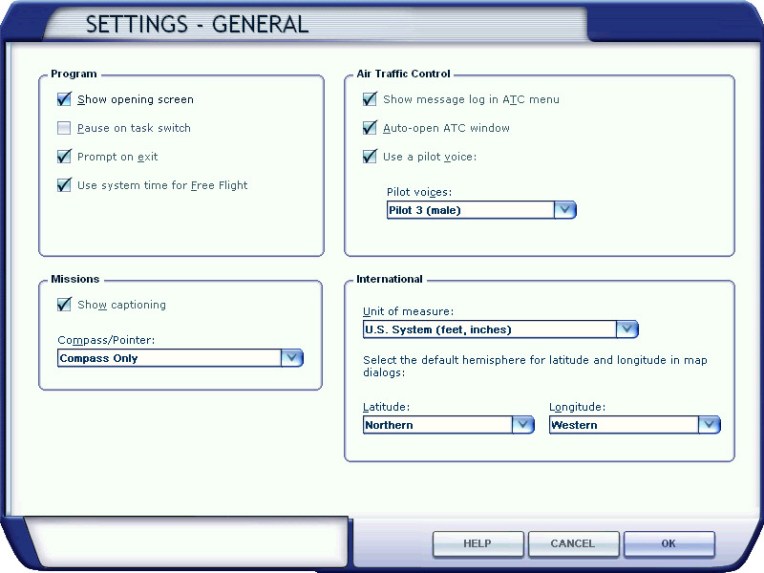
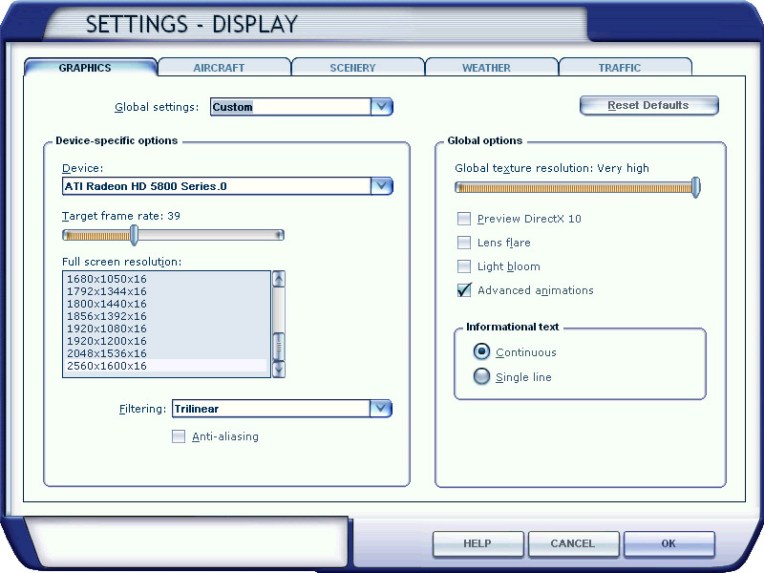
e) Display – GRAPHICS
• Trilinear is enough as anti-alias will be controlled by display card (more in next post)
• Disable Lens Flare and Light Bloom since they greatly impact system performance
• Target Frame Rate could be locked or set as unlimited (to be tested and tuned)
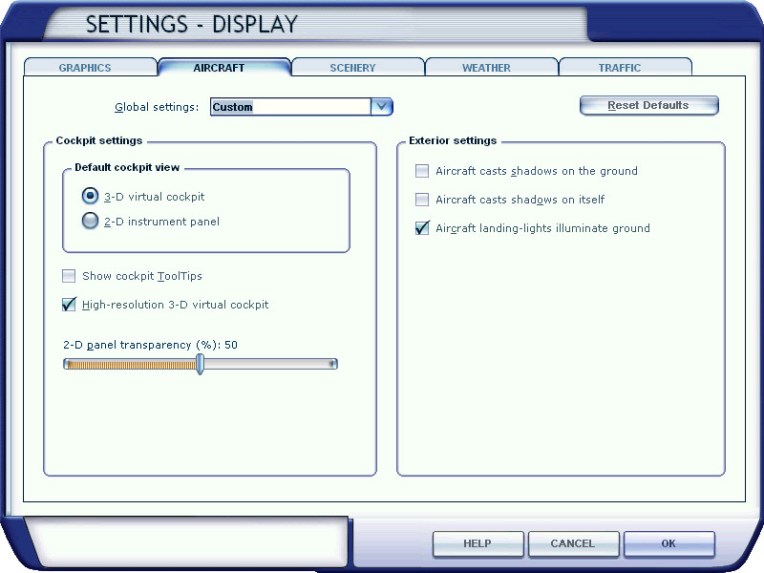
f) Display – AIRCRAFT
• Disable Show cockpit ToolTips
• Disable Aircraft casts shadows on itself
• Aircraft casts shadows on the ground (optional to disable)
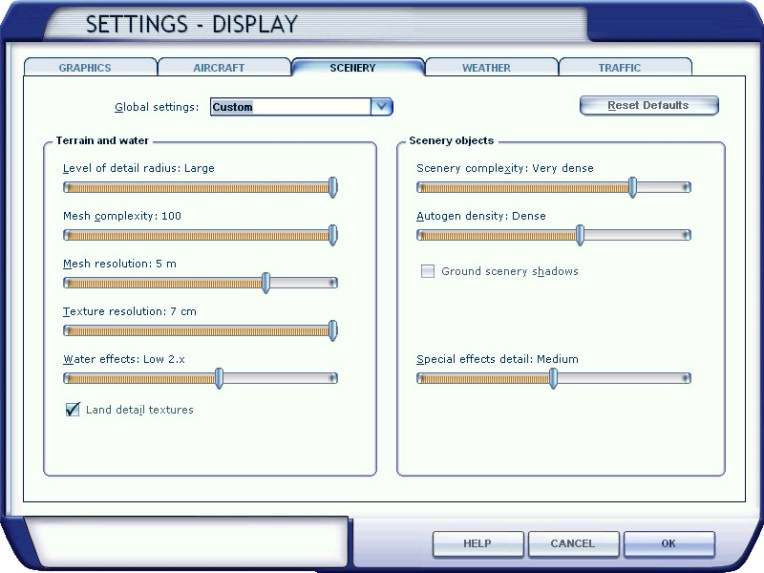
g) Display – SCENERY
• Settings are based on general Orbx scenery requirements and personal taste
• Disable Ground scenery shadows
• No need to set values too high for now; will further fine-tune later
h) Display – WEATHER
• Adjust to personal taste
• Values too high, however, will impact system performance
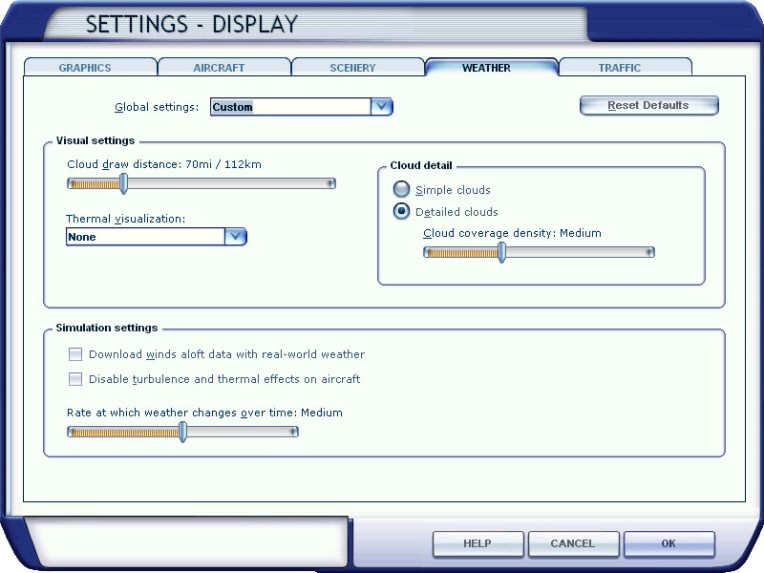
i) Display – TRAFFIC
• Settings are based on general Orbx scenery requirements and personal taste
• Can further adjust at anytime as desired
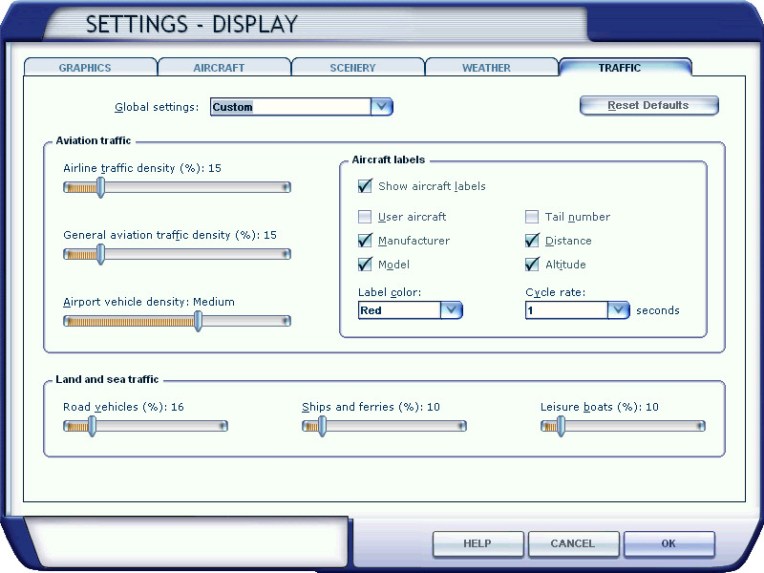
When initial adjustments are finished, quit FSX.
Fresh copies of ShaderCache and fsx.CFG with key primary settings are now created.
Part 2 will talk about display card settings before taking flight sessions again for further tunings.
 FS Times
Thanks on your marvelous posting! I actually enjoyed reading it, you are a great author.
I will ensure that I bookmark your blog and definitely will come back very soon.
I want to encourage continue your great work, have a nice holiday
weekend!
LikeLike
Thank you very much, Martin.
Just back from holiday and I really enjoyed it.
Tom
LikeLike