RESTORE
Follow the steps below to restore your drivers after a reinstallation:
6)
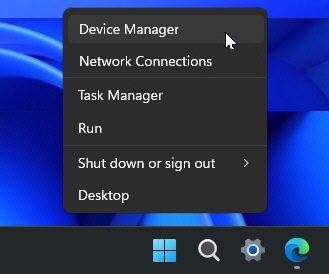
Press Windows Key + X or right-click the Start menu button. Then select Device Manager from the menu.
 Continue reading
Follow the steps below to restore your drivers after a reinstallation:
6)
Press Windows Key + X or right-click the Start menu button. Then select Device Manager from the menu.
Continue reading
There are occasions when we may need to perform a clean reinstallation of Windows or rebuild our flight simulation systems. However, manually reinstalling all drivers afterward is often one of the most tedious and time-consuming tasks.
Here’s an effective, time-saving solution to back up and restore all drivers for a smooth transition.
–
1)
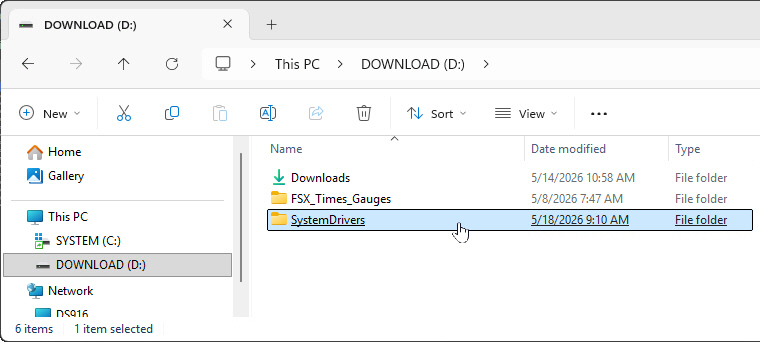
Create a new folder called “SystemDrivers” (or any name you prefer) on a drive other than your main C:\ drive. For example, I created mine on the D:\ drive as my backup destination.
Since updating to the latest MSFS 2024 beta, I’ve experienced new performance stutters that weren’t there before, specifically when flying over dense areas or landing at detailed airports.
After some debugging, I discovered that the game’s GPU preference had somehow reverted to the default “Let Windows decide.”
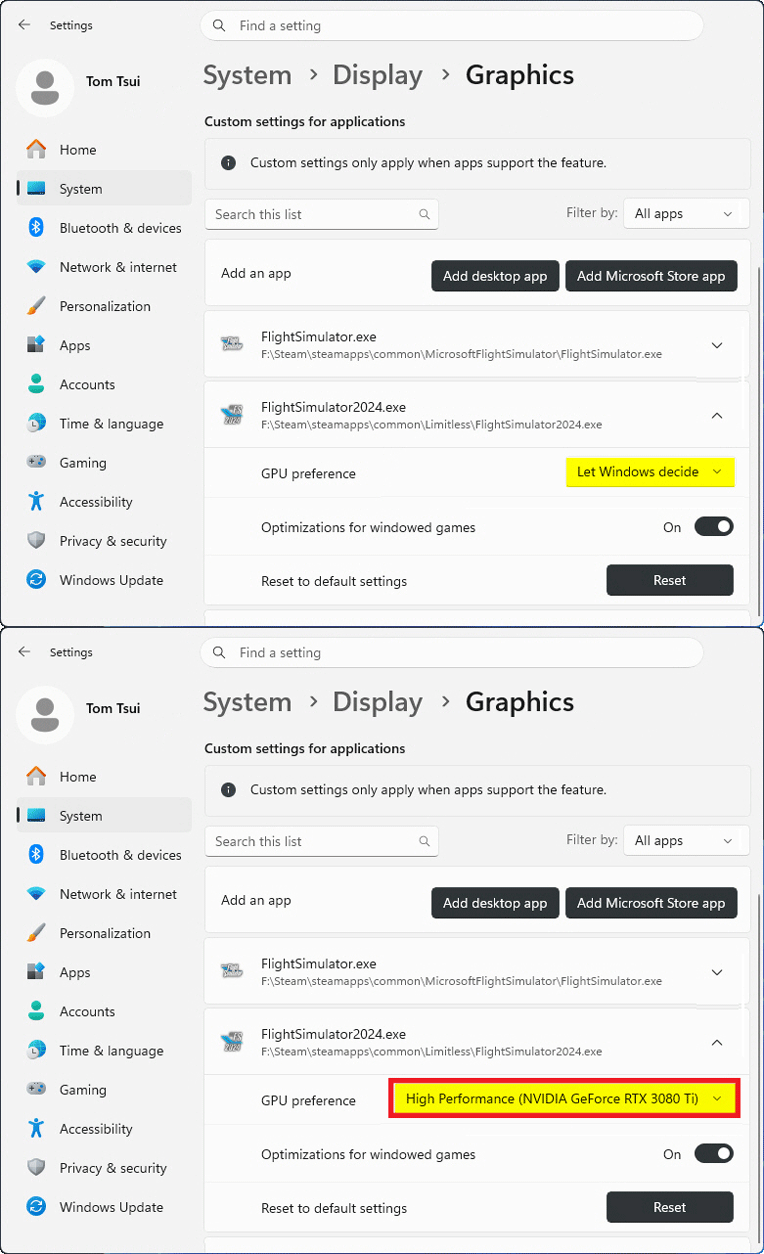
Once I switched it back to “High Performance,” everything returned to normal.
I’m not sure Continue reading
After my MSFS 2020 upgraded to the latest version 1.39.12.0 (SU16), I was prompted to log into the Xbox/Microsoft account again. For unknown reasons, the sign-in pop-up was unresponsive — preventing me from entering any information.
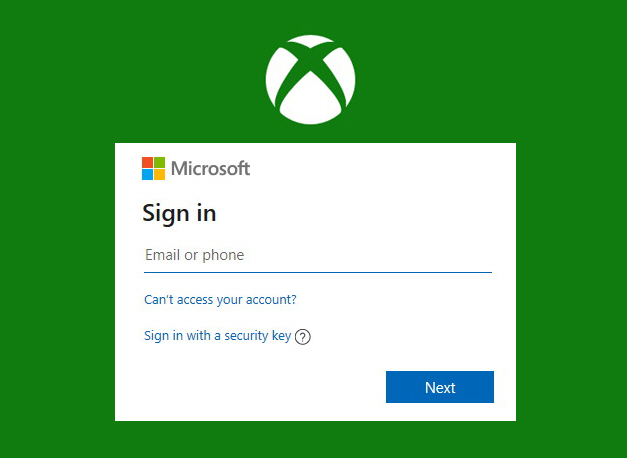 I tried various suggestions, including clearing Xbox Identities and resetting gaming services, etc, but nothing worked.
Although I still haven’t found the root cause and a proper solution, I did find a workaround that solved the issue for me: Continue reading
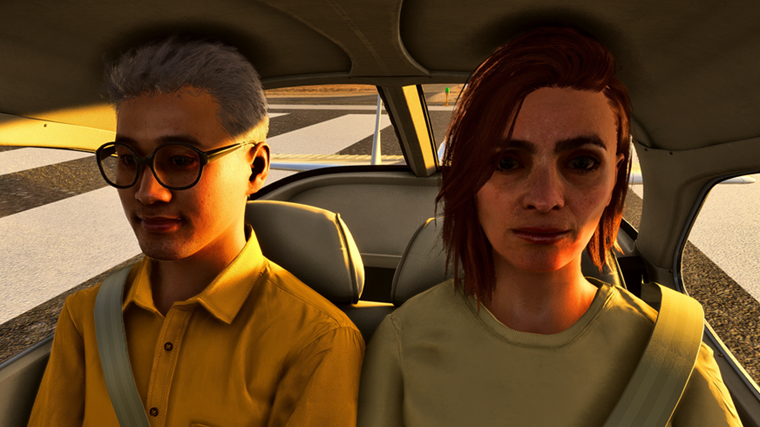
Here’s how to add onboard passengers on the aircraft if you need companions during your flights.
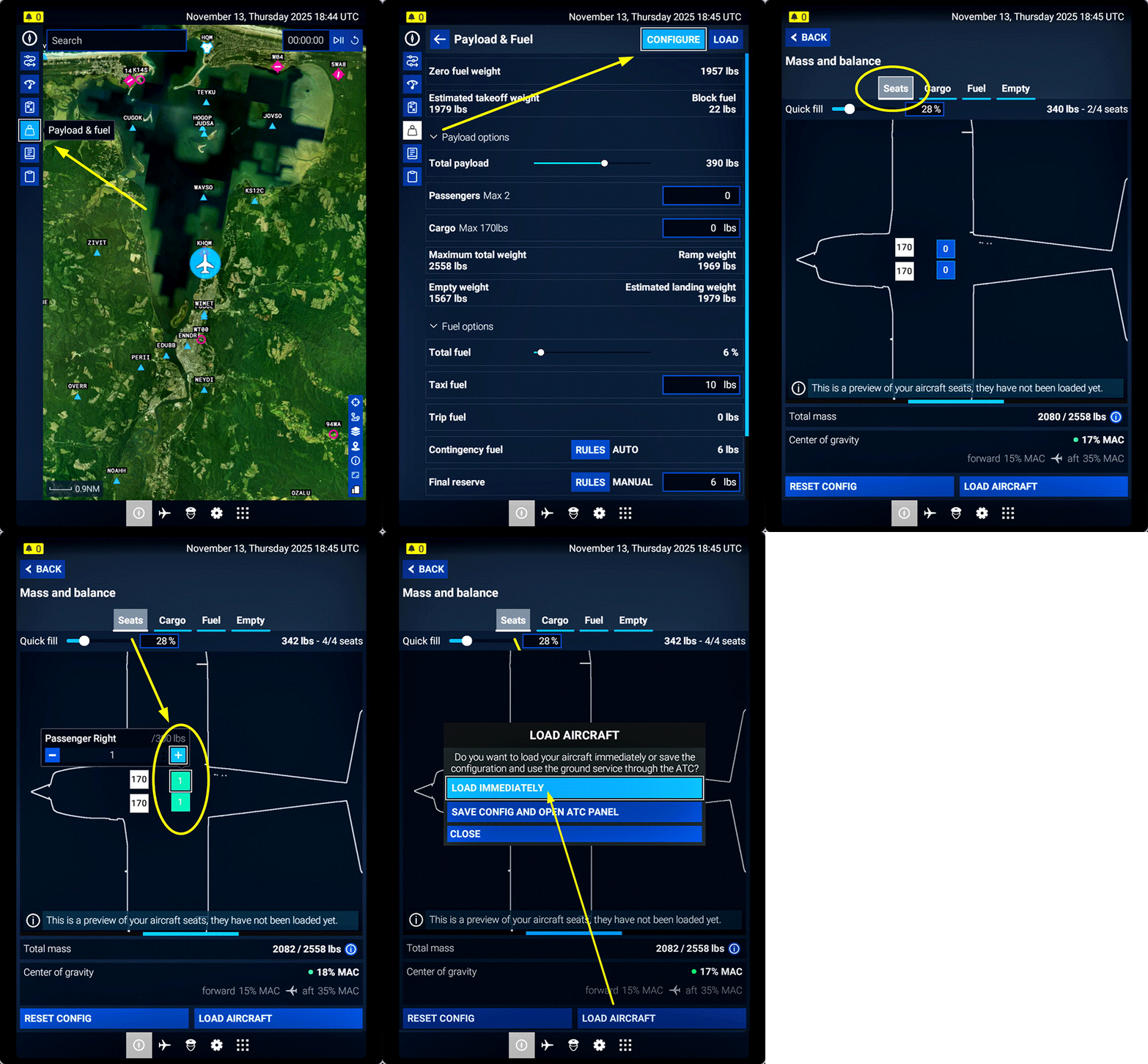 1.) Open EFB
2.) Select Payload and Fuel
3.) Click Configure
4.) Select Seats
5.) Add passengers to the empty seats
6.) Click Load Aircraft and Confirm
For larger aircraft, the procedure for adding passengers is more or less the same as described above, although there may be some differences between different aircraft.
Note that characters are generated at random. They could be men, women, or children of different ages.
If you wish to fly alone, Continue reading
Another friend, Ty, commented on my Post 905, saying that despite having a fairly powerful machine, he hadn’t had luck with Lossless Scaling 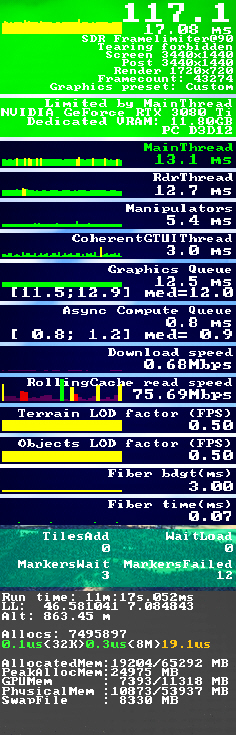 either. However, he was able to run MSFS at all-ultra settings using NVIDIA Frame Generation. He also sent me a YouTube video that he said had helped him a lot.
What a coincidence! The video actually talks about a trick that I had stumbled upon two years ago, which I already reported in my Post 836: My “Limited by Main Thread” Fix.
The key of the trick was to keep the “Limited by Main Thread” status green as much as possible by setting the “Frame Rate Limit” option to 50%.
I had been using this trick ever since, but I gradually forgot about it and, at some point, turned it off.
Reminded by Ty’s note, I immediately checked my MSFS settings, only to discover that there was no “Frame Rate Limit” anymore in the SU4 Beta. Continue reading
In response to my frustrations with Lossless Scaling, my friend Glenn kindly shared his experience and settings in the comment section of my post #903, encouraging me to give his setup a try since it is working pretty well for him.
Frankly, I really wanted Lossless Scaling to work on my system, too. So I followed Glenn’s instructions (edited slightly for readability) below:
Glenn: In nvcp (NVIDIA Control Panel):- Disable gsync; Set vsync to let application decide; and Set low latency to off.
T: I don’t see the gsync function, probably my GTX3080Ti card doesn’t support it. Have reset low latency from Ultra to OFF.
Following is a quick image comparison of two addons that help me reducing oversized trees in MSFS2024. The freeware, Forest Enhancement Mod by badnick578, was downloaded from Flightsim.to. The paid one, Smaller Trees Pro by 4Simmers, was purchased directly from the simulator store.
For bigger pictures, click on the images:
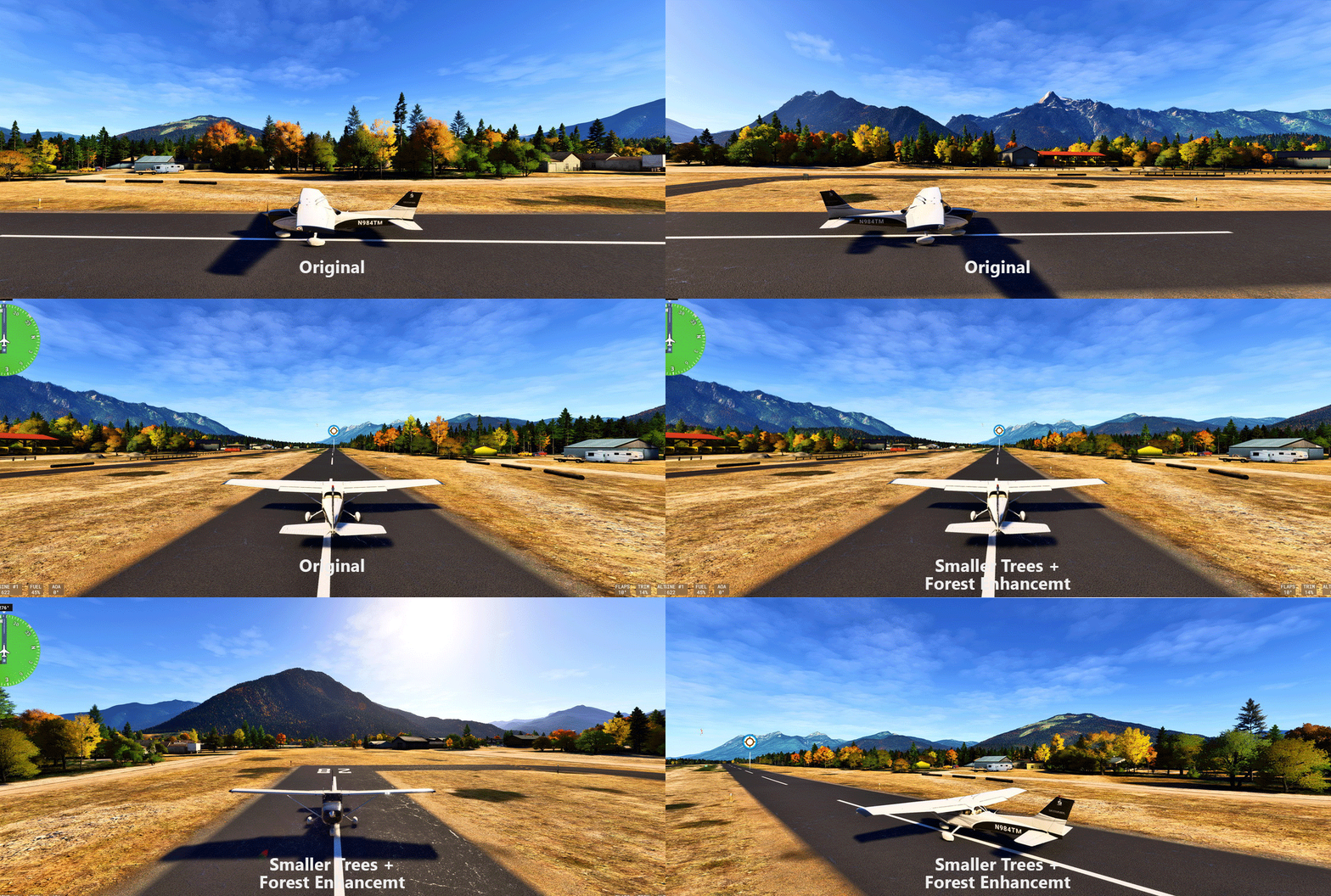
Generally, both addons achieve the goal of shortening vegetations in MSFS2024 without compromising performance.
Personally, the winner goes to Continue reading
After flightsimming the SU4 Beta for several hours, I am convinced that I’ll be ditching MSFS2020 for MSFS2024 once the update is complete (possibly sooner).
What it impressed me most is its stunning graphics rendering capability with no noticeable impact on smoothness and performance (yet).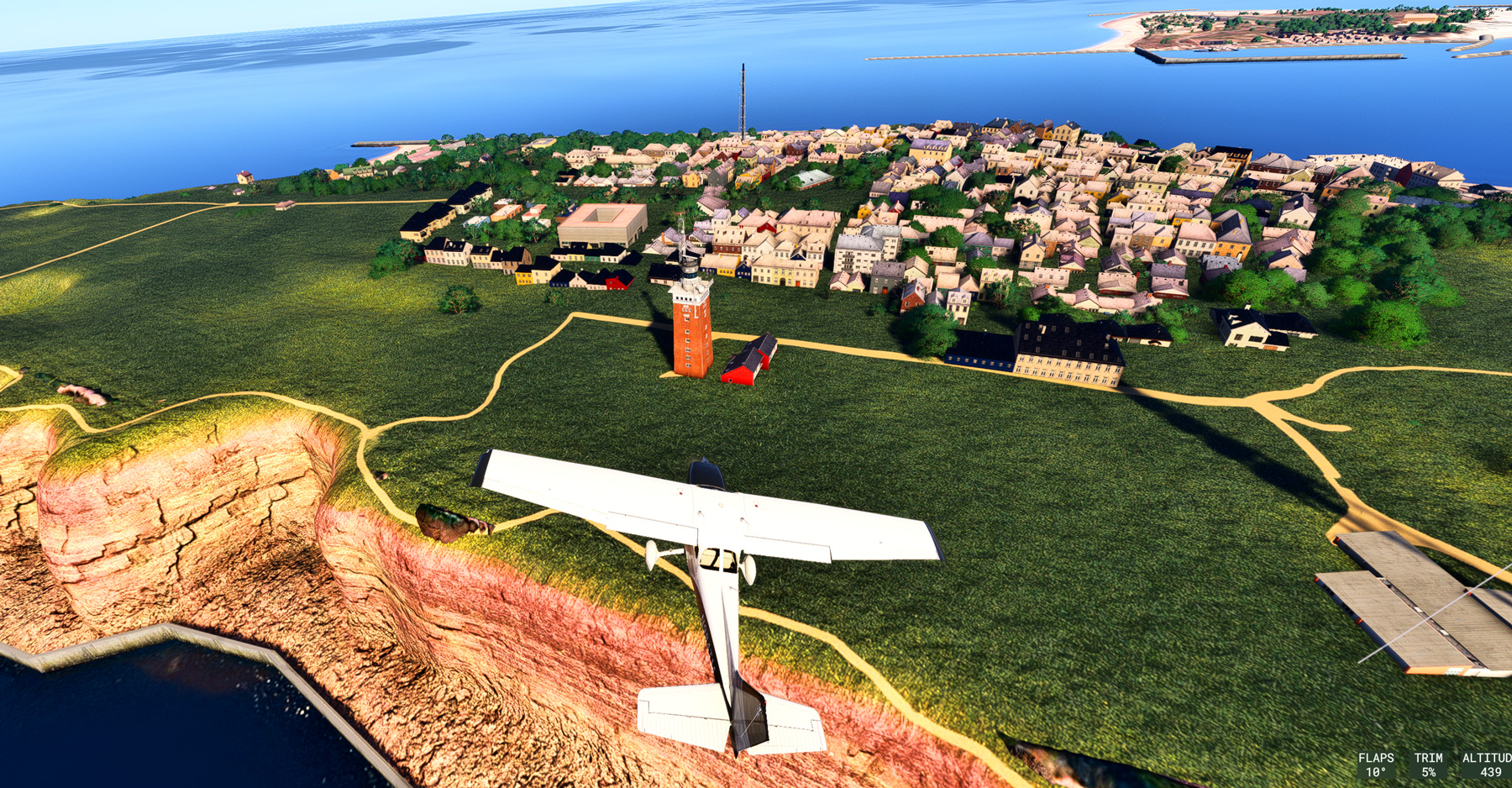
The terrain and objects (or basically everything) are so sharp and clear, and exceptionally rich in details. I am talking about the default scenery without any enhancement by third-party addons. Coastline rendering has also been significantly improved (click image to enlarge the picture).
Frankly, I’ve never seen such an amazing result from any previous flight simulator, including the MSFS2024 SU3. The SU4 feels like a new simulator to my eyes. Continue reading