RESTORE
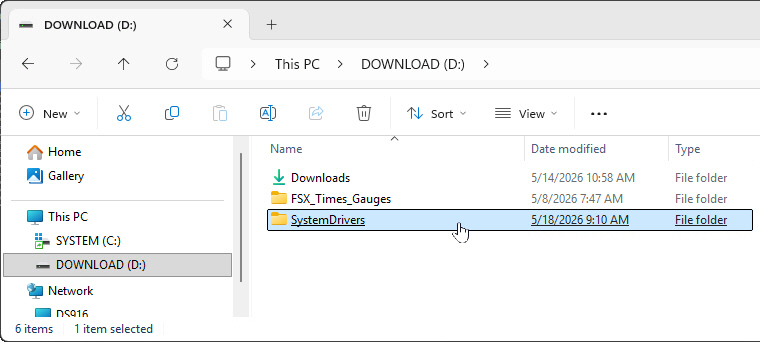
Follow the steps below to restore your drivers after a reinstallation:
6)
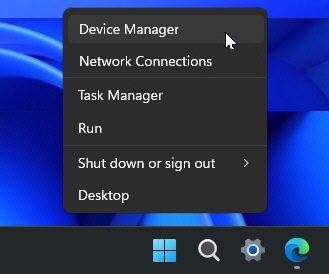
Press Windows Key + X or right-click the Start menu button. Then select Device Manager from the menu.
 Continue reading
Follow the steps below to restore your drivers after a reinstallation:
6)
Press Windows Key + X or right-click the Start menu button. Then select Device Manager from the menu.
Continue reading
There are occasions when we may need to perform a clean reinstallation of Windows or rebuild our flight simulation systems. However, manually reinstalling all drivers afterward is often one of the most tedious and time-consuming tasks.
Here’s an effective, time-saving solution to back up and restore all drivers for a smooth transition.
–
1)
Create a new folder called “SystemDrivers” (or any name you prefer) on a drive other than your main C:\ drive. For example, I created mine on the D:\ drive as my backup destination.
Since updating to the latest MSFS 2024 beta, I’ve experienced new performance stutters that weren’t there before, specifically when flying over dense areas or landing at detailed airports.
After some debugging, I discovered that the game’s GPU preference had somehow reverted to the default “Let Windows decide.”
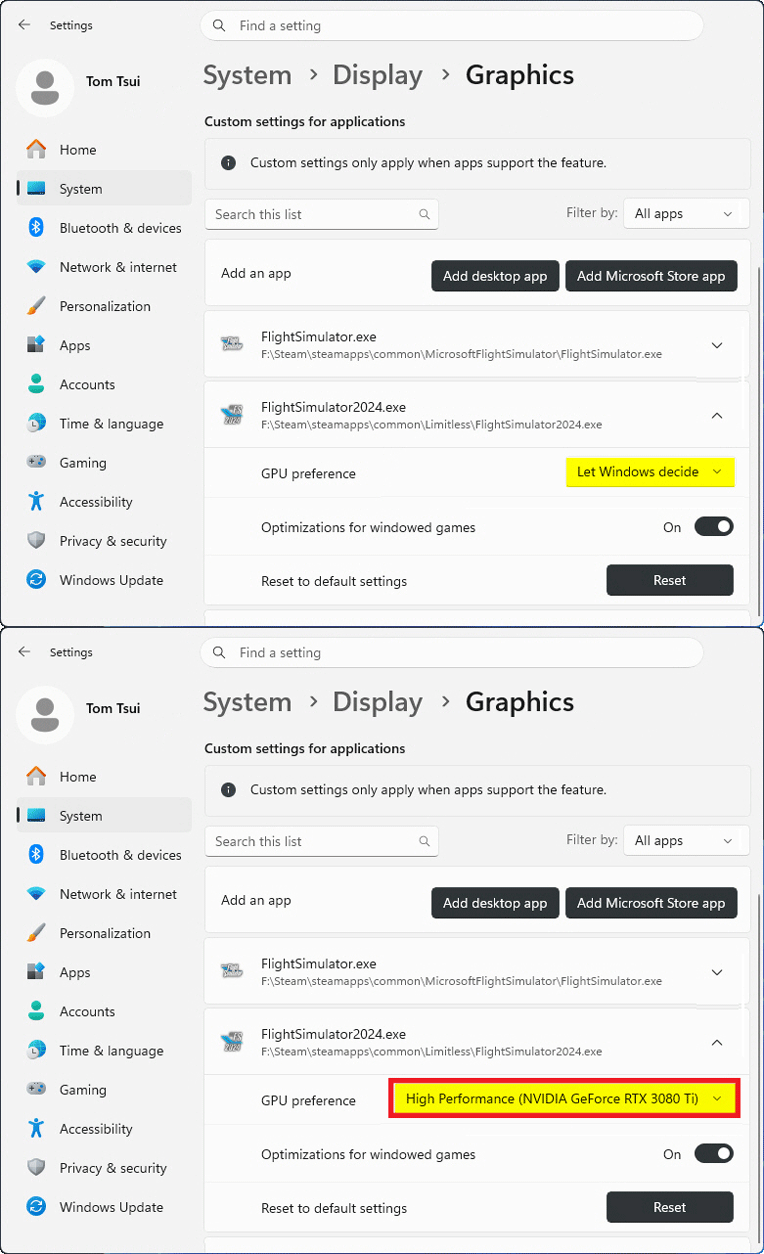
Once I switched it back to “High Performance,” everything returned to normal.
I’m not sure Continue reading
After my MSFS 2020 upgraded to the latest version 1.39.12.0 (SU16), I was prompted to log into the Xbox/Microsoft account again. For unknown reasons, the sign-in pop-up was unresponsive — preventing me from entering any information.
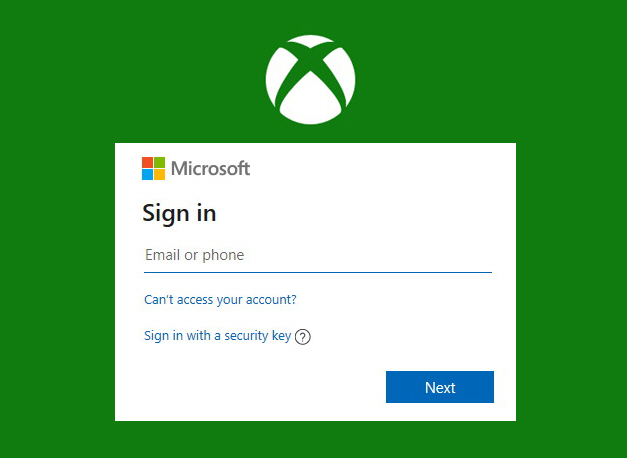 I tried various suggestions, including clearing Xbox Identities and resetting gaming services, etc, but nothing worked.
Although I still haven’t found the root cause and a proper solution, I did find a workaround that solved the issue for me: Continue reading
The official FS2024 SU4 has been released. I must say that it is superb and excellent and even better than the Beta I’ve been running over the last few months.
Here’s the minor update of my Graphics Settings for FS2024 SU4 (1.6.32.0). Actually, I seldom run FS2020 these days, but I am still keeping it in my system because there are addons compatible with and can be ported to FS2024.
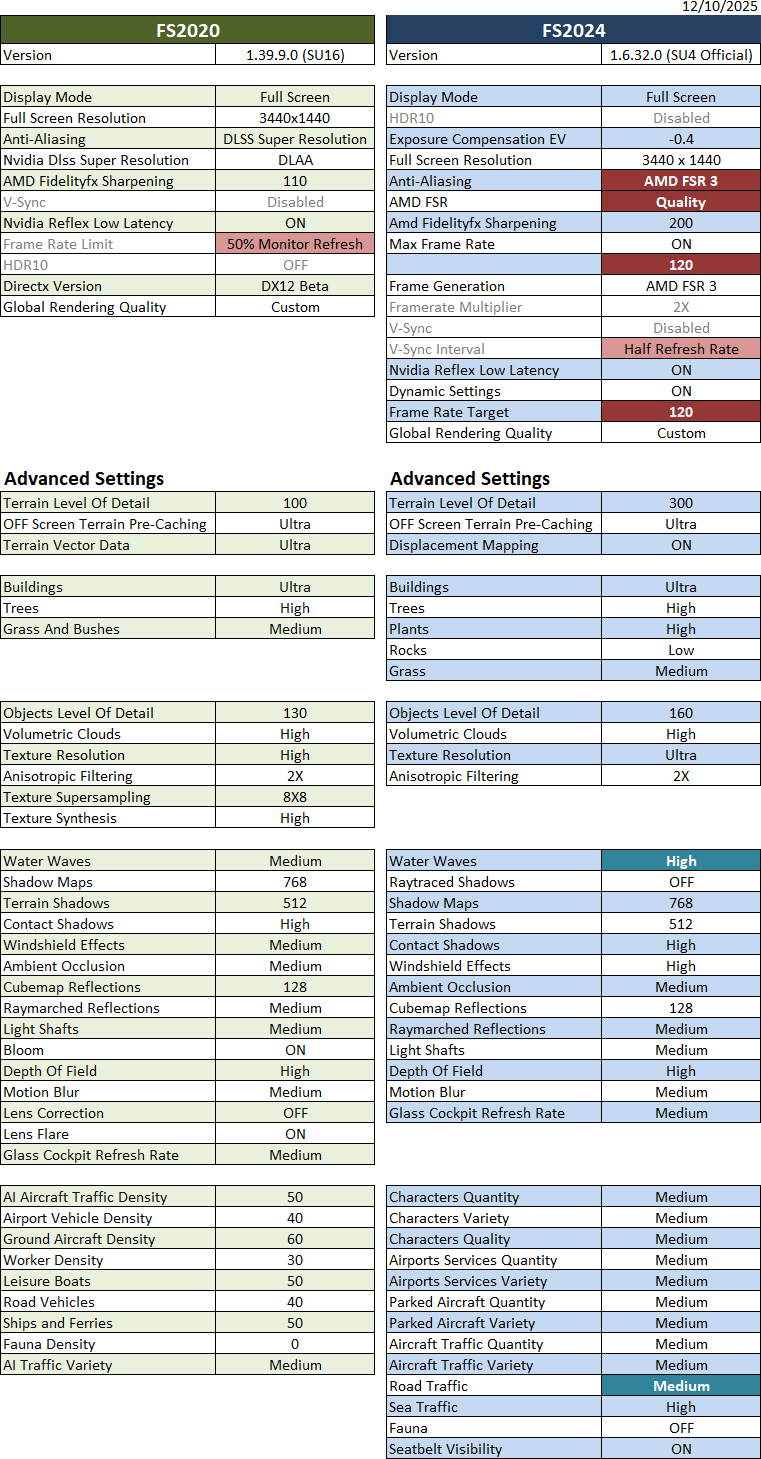
Crucial to this update: Continue reading
Following my earlier Graphics and NVIDIA adjustments, my ReShade and AimxyZ settings for FS2024 were tuned accordingly as follows.
–
Here’s an update of my current Graphics Settings for FS2020 and FS2024 SU4 Beta (1.6.16.0). Since I basically don’t run FS2024 SU3 anymore, its settings have been and will be excluded from this and future updates.
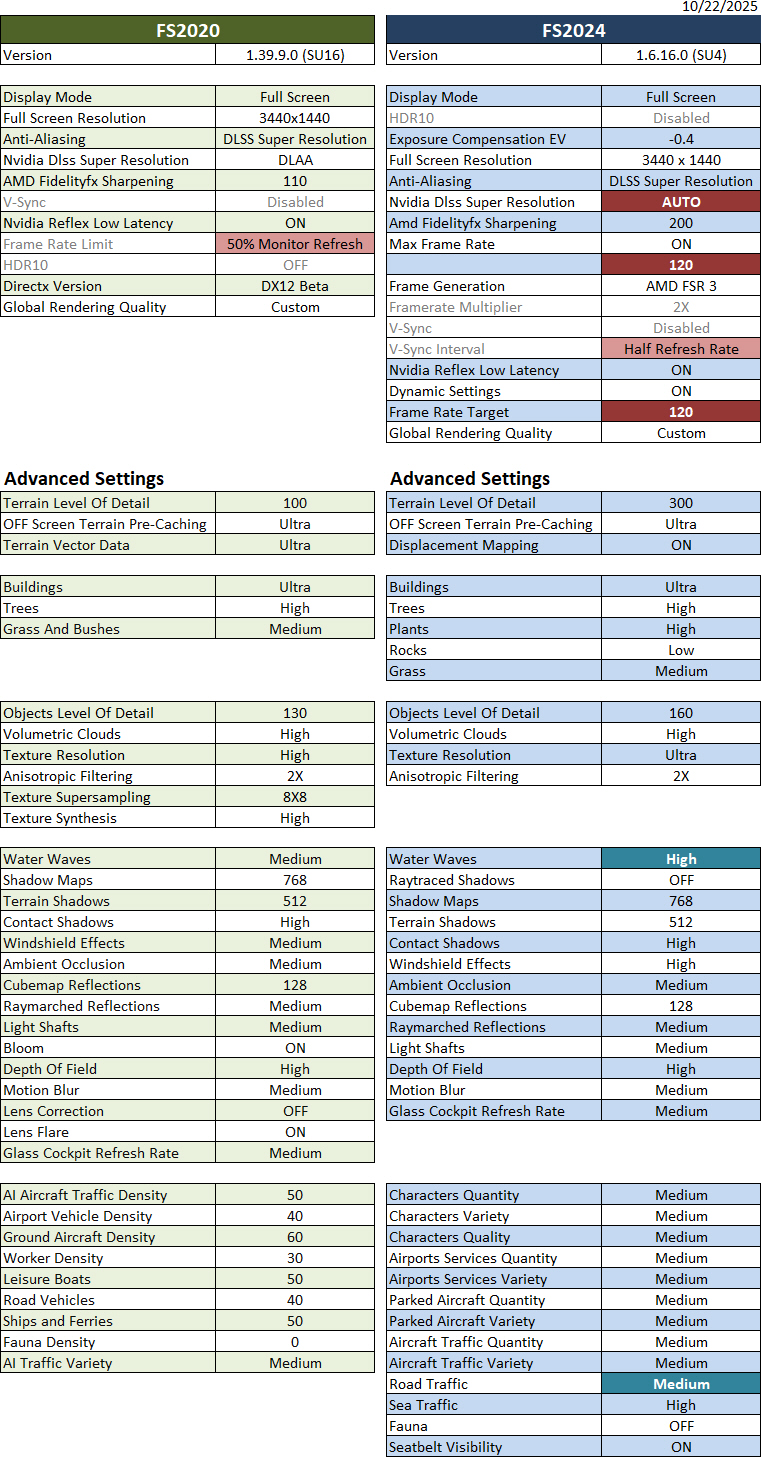
Crucial to this update: Continue reading
Another friend, Ty, commented on my Post 905, saying that despite having a fairly powerful machine, he hadn’t had luck with Lossless Scaling 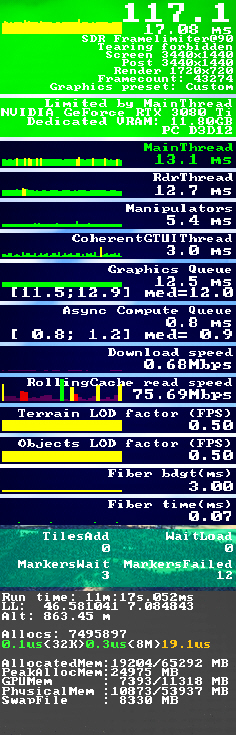 either. However, he was able to run MSFS at all-ultra settings using NVIDIA Frame Generation. He also sent me a YouTube video that he said had helped him a lot.
What a coincidence! The video actually talks about a trick that I had stumbled upon two years ago, which I already reported in my Post 836: My “Limited by Main Thread” Fix.
The key of the trick was to keep the “Limited by Main Thread” status green as much as possible by setting the “Frame Rate Limit” option to 50%.
I had been using this trick ever since, but I gradually forgot about it and, at some point, turned it off.
Reminded by Ty’s note, I immediately checked my MSFS settings, only to discover that there was no “Frame Rate Limit” anymore in the SU4 Beta. Continue reading
Here are three video clips showing how MSFS2024 SU4 Beta (1.6.16.0) performs with the graphics settings I listed in Post 900.