
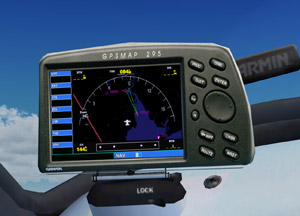
 Many third-party aircrafts have their own set of keys assigned to different panels.
For example on default aircrafts, pressing SHIFT-3 will invoke the GPS panel. But this key-combo is not necessarily able to call up the GPS panel on Carenado and Aerosoft aircrafts.
If one has assigned an external button, say button 3 on a Saitek FIP, for the GPS panel, the difference between the default and third-party aircraft panel key assignment therefore will be quite annoying when aircrafts are changed.
To standardize panel key assignments across different aircrafts:
1)
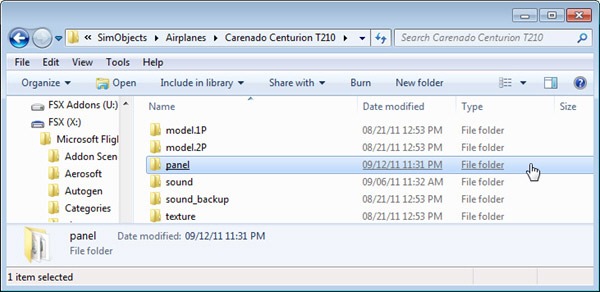
Open the panel.cfg file under the Panel folder of the specific aircraft
2)
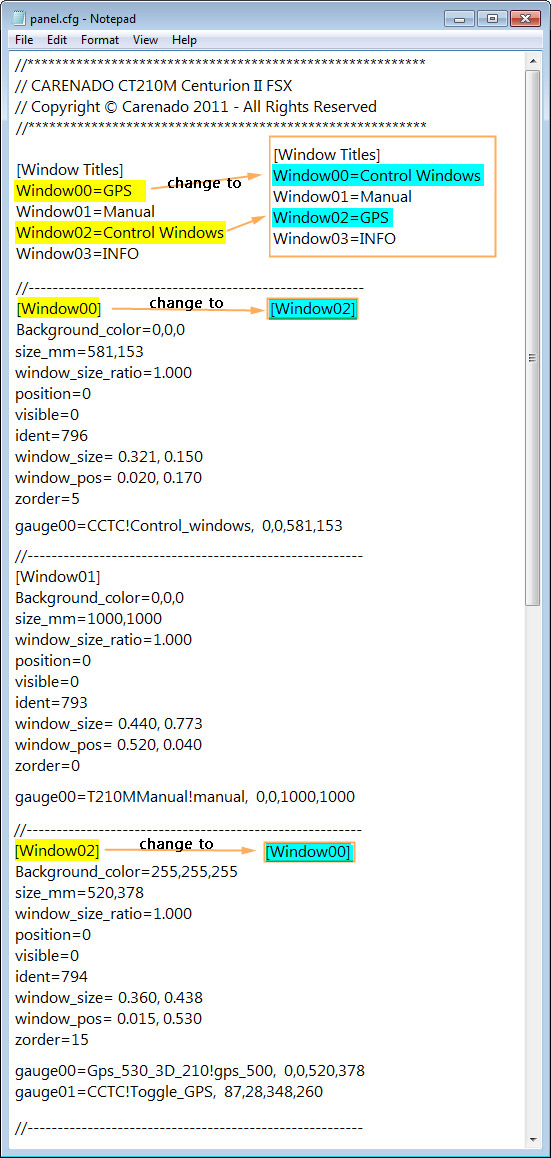
Rearranging the order of Window definition as needed as illustrated below will do
NOTE:
Although this tweak generally applies to all third-party aircrafts, files and settings involved may be different from vendors to vendors.
 FS Times