
Mogwaisoft’s Shade for FSX is a little program that can modify the ambient colors and tones in FSX. It is somewhat similar to, but better than, the ENBSeries freeware which also helps improve the bloom and shade in FSX. The latest version of the program at the time of this post is 1.02.
Shade for FSX comes with a graphic interface where users can pick different presets with varieties of light, shadow and fog settings for the ultimate effect in color and tone rendered in FSX. Also, it allows users to create their own customized settings to match their preferences and tastes.
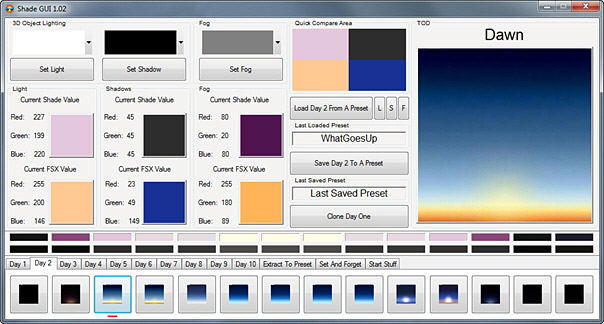
The working principle of the program is as follow:
- When it is executed, it firstly backups and removes all sky texture files under X:\Microsoft Flight Simulator X\Texture directory to a temporarily created temp folder under the same directory
- Then it creates and injects the replacement sky textures to the folder according to the preset chosen
- When FSX is quitted, it removes the replacement files and restores the original default textures from backup to its original location
So in general, the integrity of FSX is well protected as long as users follow the instruction from the developer. Moreover, there is no performance hit from the program.
I LIKE IT because:
With Shade installed, the contrast and color of scenery are instantly enriched so that all objects appear to be more 3-dimensional.
I DISLIKE IT because:
All available presets dim the brightness of scenery significantly. Much like you are wearing a pair of very dark sunglasses all the time.
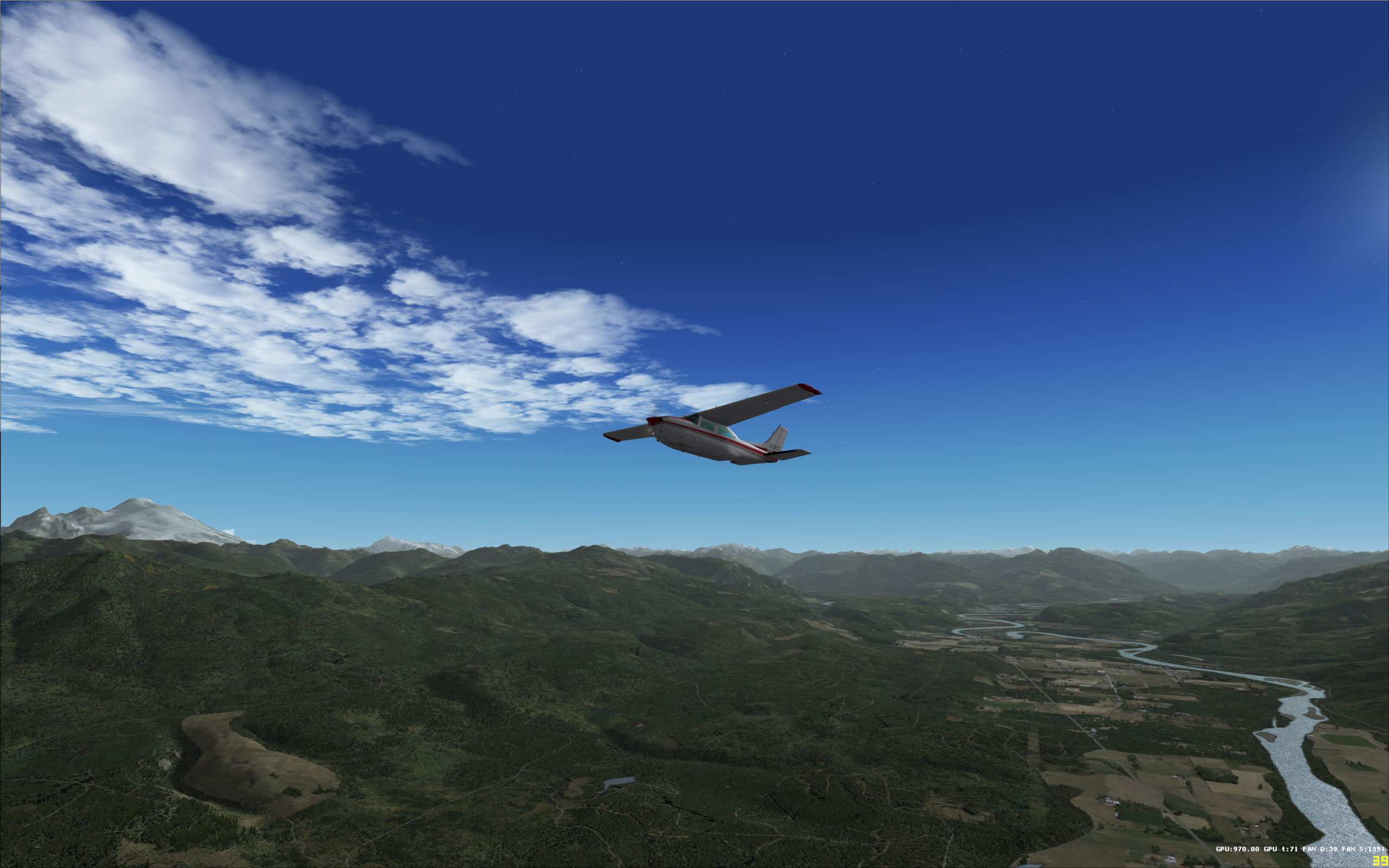
It’s completely alright during the middle of the day. But in the morning, the brightness of FSX scenery seems to be 1 to 2 hours behind the clock — at 9am, the ambient is still as dark as 7am (see image below). And in the afternoon, it seems to be 1 to 2 hours ahead of the clock — at 4pm, the ambient is already as dark as 6pm. That’s a problem.
The developer says that different users have different computer setups and preferences, it is not possible to provide a preset to cope with all users. And that’s why the program comes with a feature to allow users to create their own settings.
The explanation is somewhat correct but the customization is definitely not an easy task under current version’s capability.
All changes can’t be seen instantly. The program must be run before FSX. So users have to quit and start FSX and the program again and again and again in order find out the results of the changes they made.
After a week’s experiments after the purchase, I still haven’t come up with a satisfied result. Tried to abandon it but FSX then seems to have something missing.
My goodness. Really crazy about this Shade for FSX !
==========
NOTE:
1. Do read on my other posts regarding how to solve issues in Shade for FSX.
2. Although Shade will backup all default sky texture of FSX to a Temp folder when it is excuted and restore them after it is unloaded, it does no harm to create your own backup as an additional safety measure.
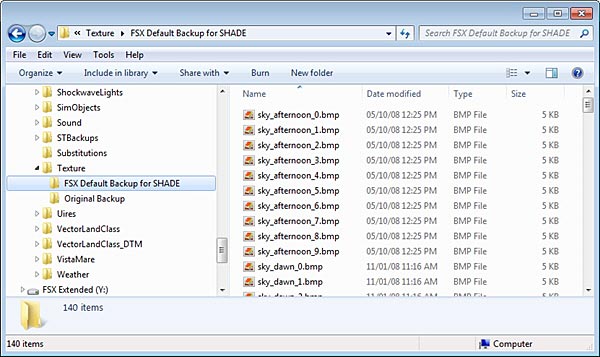
Under the Texture directory, I just created a folder called FSX Default Backup for SHADE and put a copy of all 140 sky texture files onto it. So files could be restored just in case something unexpected happens.
 FS Times
when i try to select mission it says “No Mision Found”. There is no missions in the library.
what shall i do?
LikeLike
Hi Anders,
Do you mean there is no files in the Missions folder under the “Microsoft Flight Simulator X” directory?
If so, do you have a backup to restore the files back to the Mission folder?
Also, please use the search function here looking for Missions. There are three posts related to Missions and they might help your case.
Let me know if above helps.
Tom
LikeLike
Hi, and thx for your fast reply. I can use Free Flight and the other, but when i try to select a mission i says “No Mission Found”. What shall i do? I’m stucked on this problem.
Best Regards //Anders
LikeLike
Hi Anders,
Have your checked the Mission Folder? Are there files in the folder?
I am sorry that I don’t quite get your question. Can you explain clearly?
Tom
LikeLike
Hi. I can use the free flight. I can choose aircrafts, but when i try to fly a mission it came up” no missions find”
//Anders
LikeLike
Hi Anders,
You are posting the same question again with no further details. If you are not giving me answers to my questions. I can’t help you.
LikeLike
Hi Gaiiden,
Just tried your suggestion and installed EBN. Seems working but I saw performance hit and some strange graphics patterns. Will explore it more and report back.
LikeLike
are you still using ENB with Shade? I am, and I have the same problems as you when it comes to dusk and dawn. The solution that works for me is to have the ENB.ini file open as I fly and I adjust the DarkeningAmountDay value under [COLORCORRECTION] – usually all the way down to 0 in the mornings and evenings. You can just re-size the window to make the changes in a snap.
LikeLike
Great suggestion Gaiiden,
I’ll give it a try. Thanks for that.
Tom
LikeLike