113: A Quick Fix to SHADE Darkness

As mentioned in Post 107, the one thing I particularly dislike SHADE for FSX is that all its available Presets will significantly dim the brightness of all scenes in FSX, especially in the early morning and late afternoon.
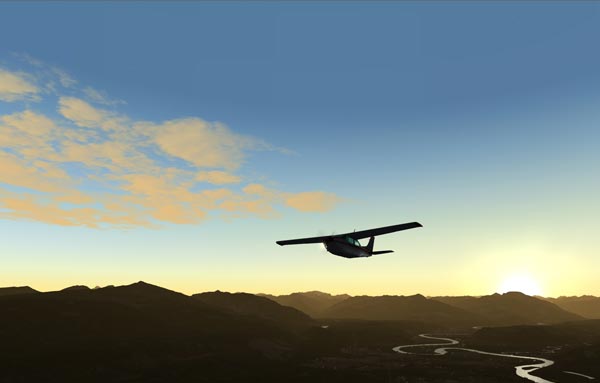
Although users can modify the Preset values via the program’s graphical user interface (Shade_gui.exe), the effects of changes are not intuitive and the results are to some extent depending on a time-consuming trial-and-error process.

Indeed, there’s not much one can do to speed up the process of getting an ideal result from color and shadow changes.   But for the “too dark” issue, followings are what I did for a quick fix, from which I further finetune the color and shadow of shade for my own preferences.
Continue reading

112: Finding the Day of SHADE

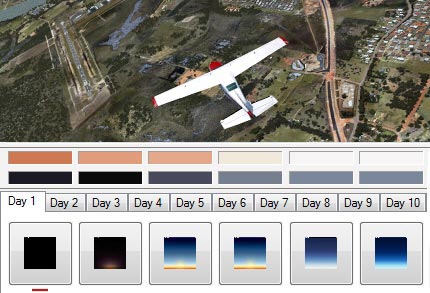
As explained by the developers of SHADE for FSX, days in FSX are looped in a 10-day cycle and his program was designed and built on that loop, which allows the loading of up to 10 different SHADE presets in FSX.

However, how to find which Day is active on a specific date is not easy (at least not by the time of this post).


Followings are the principles of the 10-day cycle and how it is calculated: Continue reading

111: New Clothes for Saitek Switch Panel

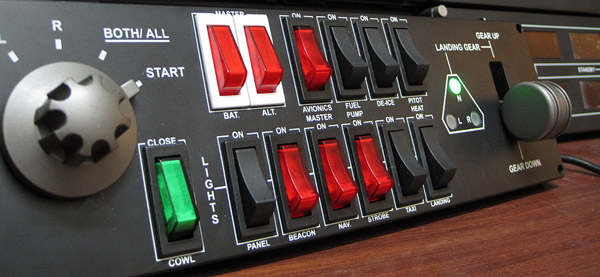
Saitek’s Switch Panel adds a lot of fun to FSX.   However, it doesn’t like its younger brothers in the Pro Flight family — all switches on the panel have no illumination and most of them are in black color.  They are very difficult to identify in a dark environment with no extra lights but the monitor only.

Here’s my newly modified switch panel with some colored switches replacements.

Switches are now a lot more easier to identify in a dark environment

Continue reading

110: RTMM’s CIRP Photo Previews

As mentioned in post 104 that I’ve been helping scenery checking for Return to Misty Moorings’ (RTMM) soon to be released Cambria Icefield Research Project (CIRP).

Agreed by Doug Linn of RTMM, followings are photo previews of the various ice stations from the project:

This slideshow requires JavaScript.

Note that there might be some objects missing from the photos.  They were taken a couple of weeks ago before scenery and libraries were finalized.   It is a preliminary preview; nothing is final.

Continue reading

109: An Alternative to Framerate Display

Pressing Shift-Z in FSX can display a bunch of information regarding the current flight session, such as framerate, position, heading, airspeed, etc.   However, there is no way to change the position, font size and color of the text of the Shift-Z command itself.

ATI Tray Tools by Ray Adams is a good alternative and it can display information about the computer status as well.   Actually, ATI Tray Tools is a powerful Radeon card utility that offers extra advanced video card features beyond the official Catalyst Control Center.
Continue reading

108: My CH Eclipse Yoke Setting

Updated: Nov-26, 2011
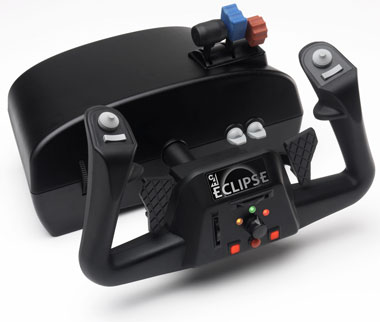
As mentioned earlier, I have replaced my long-used Saitek Yoke with CH Eclipse Yoke in my system. 

Actually I got the Eclipse just a month or two after its release.   I was attracted by its rudders, vertical and horizontal trim wheels, and throttle quadrant all integrated into one single casing.   In terms of features, Saitek Yoke really can’t compare.

However, the housing design of the Eclipse yoke (due to its oval shape) is very difficult to fit into my equipment chamber.   So it’s been put aside for a long time until recently I figured out how to do with it.

Continue reading

107: SHADE for FSX – An Angel and A Demon

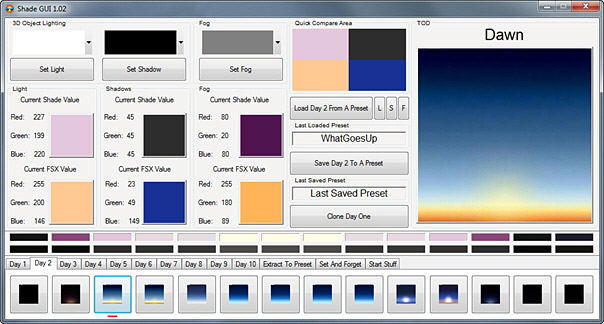
Mogwaisoft’s Shade for FSX is a little program that can modify the ambient colors and tones in FSX.    It is somewhat similar to, but better than, the ENBSeries freeware which also helps improve the bloom and shade in FSX.    The latest version of the program at the time of this post is 1.02.

Shade for FSX comes with a graphic interface where users can pick different presets with varieties of light, shadow and fog settings for the ultimate effect in color and tone rendered in FSX.   Also, it allows users to create their own customized settings to match their preferences and tastes.

The working principle of the program is as follow:  Continue reading

106: My FIP Key Assignment

Updated: Nov-26, 2011
With two additional FIPs added to my setup, key assignments are reconfigured as follows:

Startup order are:

  1. Heading
  2. Attitude
  3. Altimeter
  4. Vertical Speed
  5. Air Speed

The RPM Indicator is a virtual one which shares the same FIP with the Air Speed gauge.

Continue reading

105: My TPM Switch Assignment

Updated: 2011-1004
Lately, I have replaced my long-time Saitek Yoke with CH Eclipse Yoke after re-tuning my FSX system several weeks ago.   Because of that, many controls of my gears have to be reconfigured accordingly.

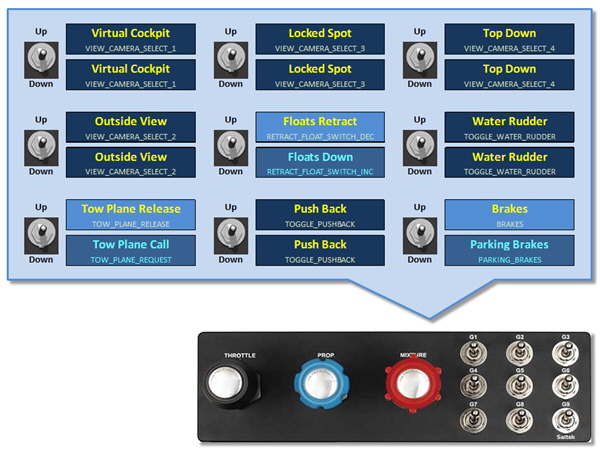
Followings are the new switch assignments for the TPM.

Continue reading