

Switching to P3D could also mean losing many handy features added to FSX previously. FSDiscover is definitely one of them. Until Flight1 launches a P3D compatible version, command TOGGLE_AIRPORT_NAME_DISPLAY is my temporary measure when I am lost in the sky.
Just open the Standard.XML file inside the Controls folder where Prepar3D.cfg is located. Then add the command to any key or key combination and save it. That’s all. Names of airports around current location will be shown when the key or key combination is pressed.
I am assigning the command to the G3 toggle switch on my Pro Flight TPM as shown below:
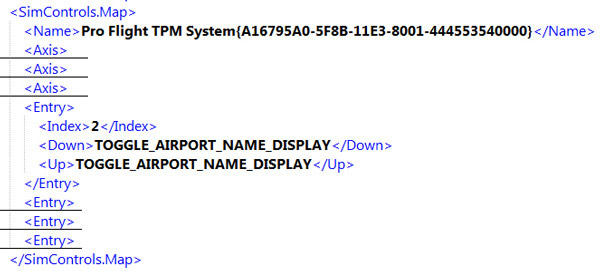
The command applies to FSX too.
 FS Times
A simple and cool trick. I have been in flight simulation for more than 20 years now, but there are still little tricks like this to learn. I use a GPS (AirMap GlobalXplorer) which displays the ICAO codes, however, I rarely know the names of the airports aside international hubs and start and destination when to explore unknown terrain.
Thanks for posting, Michael
LikeLike
You’re welcome.
Tom
LikeLike