
The locations of the Flaps Indicator and Trim Wheel Indicator on my C172 gauges are generally based on their proximity in the cockpit layout, which is natural and logical to my design.
However, when users find themselves lacking enough FIPs to accommodate all the gauges in their virtual cockpit, ADF most often is the one “to give way” to the other gauges. I do the same since it makes sense to me as the ADF is not a must have equipment in many cases.
Unfortunately, under such scenario, the Flaps Indicator becomes hard to access, for which I’ve been trying to find out a good workaround.
Last week, Michael Basler raised the same question and gave me some suggestions.
This latest update of replacing the Trim Wheel Indicator with the Flaps Indicator on the RPM, and moving the Trim Wheel Indicator to the VSI is an agreeable solution based on our discussion.
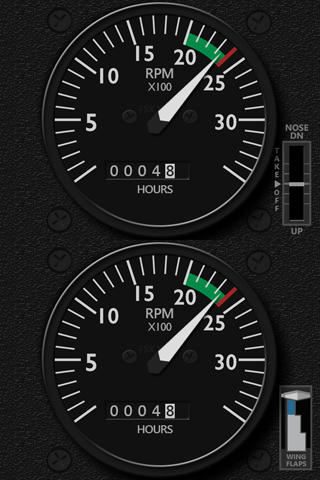
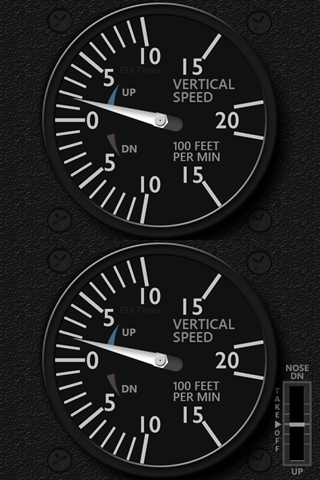
Nevertheless, the original Flaps Indicator on the ADF remains untouched. So anyone prefers it on the ADF can keep using it.
These new changes apply to both the A2A C172R, C182T and the default C172SP Standalone gauges.
In future, all RPM and VSI gauges for all other aircraft will follow the moves.
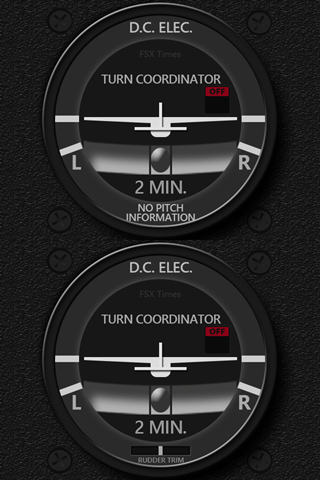 Besides the swapping, a new Turn Coordinator equipped with a Rudder Trim Indicator for the C182T has also been added to the gauge lineup.
Emails with the update links have been sent to all users. Should you have not received it, feel free to contact me.
 FS Times
Hi Tom, could you please send me a link to these updates. Thx. Bradley
LikeLike
Hi Bradley,
As mentioned in the story, the update applies to the C172SP Standalone version only. When it comes to the Integrated version, will update you as well.
Sorry for the confusion.
Tom
LikeLike
Hi Tom,
I haven’t received them
Thanks
Denis
LikeLike
Hi Denis,
The changes apply to the standalone RPM and VSI this time. When it comes to the Integrated version, will update you as well.
Tom
LikeLike