
A friend having the same Asus X99 Deluxe II motherboard as I do last week 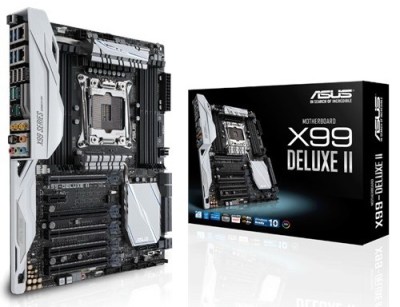 phoned me if I had any idea why the Bluetooth on his system didn’t connect to any devices at all. He said all software were the latest.
In order to connect to his Bluetooth headphone, he had to use an external Bluetooth dongle, which was clumsy and not user-friendly.
I had my head scratches in the beginning as I hadn’t have the issue before. After a few Whatsapps, we together figured out it was the antenna that causes the blockage.
In the motherboard’s manual, the spec does listed there’s an antenna module for WiFi and Bluetooth v4.0. But it doesn’t mentioned anywhere in the booklet that the antenna is a must for Bluetooth as well. 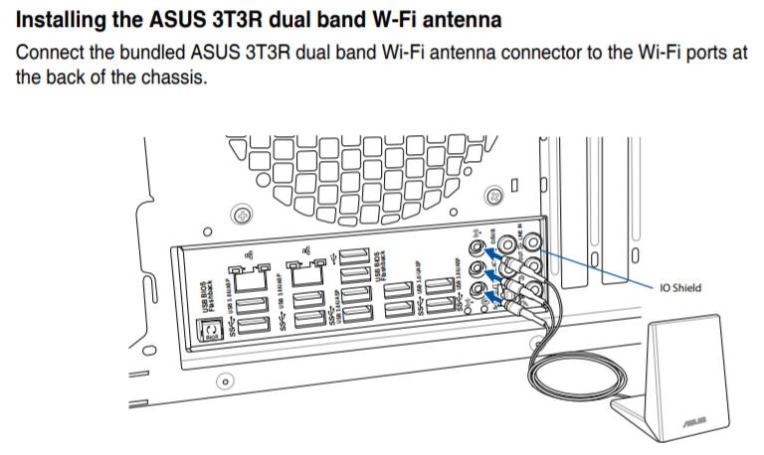 I do plug in the antenna all the time since I use both wired and wireless connections. But my friend uses Ethernet only so he (actually we both) didn’t aware that the antenna is a must-install for Bluetooth.
Anyway, glad to have the problem solved.
If you are having Bluetooth connection issues, whether your computer is an ASUS or not, check if the antenna is installed.
 FS Times