
Here’s another quick update to my status with MSFS. In general, I have tried every suggested fix I could find from the Internet and MS/FS site for the error issue I am facing. Unfortunately, all are helpless.
I was suspecting if I had done something wrong to the two PCs, either before or during or after applying those potential fixes. Then an idea “why not trying it on the Surface Pro?” popped up before I went to bed last night.
I immediately jumped out of bed and did it right away. Although the installer warned me that my Surface Pro doesn’t meet the minimum requirement of MSFS and the performance would be poor, it still carried on to putting the initial part of the game to my laptop.
When MSFS was run to the Content Manager stage for update download, 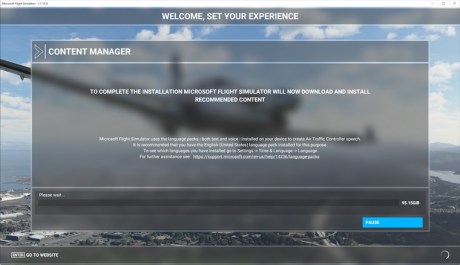 same error happened and the game stuck there trying to copy the files to my computer but of no success.
Actually this is not a bad thing since it tells me that there is something wrong in the MS Store, either the game or the code or even the Library itself associated with my account, instead of my computers.
The Surface Pro was untouched since I bought it. It was used as a hub for the connection of my FIPs to the flightsim PC only.
I have written to MS Customer Support for a refund this morning, hoping that this would remove the game from my Library in the MS Store. And then I could re-purchase MSFS again for another shot.
The result of my request will be informed within the next 3 days, according to the automatic reply from MS support.
So until then, that’s all for now.
 FS Times
Perhaps this will help…
https://twinfinite.net/2020/08/microsoft-flight-simulator-guide-wiki/
Cheers and keep up the great work…
John Helms
LikeLike
Thanks John. Will give it a try when I am back with it.
LikeLike