
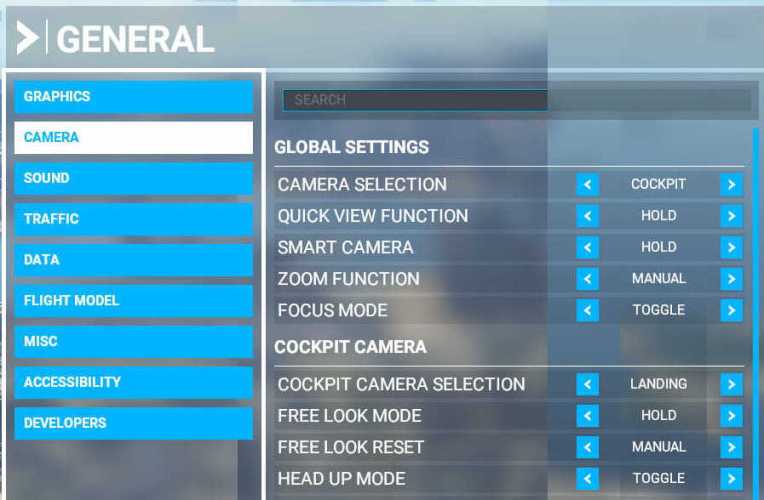
I have chosen “LANDING” as my default camera in MSFS. But since I already have a physical DIY cockpit, all I want is a clear full forward view without the virtual cockpit and its instruments.
Here’s how I do it quickly:
1. Go to the directory of the aircraft I want to set up the full forward view, for example the C172 Classic under
“\Steam\asobo-aircraft-c172sp-classic\SimObjects\Airplanes\Asobo_C172sp_classic” directory.
2. Make a backup of the cameras.cfg of the aircraft first
3. Open the cameras.cfg
4. Look for InitialXyz under [CAMERADEFINITION.2] with Title =”LandingPilot” since I chose the “Landing” View as my default cockpit view
5. Then I change the z value (for forward & backward) to move my “eyepoint” to a location ahead of the propeller
6. Then save the file and off I go.
Surely the same effect could be done by creating a new camera. But my method is relatively simply and quick to set.
Followings are the changes I made to the:
C172
InitialXyz = 0.03, 0.1, 0.3 –> 0.03, 0.1, 3.1 (+2.8)
C152
InitialXyz = 0.05, 0.12, -0.6 –> 0.05, 0.12, 1.7 (+2.3)
DR400
InitialXyz = 0, 0.16, 0.1 –> 0, 0.16, 3.0 (+2.9)
The new value of z is very much depending on personal preferences. An addition of 2.0 to the value is a good starting point, and from there we can finetune by adding decimals to move the viewpoint slightly forward or backward for optimum position.
Oh yes, we can immediately see the result by “Restarting the Flight Session” after the z value is changed.
However, there are times the result might not reflect immediately due to cache in the memory. To correct this, we can swap to another aircraft and then back to the one being modified. The result will be seen.
Or we can save different flights with different aircraft. Then we can quickly load among the different flights for immediate result.
 FS Times
This is an excellent hint. I’m in the same situation and have been using this for quite some time, however, with one modification:
I first make a copy of the camera file using (I think Alt+Ctrl+0). This will be saved under, e.g.
C:\Users\[your profile]\AppData\Roaming\Microsoft Flight Simulator\SimObjects\Airplanes\Asobo_C172sp_classic
In this file you can make the amendment above.
You can then switch back and forth between the “normal” and the “shifted” camera using Alt+0. I found this somewhere on the official forum. This way you don’t have to modify the original files.
LikeLike
Yes, that’s another method of creating a full forward view with no instruments too.
The difference is I can directly enter this camera without pressing Alt-0.
True, either one has its pros and cons.
LikeLiked by 1 person