
Read from RealSimGear’s forum that some users have alignment 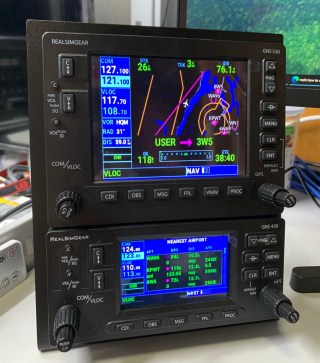 issues when moving the GPS displays from the virtual cockpit to the GNS430 and GNS530.
The official instruction says that there is no need to resize the popped out GPS screens from the virtual cockpit. Just move them over to the GNSs and press right Alt-Enter. The GPS screens will fit on the devices accordingly.
Unfortunately, it’s not just those users in the forum having problems in doing so. I encountered the same situation that the GPS screens wouldn’t fit onto the GNSs by following the official instruction as well.
Here’s my solutions:
For GNS530: Reduce the GPS screen with a little margin on Left and Right
For GNS430: Reduce the GPS screen with a little margin on Top and Bottom
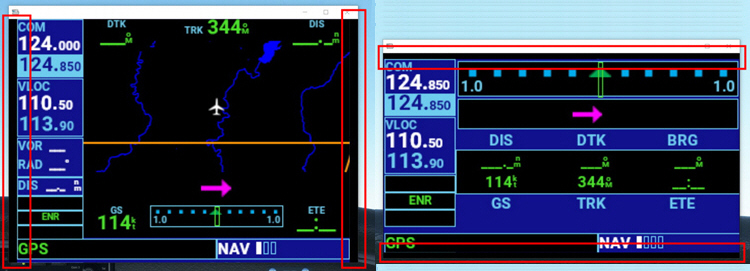
Then move the GPS screens over to the GNSs and press right Alt-Enter, they will fit onto the GNSs properly.
 FS Times