
The “Prio-Process Priority Saver” that I used to set my computer’s CPU priority for MSFS to High as reported in my Post 714 no longer works after my computer’s firmware was upgraded to TPM 2 compatible, which is required for the coming Windows 11.
Instead, I am using Process Hacker now.
The word “Hacker” does sound a bit scary, but it is reported to be safe to use from many searches I did regarding the utility.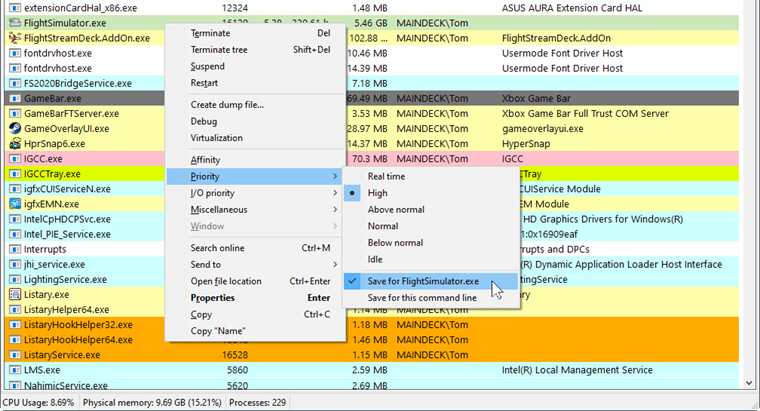
In addition, it comes with many advanced system features that we may not require or may not know how to use. Anyway, It is similarly easy to set the CPU priority for MSFS to High at all time without any difficulty.
Your mileage may vary.
–
 FS Times
Does the program need to run every time Windows start? Will there be an icon in the system tray? Or can I save the priority and then there’s no need to run the program again, like it was in Prio?
LikeLike
Yes, the program needs to be run all the time like the Prio. It has options to load with Windows and to stay in the system tray, etc.
Open its main interface and select the Options from its menu on top.
LikeLike