
Like many friends, my system has an Elgato Stream Deck so that I can minimize the needs of using keyboard and memorizing hotkeys. The device had been working pretty well until recently I found it behaving erratic with intermittent non-responding 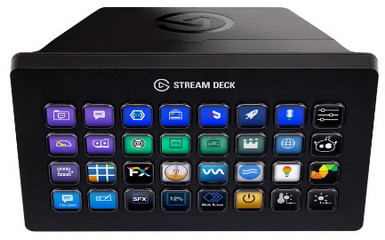 errors when switching profiles.
I tried reinstalling the app and restoring from previous profile backups. I took various ideas and suggestions from the Internet, too. All attempts were futile.
After many weeks of trying, I decided to reinstall everything and create all profiles from scratch again, hoping that would solve the issue.
During re-creating the first few profiles, I eventually found out the real cause behind the non-responding errors that was troubling me.
It was the link to an NAS (Network Access Storage) device that I had disabled months ago was not removed accordingly.
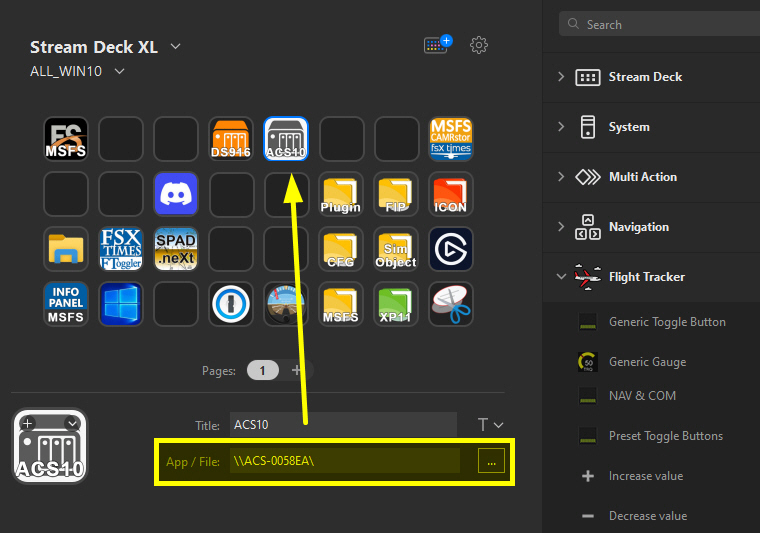
With the link in place, the app kept trying to locate the disabled NAS repeatedly. No wonder why the Stream Deck became non-responding for a minute or two when the device was switching to a profile containing the link.
After removing the invalid link, my Stream Deck resumes working normally without any issue again. Phew!
 FS Times