833: C172-G1000 EIS Released

The Engine Indication System (EIS) for the C172-G1000 is now ready.  It is the first of MSFS_C172_EIS_JPG_resizea series of similar EIS being developed for different aircraft.
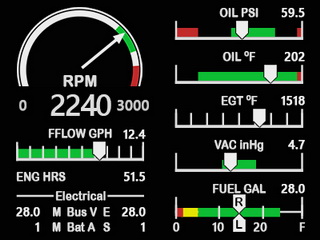
Existing owners of the C172-G1000 3-Gauge Pack and C172-G1000 with G5 Combo Set could contact me for a 25 and 50% discount off respectively.  The offer is valid thru to the end of the year.

Here’s the link to the FIP store Continue reading
832: Comanche EDM Updated

The EDM gauge for the A2A Comanche PA24-250 has been updated to R1r01.

In addition to some minor bugs fixed, the Manifold Pressure (MAP) and RPM digital numbers were also repositioned for better display.

Download Link have to sent to all users and they should be in their mailboxes by now.  If not, Continue reading

831: C172-G1000 EIS Preview

Here’s a video preview of the coming Engine Indication System (EIS) for the C172-G1000 to be released soon.  It can also seamlessly replace the Engine Cluster on the C172 Classic version, especially when flying with the Generic G5 Gauges.

At present, all layout, structure and programming are completed, except a few more features to be tuned and decided.

This C172-G1000 EIS is the first Continue reading

830: A Quick Guide to RNAV Approach

Since the story “808: VORs are Now RNAV Compatible” was posted in March, once in a while I received enquiries from friends who asked me for instructions to run RNAV Approach.  I used to reply them by emails individually.  But I think it does no harm to write up a short post for those who might be interested.

RNAV (Area Navigation) is an aviation method that allows an aircraft to fly along any desired flight path defined by waypoints under GPS operation instead of navaids.

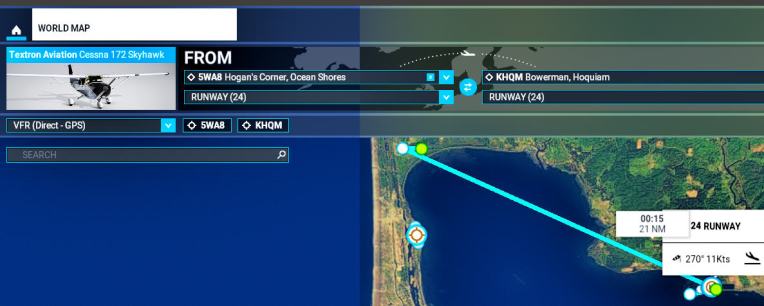
Here’s a quick guide about setting up the RNAV Approach from 5WA8 to KHQM as demonstrated in the Post mentioned above:

1.
Open WORLD MAP and choose to fly the Cessna 172 from 5WA8 (Hogan’s Corner) to KHQM (Bowerman)
RNAV_01 Continue reading

829: REX Update Patch Admin Right Fix

TechLevel01W
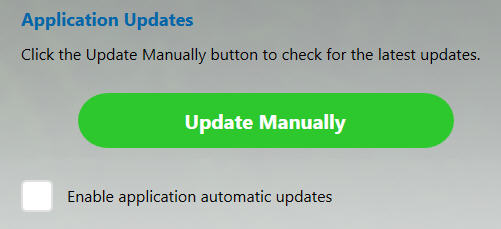
Three days ago, REX Simulations’ AccuSeason Advanced Edition released a technical update patch for bug fixes, etc.  However,  the automatic update function of the app in my system failed.  So I need to perform a manual update by downloading the patch and run to install it.
REXUpdate01
Sadly, the update patch installation also failed with some “access right” errors, meaning the patch requires to be run with Administrator Right.

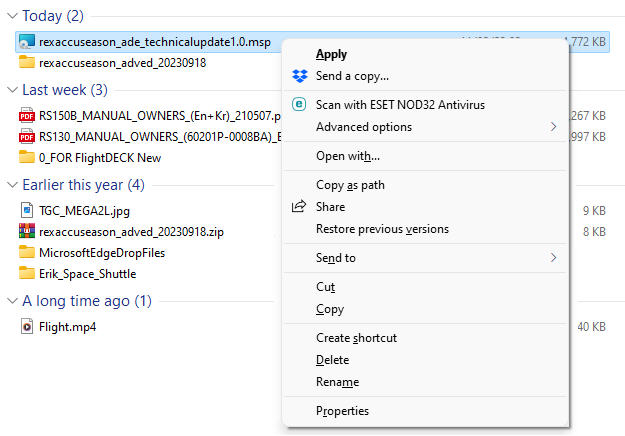
So I right-click on the update patch in *.msp format.  But there is no “Run as administrator” option available.
REXUpdate02
Following is what I do to run the patch as administrator: Continue reading