

Three days ago, REX Simulations’ AccuSeason Advanced Edition released a technical update patch for bug fixes, etc. However, the automatic update function of the app in my system failed. So I need to perform a manual update by downloading the patch and run to install it.
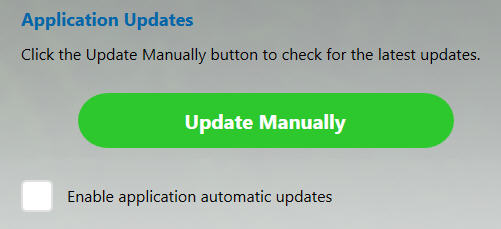
Sadly, the update patch installation also failed with some “access right” errors, meaning the patch requires to be run with Administrator Right.
So I right-click on the update patch in *.msp format. But there is no “Run as administrator” option available.
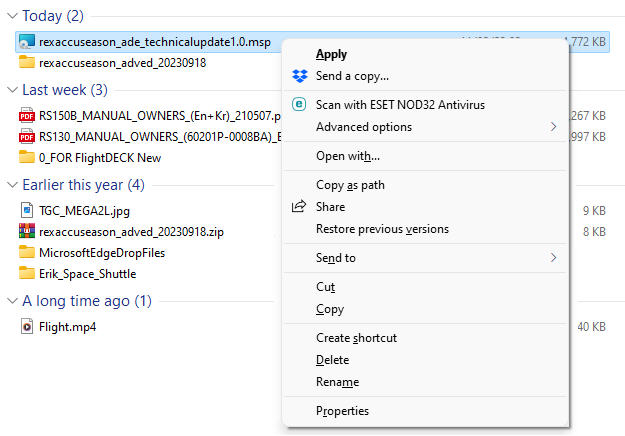
Following is what I do to run the patch as administrator:
1)
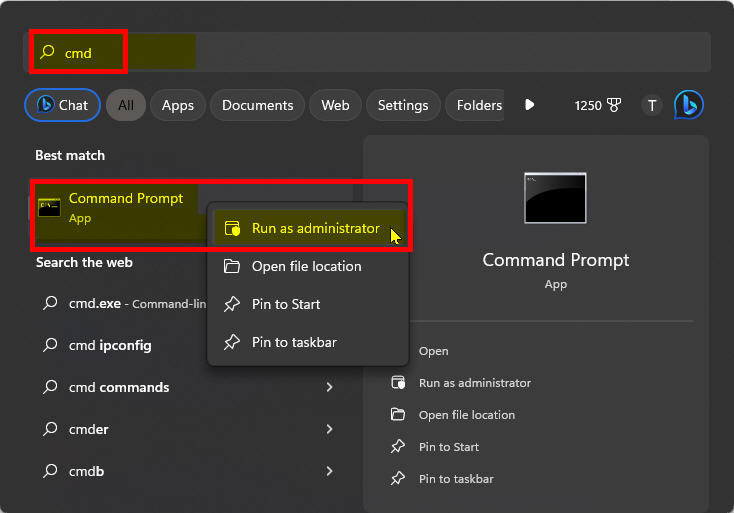
Type “cmd” or “CMD” in Windows search bar. Then right-click on the “Command Prompt” app, the “Run as administrator” option will show up.
2)
Click to choose to run the “Comand Prompt” with the “Run as administrator” option. The “Administrator: Command Prompt” will show up.
3)
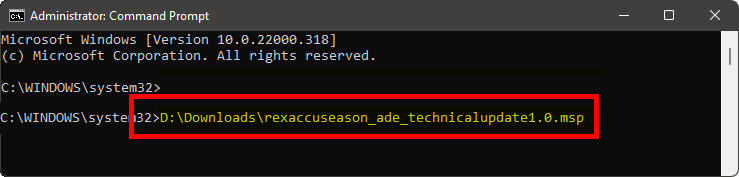
Type in the name of the update patch with its full path and press [ENTER]. The patch should be installed properly.
If not, contact REX Simulations for support.
 FS Times