
Since the story “808: VORs are Now RNAV Compatible” was posted in March, once in a while I received enquiries from friends who asked me for instructions to run RNAV Approach. I used to reply them by emails individually. But I think it does no harm to write up a short post for those who might be interested.
RNAV (Area Navigation) is an aviation method that allows an aircraft to fly along any desired flight path defined by waypoints under GPS operation instead of navaids.
Here’s a quick guide about setting up the RNAV Approach from 5WA8 to KHQM as demonstrated in the Post mentioned above:
1.
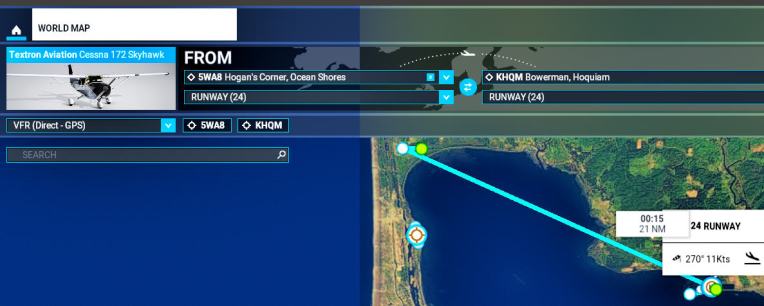
Open WORLD MAP and choose to fly the Cessna 172 from 5WA8 (Hogan’s Corner) to KHQM (Bowerman)
 2.
2.
Once the flight is loaded, press [ FPL ] on the GNS530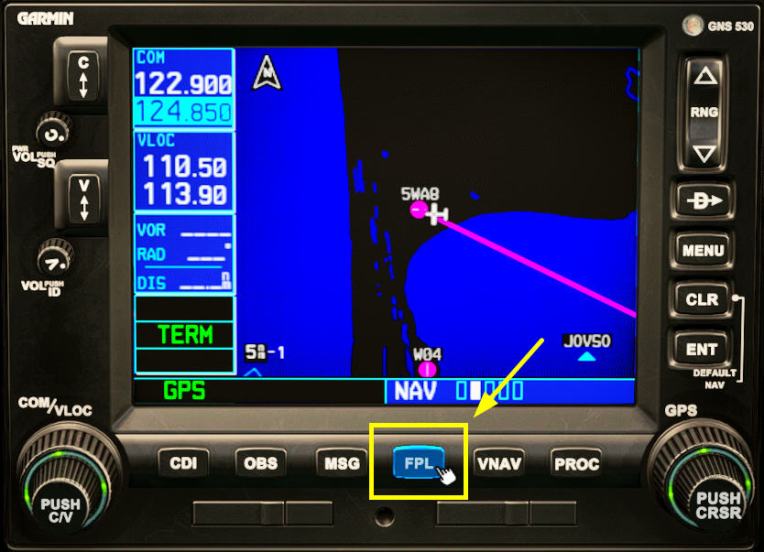 3.
3.
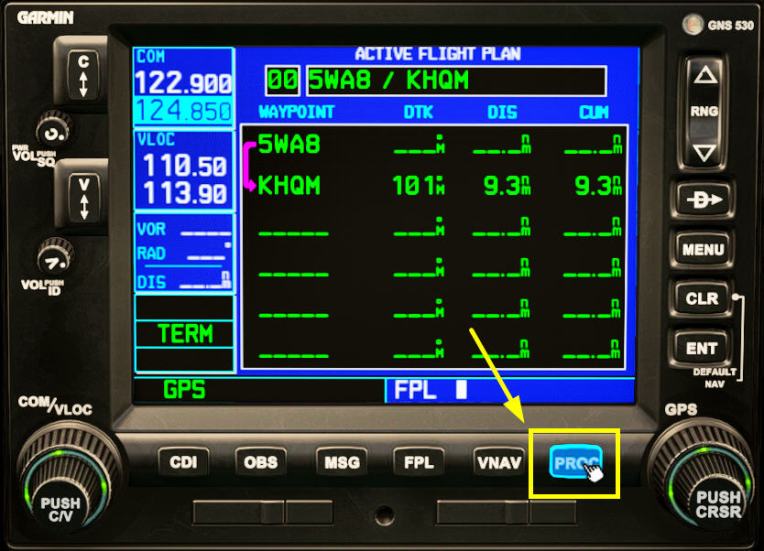
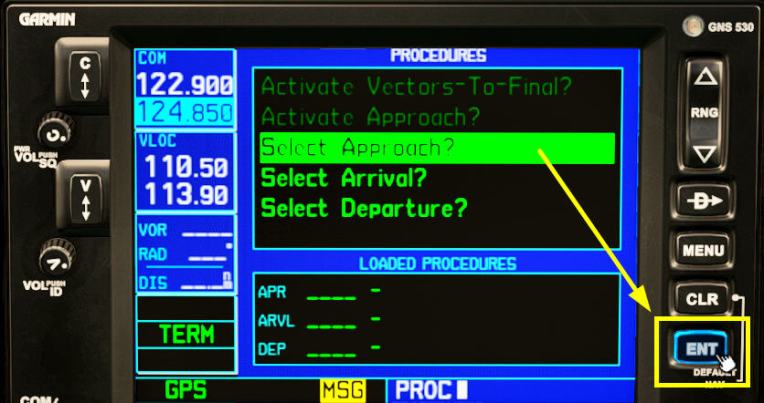
Press [ PROC ] and then [ ENT ] to choose “Select Approach?”
 4.
4.
Turn the knob of the GNS for “RNAV 06” (runway 6) and press [ ENT ]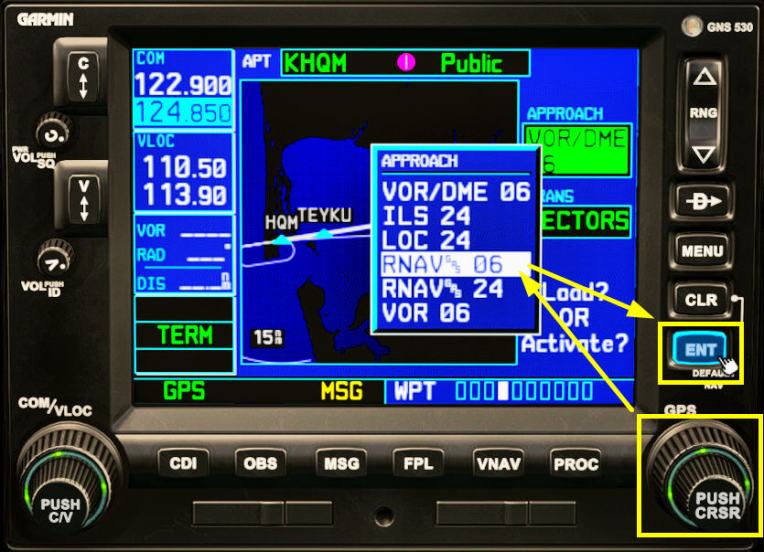
5.
Select transition point “ZUNAD” and press [ ENT ]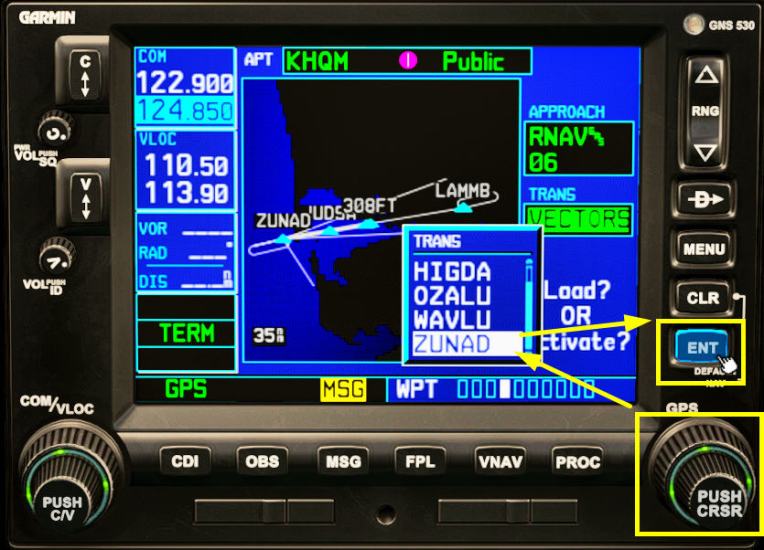
6.
Press [ ENT ] again to confirm to “Load?” the approach

7.
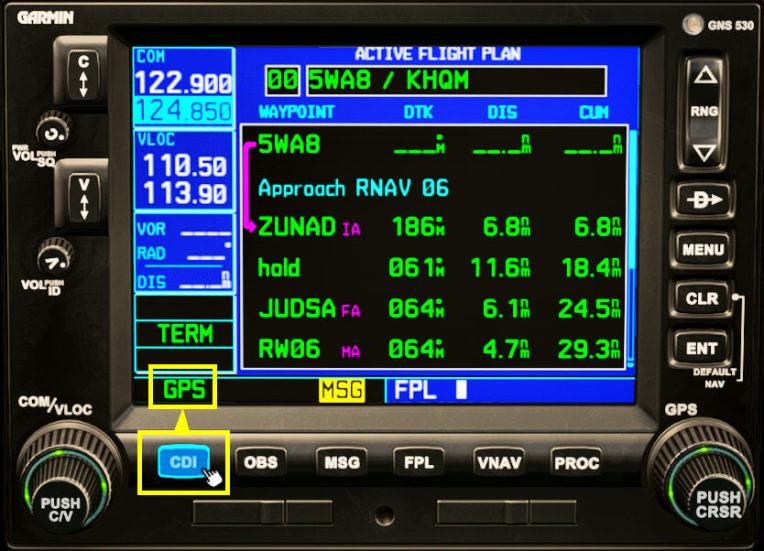
Press [ CDI ] to choose flying with GPS
8.
Now take off
9.
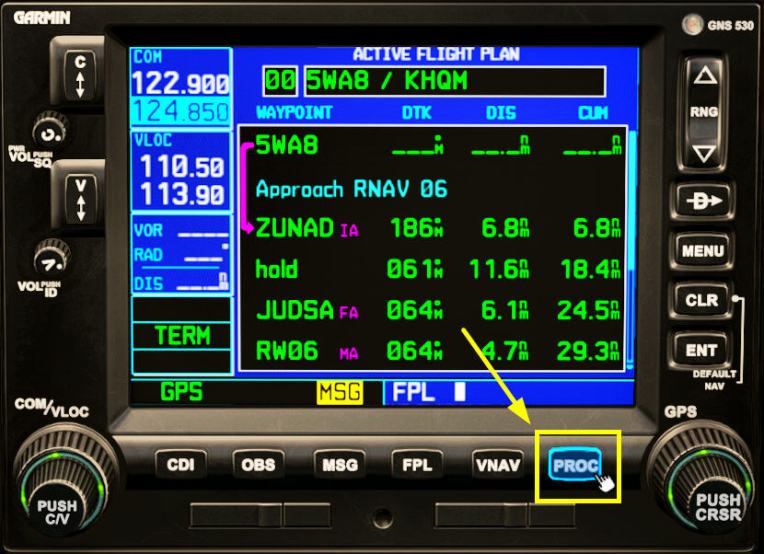
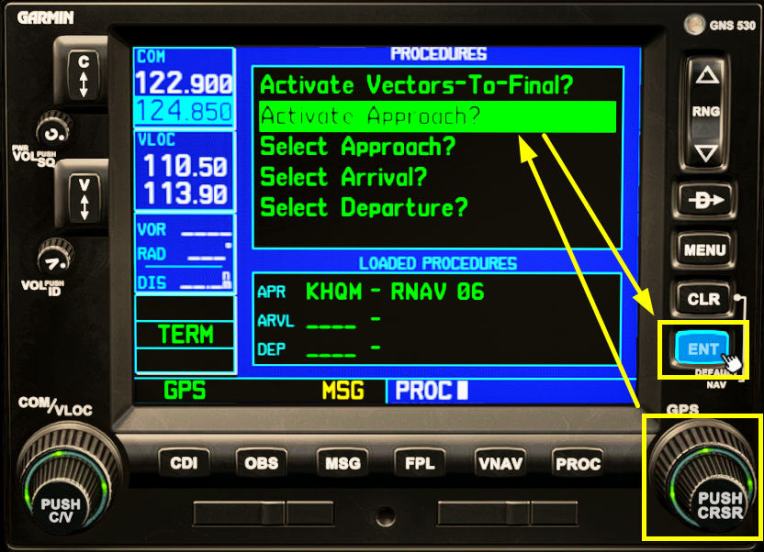
Once airborne, press [ PROC ]
 10.
10.
Select “Activate Approach?” and press [ ENT ]
 11.
11.
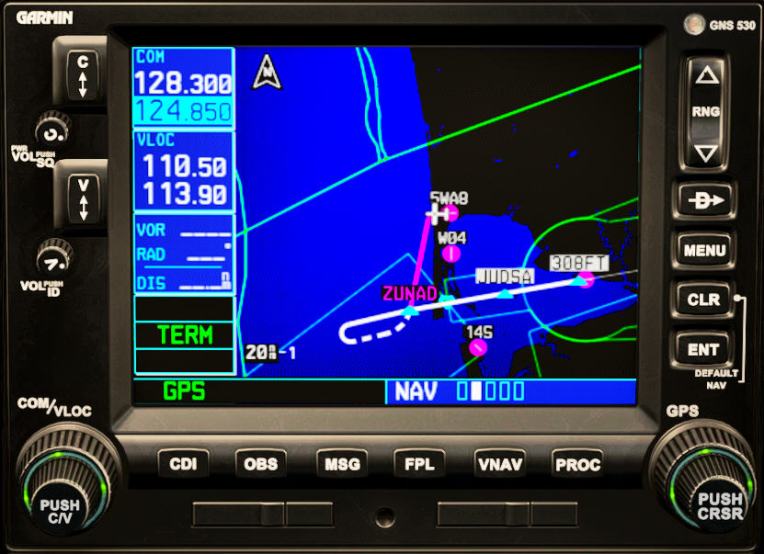
Once activated, the GNS530 will show the relevant flight path to “ZUNAD”
 12.
12.
Fly along the flight path as guided
13.
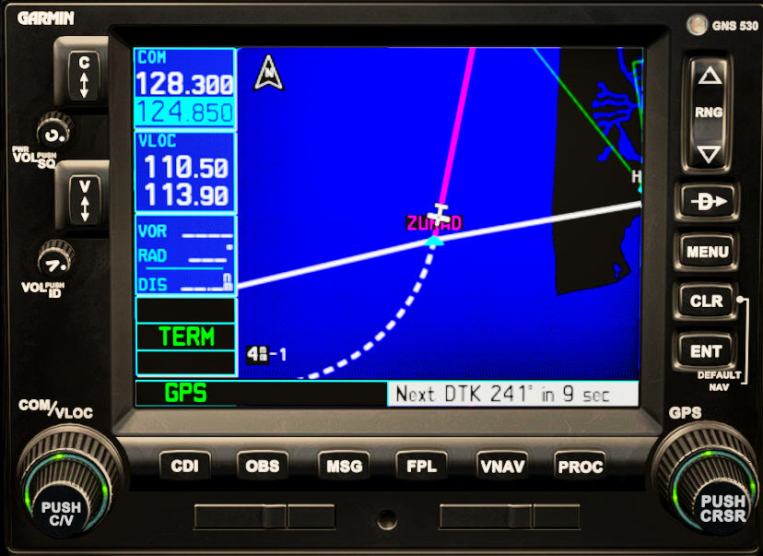
When transition point “ZUNAD” is passed, fly through the procedure turn to go in bound to runway 6
 14.
14.
Continue flying along the flight path
15.
When crossing back the “ZUNAD” again, Vertical Guidance will be shown on the VOR1 for landing. 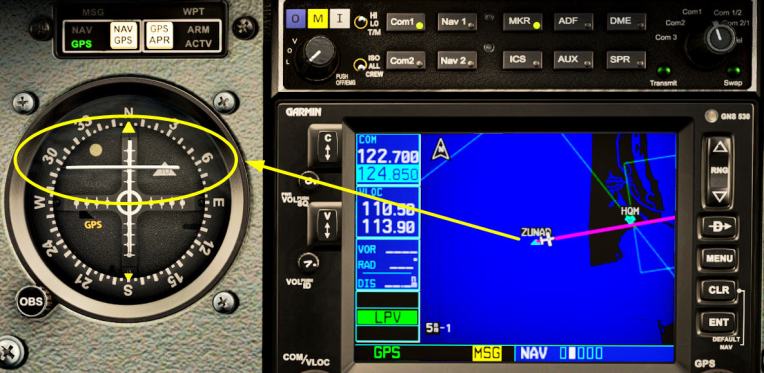
Above instructions are surely elementary but they should provide some basic operations and understandings to anyone who is interested in the RNAV approach.
BTW, once the approach is activated in Step 11, one may turn on Autopilot NAV mode to allow the aircraft to fly automatically.

Lastly, thanks to Bryan again who taught me above in the first place.
–
 FS Times