
If you have many custom cameras set up for aircraft in FS2020, you can make use of them immediately in FS2024 via simple copy-and-paste.
In FS2020, the custom cameras are stored under specific aircraft folders beneath the following directory path:
C:\Users\[UserName]\AppData\Roaming\Microsoft Flight Simulator\SimObjects\Airplanes\
In FS2024, the path is similar:
C:\Users\[UserName]\AppData\Roaming\Microsoft Flight Simulator 2024\SimObjects\Airplanes\
However, the custom camera folder structure of DEFAULT AIRCRAFT in FS2024 are now more complex than that in FS2020 (click below image to enlarge):
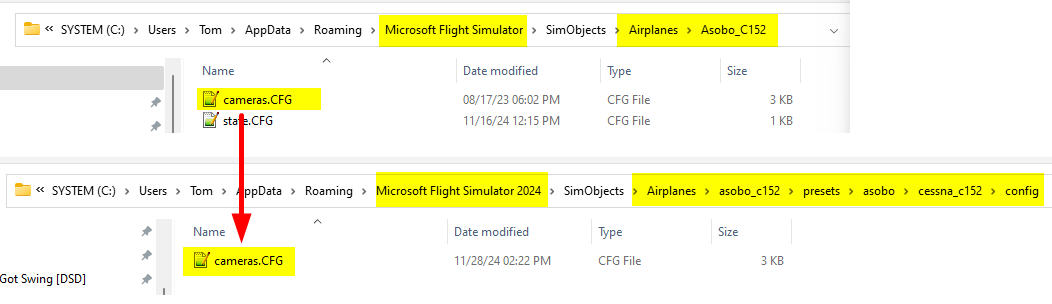 Therefore, we’ll need to pay extra attention to find out the correct folders when copying DEFAULT AIRCRAFT cameras to FS2024.
For THIRD-PARTY AIRCRAFT, Continue reading
 FS Times