
By default, the FS2024 Community Folder is created under:
“C:\Users\Tom\AppData\Roaming\Microsoft Flight Simulator 2024\Packages\”
There are two ways to relocate it to another directory of your choice for easy access.
1)
Go into Market Place, click the Setting Icon, then Browse for and Confirm the directory of your choice to be the new Community folder for FS2024. I am using “F:\FS2024”
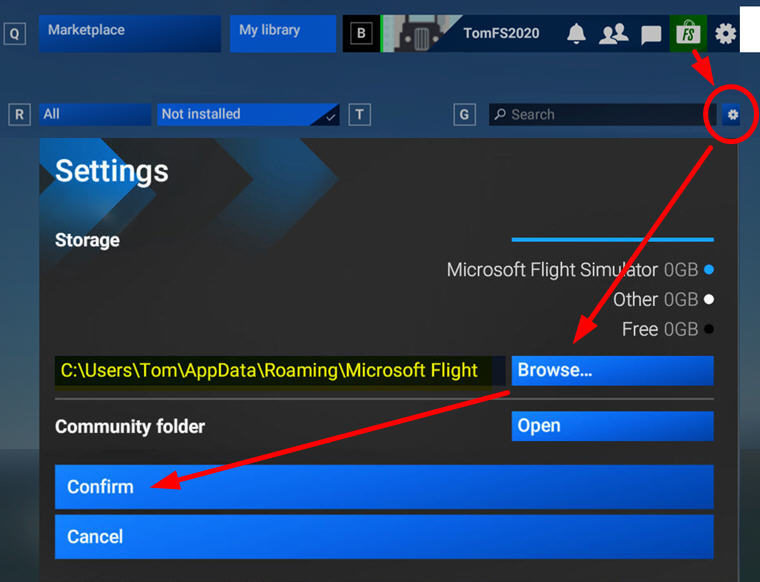
2)
Go to “C:\Users\Tom\AppData\Roaming\Microsoft Flight Simulator 2024” directory
Look for and open the UserCfg.opt file and go to end of it. Then replace the directory with the one you want, for example,
InstalledPackagesPath “F:\FS2024”
Save the file and you are good to go.
 FS Times