
In FS2024, there’s not only coming with a keyboard file structure very different from the one in FS2020, many of its commands and hotkeys are different, too.
I must say re-adapting to the new keyboard usages is one of the greatest annoyances I don’t want to deal with.
Fortunately, Asobo is considered enough to include an FS2020-style keybaord set to make my life easier, even though it is not 100% compatible due to new features and functions added to the simulator.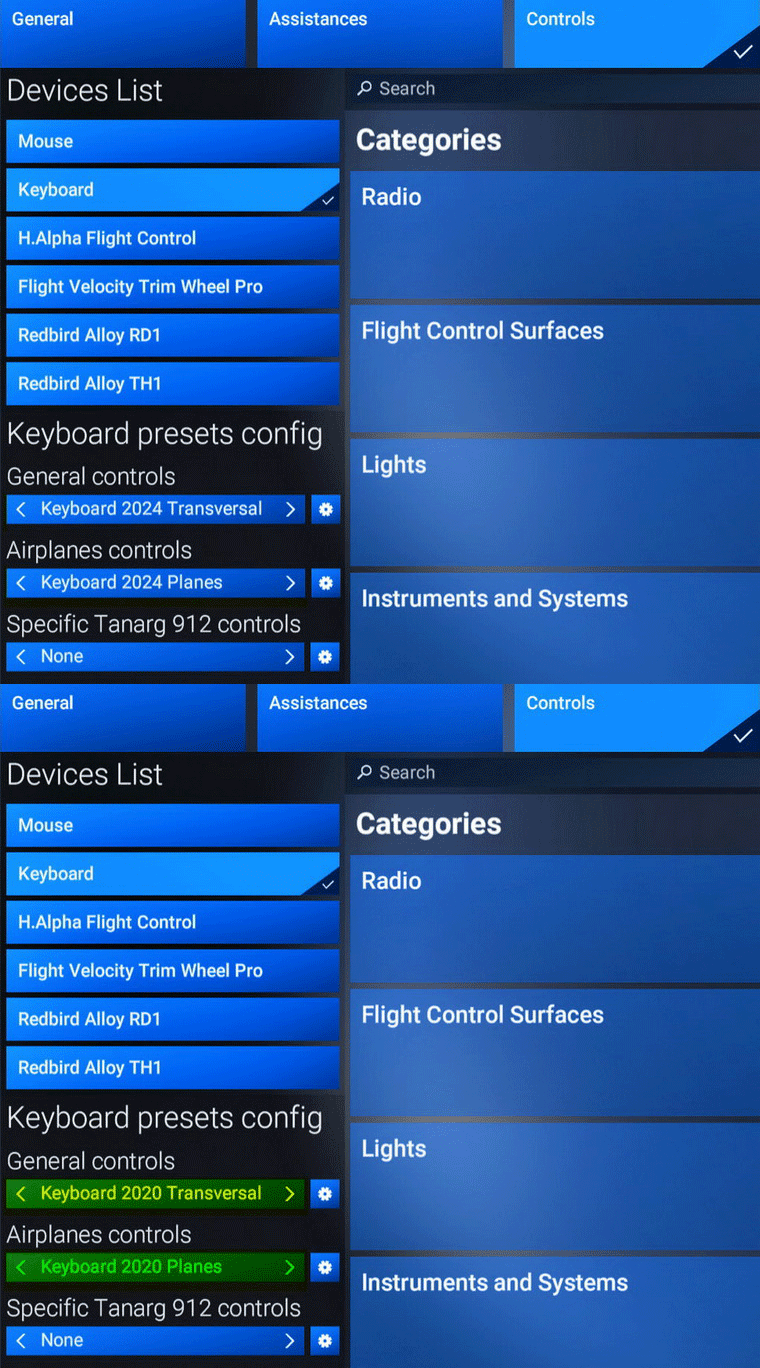
What I do is to make a corresponding workable copy of the two 2020 Transversal keyboards. So that I can further modify them per my previous settings and personal practices without altering the original files.
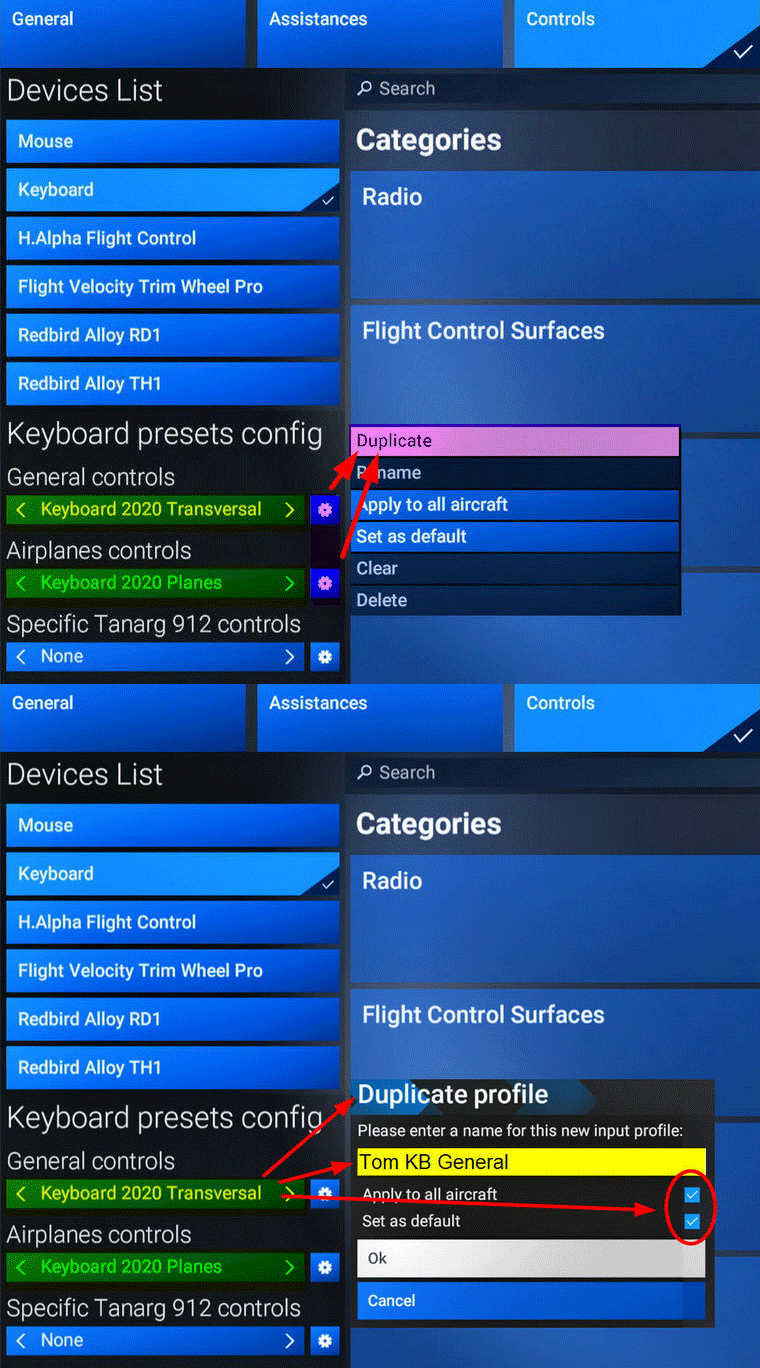
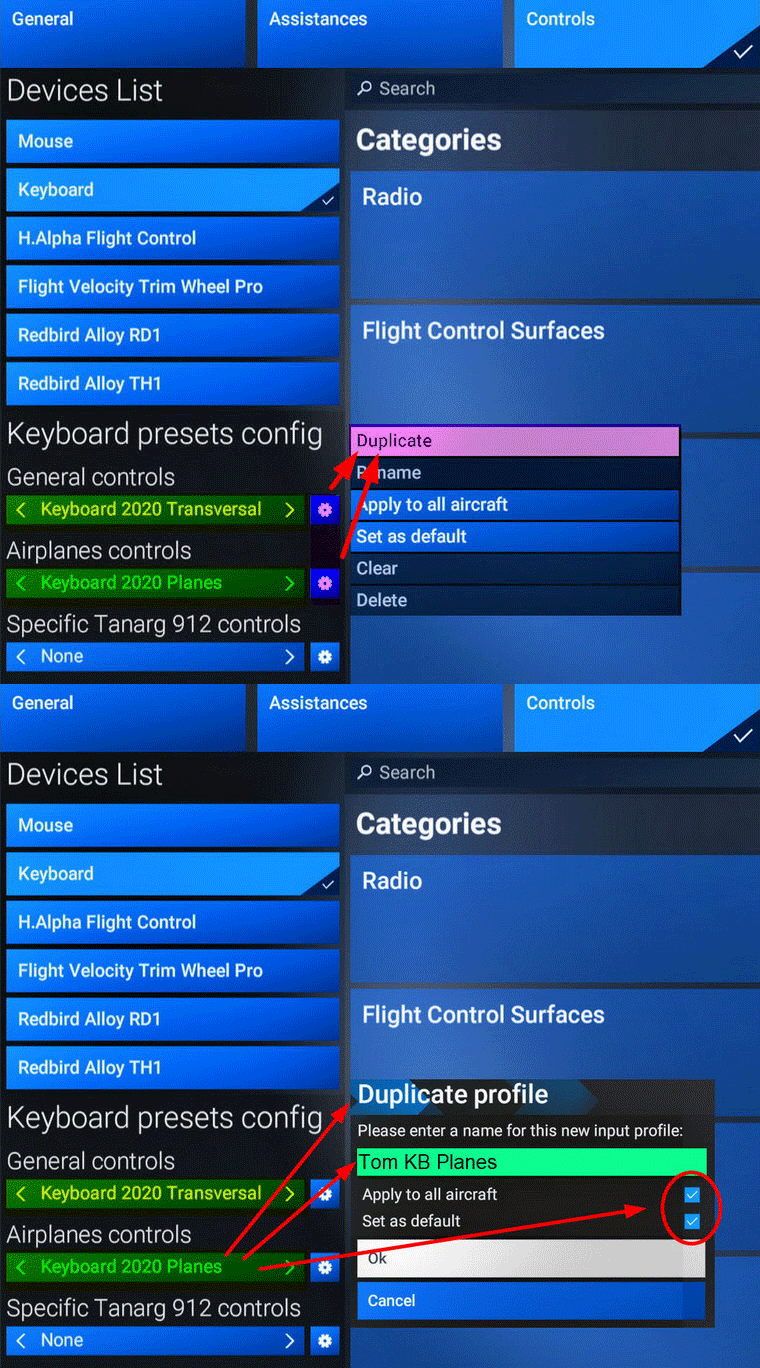
In addition, I’ll set the duplicates as default and apply them to all aircraft to save me troubles.
I can further create dedicated keyboards for specific aircraft, such as the Tanarg 912, as shown in the bottom of the image above, if necessary.
Similarly, this principle is useful to all other control devices and to keep their originals clean.
 FS Times