
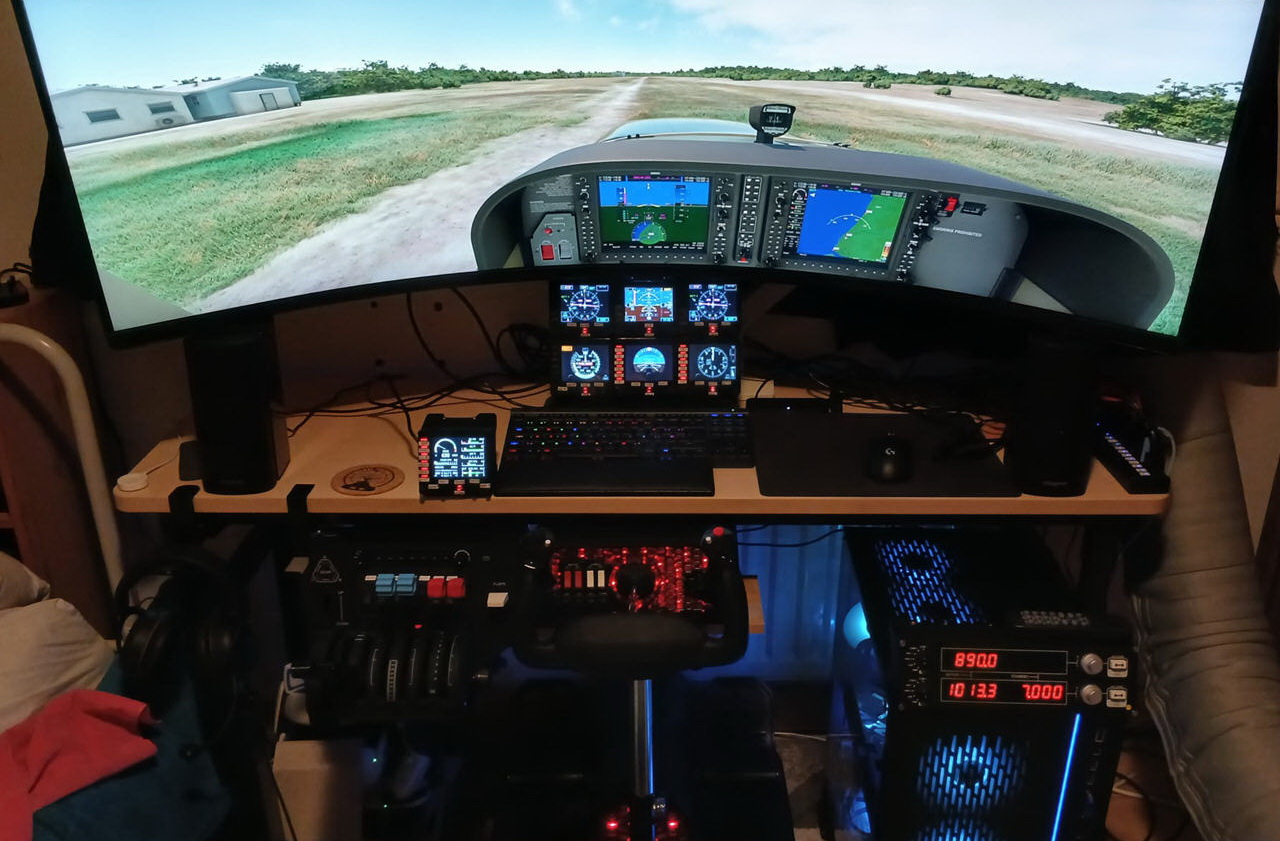
Glenn in the UK once cleared his very large Logitech setup to basically zero. Now he comes back with a moderate setup that gives him almost complete control over the G1000 suite.
Builder: Glenn
Location: England/UK
ICAO: EGTB, Wycombe Air Park
Project Notes:
I actually used to a have a very large FIP setup totalling 15 units and a full suite of other Logitech panels. Because the FIPs need to be powered on 2 at a time, it would take me quite a while at the start of a session, so I looked into ways to simplify my setup.
I ending up buying 2 physical G1000 units for the PFD and MFD. However, I recently discovered that using the pop outs from the sim was the reason I was getting terrible stutters, especially when banking the aircraft left or right.
So I removed those and found the sim runs much smoother, but I missed being able to control the G1000 with physical buttons and dials.
That’s when I had the idea to use the FIPs again.
At first I just added 3 FIPs, ASI, ATT and ALT, and reprogrammed the dials on those.
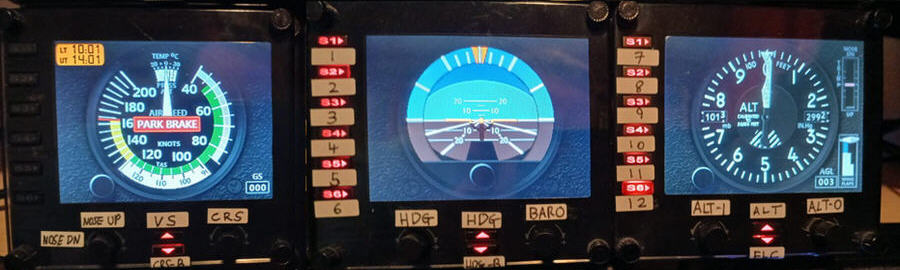
I was still a bit frustrated having to use the mouse to program the flight plan though.
So I thought, why don’t I add a few more FIPs and try to bring back the functionality of my G1000 units?
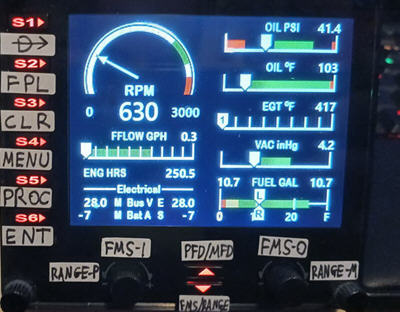
Added 3 more, EIS, G5 PFD and G5 VOR1.
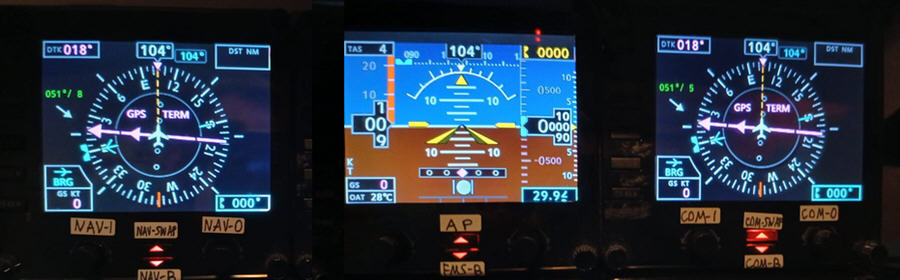
Tried just editing the xml files to make it work with the Logitech plugin, but it turns out that since the sim moved to the nxi G1000 as the default, most of the G1000 variables do not work over simconnect.
So I switched to SPAD.neXt and started testing and programming as much as I could.
Because of the way I have the view set up in flight sim now (with the PFD and MFD in full view, but with zoom reduced to 30 and height increased to 75, then use cockpit “close” mode), i wanted to be able to match what I’m doing on the fips with what I was seeing on the screen.
Even with 6 FIPs, that’s a limited number of dials, so I knew I wouldn’t get all dials and buttons bound, so I created a system where it would default to using the dials and buttons from the PFD, but if I long press a button, it would switch to controlling the MFD. Short pressing will return it to PFD mode.
I was still short on dials though, so I used another button where a long press which switch a set of dials from controlling the FMS dials to controlling the range/zoom of the PFD or MFD.
This system seemed to work well, but the position of the FIPs, although great for visibility during flight, did make it a bit of a long reach in terms of controlling things.
So I added one last FIP (VOR2) and then moved the EIS next to my keyboard. Transferred all the main G1000 controls (for switching PFD/MFD, fms/range and the flight plan controls) to this FIP, so now I can quickly and easily program the G1000 before flight again using physical buttons.
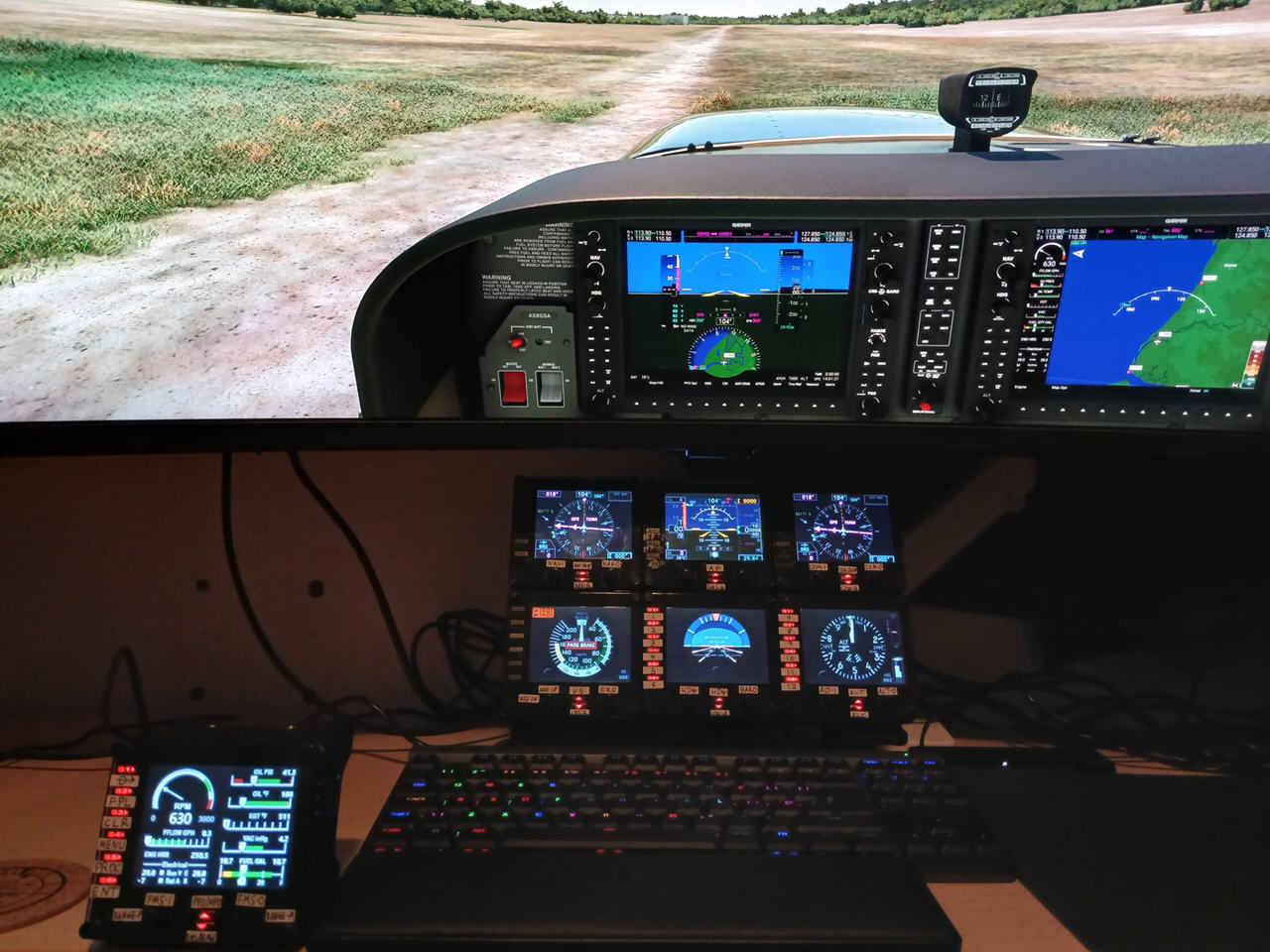
I still have some of the controls bound to the purge FIPs, just so that almost every option is possible, but the main setup is all within reach now (especially as I can also still control target alt and ias from my throttle, and nav and com from my radio panel…. but at least I have the option to do this from the FIPs too).
I think I was partly inspired to try the FIPs again by YouTube creator, Huddison.
He’s also from the UK, and recently posted a video showing his new cockpit panel and explaining that he’d added his other Logitech panels, but asked if anyone knew where he could find 3 of the FIPs for a reasonable price to complete it. Having 15 of them that were sat in the loft not being used, I offered I send him 3 units free of charge. So we arranged that, and seeing them in action again reminded me how much I enjoyed having them in my setup (minus the long setup time for 15 FIPs haha).
So yeah, that’s basically it. That’s my story of going from a large Logitech setup, down to basically zero Logitech setup and now to a moderate setup, but with almost full functioning G1000 setup at my fingertips.
Now I just have to find time to actually fly with it.
Lastly, a pdf file produced by SPAD.neXt of the button/dial bindings for each FIP can be downloaded here, if anyone interested.
–
 FS Times