
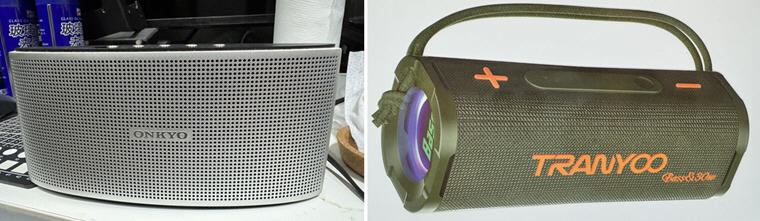
My Onkyo X3 Bluetooth Speaker recently broke down after nearly a decade’s service. I replaced it with a Tranyoo 30W speaker with bass enhancement. The speaker sounds very nice and well-fit to the small area under my monitor.
Oddly, while MSFS2024 is running, the speaker has no sound output from the simulator at all. The worst, the whole computer is muted with dead silent until MSFS2024 is quit. The speaker with MSFS2020 and other apps works perfectly without any issue.
After searching on the internet, the problem is said to be caused by a bug in MSFS that doesn’t compatible with the handsfree function on newer bluetooth devices.
Followings are the two fixes I applied to solve the no-sound issue:
Method 1)
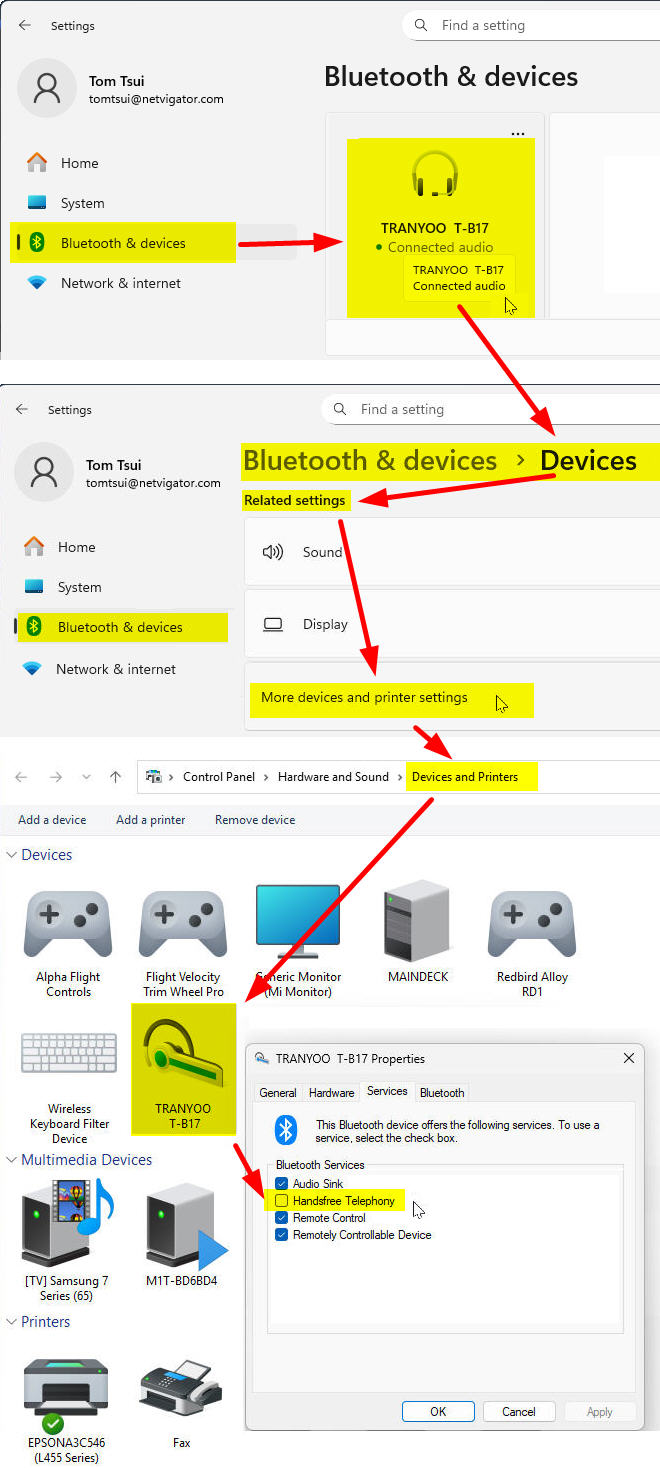
1) Open “Windows Settings” and choose “Bluetooth & devices” from the menu.
2) Click on the device (TRANYOO T-B17 in my case) that needs the fixes.
3) At the page of “Devices“, scroll down to near bottom and choose “More devices and printer settings“.
4) Right-click on the device (T-B17 here) and uncheck “Handsfree Telephony” under Properties.
====================
Method 2)
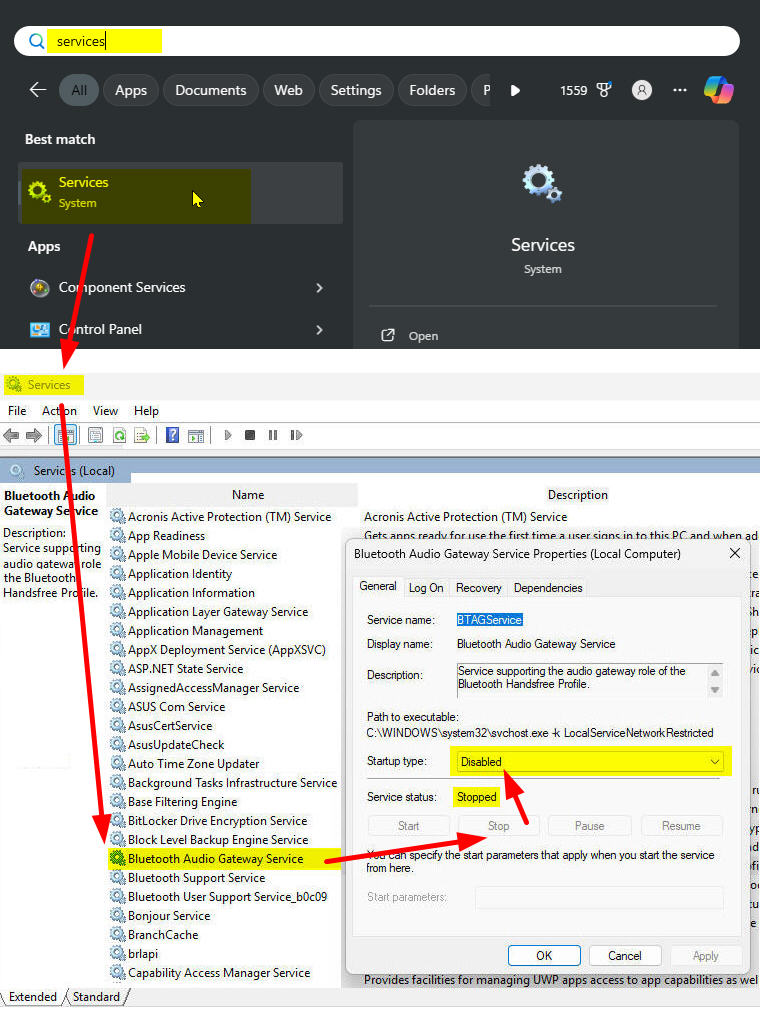
1) Type “services” on the Windows search bar.
2) Click to open the “Services” function page and look for “Bluetooth Audio Gateway Service“.
3) If the service function is running, click “Stop” to terminate it.
4) Then select “Disabled” for its “Startup type“.
5) Reboot the computer.
====================
In essence, either Method 1) or 2) alone should cure the no-sound issue on bluetooth. If not, like in my case, apply both fixes.
By the way, the solution is good for MSFS2020 as well.
Happy Flying!
 FS Times