
Following my earlier Graphics and NVIDIA adjustments, my ReShade and AimxyZ settings for FS2024 were tuned accordingly as follows.
–
Following my earlier Graphics and NVIDIA adjustments, my ReShade and AimxyZ settings for FS2024 were tuned accordingly as follows.
–
Here’s an update of my current Graphics Settings for FS2020 and FS2024 SU4 Beta (1.6.16.0). Since I basically don’t run FS2024 SU3 anymore, its settings have been and will be excluded from this and future updates.
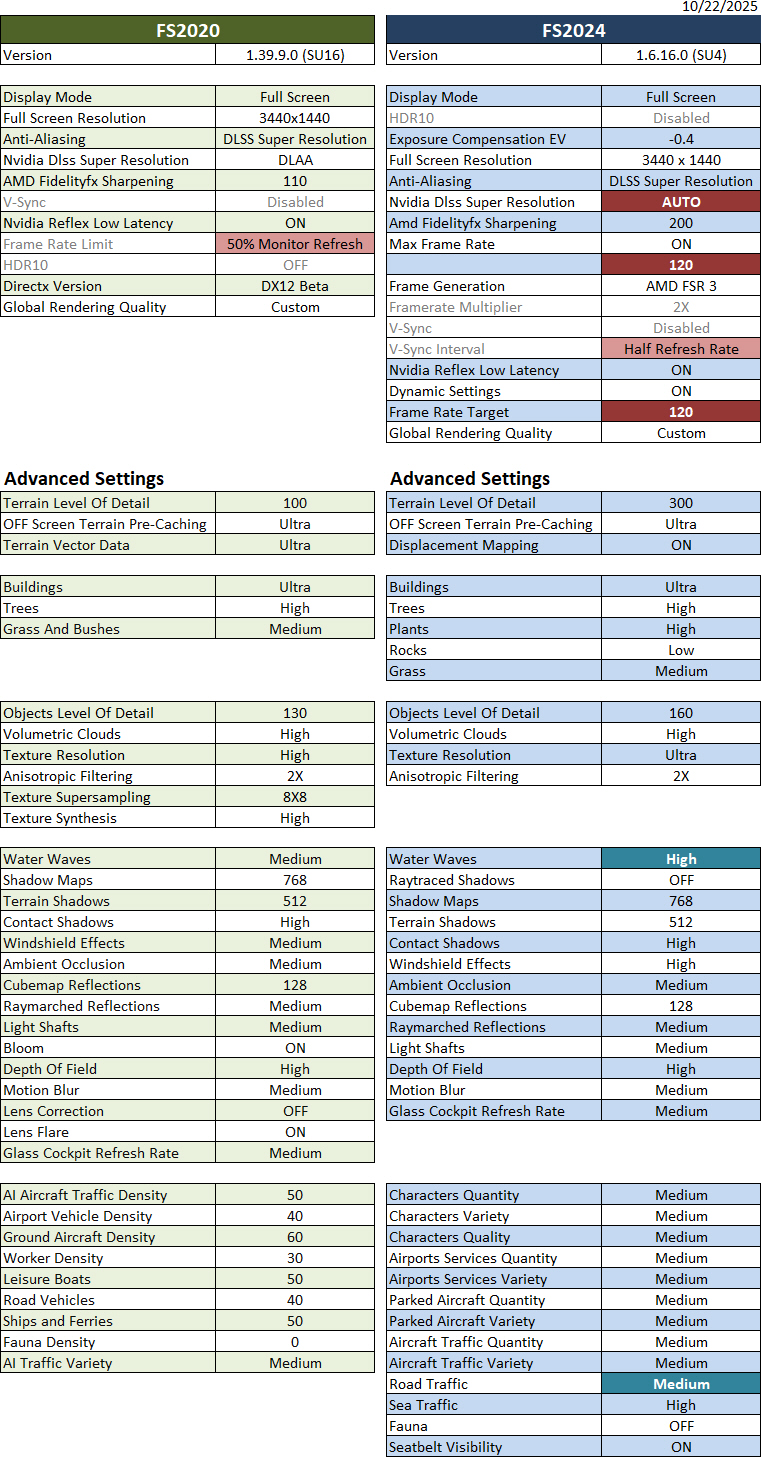
Crucial to this update: Continue reading
Another friend, Ty, commented on my Post 905, saying that despite having a fairly powerful machine, he hadn’t had luck with Lossless Scaling 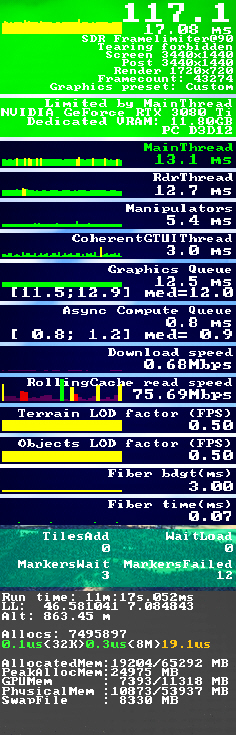 either. However, he was able to run MSFS at all-ultra settings using NVIDIA Frame Generation. He also sent me a YouTube video that he said had helped him a lot.
What a coincidence! The video actually talks about a trick that I had stumbled upon two years ago, which I already reported in my Post 836: My “Limited by Main Thread” Fix.
The key of the trick was to keep the “Limited by Main Thread” status green as much as possible by setting the “Frame Rate Limit” option to 50%.
I had been using this trick ever since, but I gradually forgot about it and, at some point, turned it off.
Reminded by Ty’s note, I immediately checked my MSFS settings, only to discover that there was no “Frame Rate Limit” anymore in the SU4 Beta. Continue reading
Here are three video clips showing how MSFS2024 SU4 Beta (1.6.16.0) performs with the graphics settings I listed in Post 900.
In response to my frustrations with Lossless Scaling, my friend Glenn kindly shared his experience and settings in the comment section of my post #903, encouraging me to give his setup a try since it is working pretty well for him.
Frankly, I really wanted Lossless Scaling to work on my system, too. So I followed Glenn’s instructions (edited slightly for readability) below:
Glenn: In nvcp (NVIDIA Control Panel):- Disable gsync; Set vsync to let application decide; and Set low latency to off.
T: I don’t see the gsync function, probably my GTX3080Ti card doesn’t support it. Have reset low latency from Ultra to OFF.
The MSFS2024 SU4 Beta is amazing me in many ways. For one, dead branches of vegetations are somethings I’d never seen in other flight simulators before.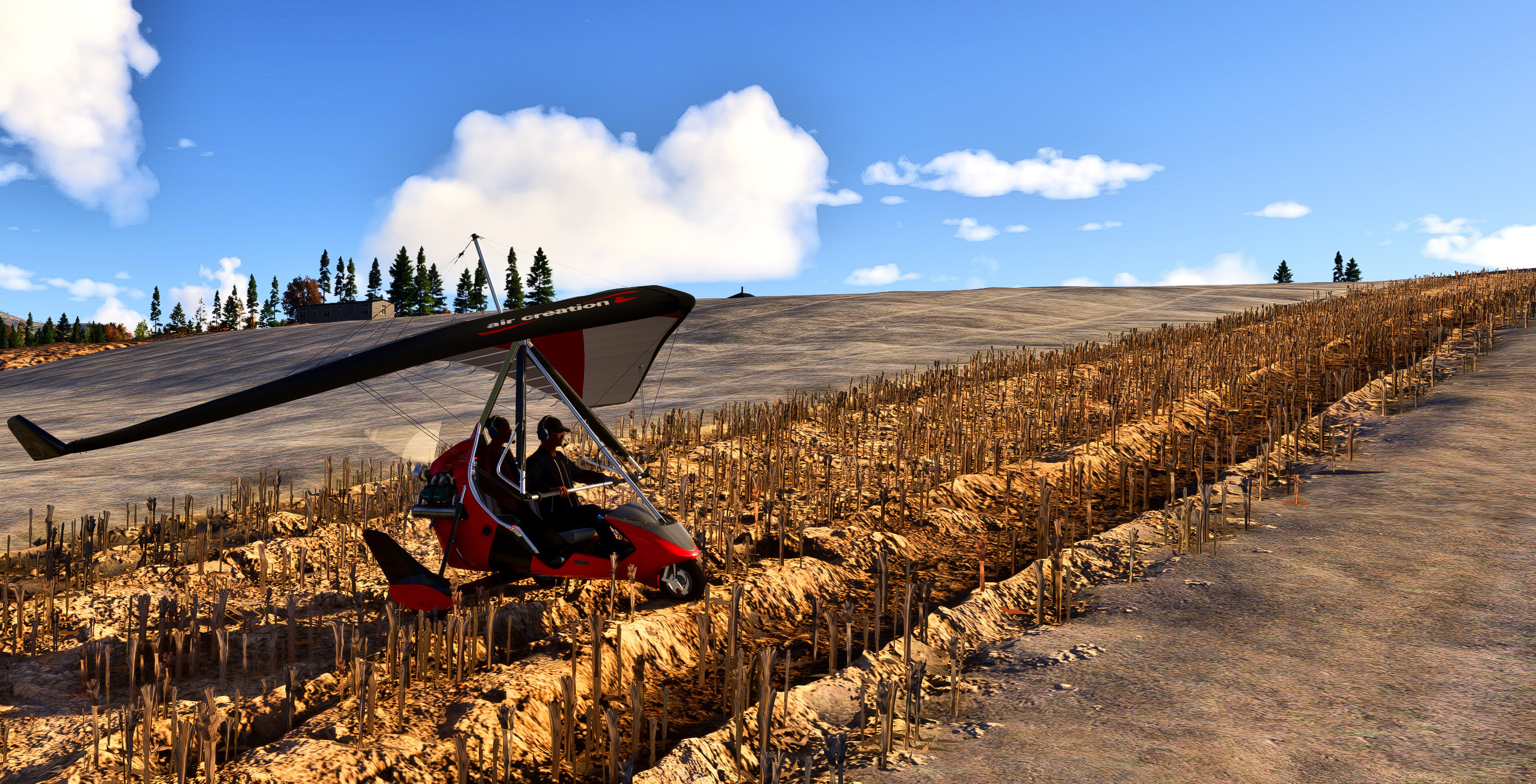
Click to see the image in 100% but beware that Continue reading
I bet many of you have heard of a tool called “Lossless Scaling,” which claims to improve gaming experience by smoothing out the game through LSFG frame generation, optionally using various scaling algorithms and machine learning models (such as LS1) to improve quality or performance.
The description sounds great. And many flightsimmers on the Internet have reported excellent results by using the tool. Sadly, that wasn’t the case for me.
I’ve been using this tool for a while, probably around the time of its second update. Since then, I’ve enabled it on and off numerous times and played around with various settings, including loads of suggestions I’ve found online.
But the results have been similar every time: Continue reading
The just released 1.6.13.0 update has resolved the screen flickering issue that occurred when Nvidia and AMD options for Anti-aliasing and Frame Generation were used together in MSFS2024 SU4 Beta.
Although the alternative use of TAA due to the conflict has yielded good results, the Nvidia and AMD combination is still my preferred choice as it delivers better sharpness and framerate over the other in my system.
In addition, the issue of incredibly long loading time for new airports came with the very first Beta seems to have been resolved as well. Continue reading
Following is a quick image comparison of two addons that help me reducing oversized trees in MSFS2024. The freeware, Forest Enhancement Mod by badnick578, was downloaded from Flightsim.to. The paid one, Smaller Trees Pro by 4Simmers, was purchased directly from the simulator store.
For bigger pictures, click on the images:
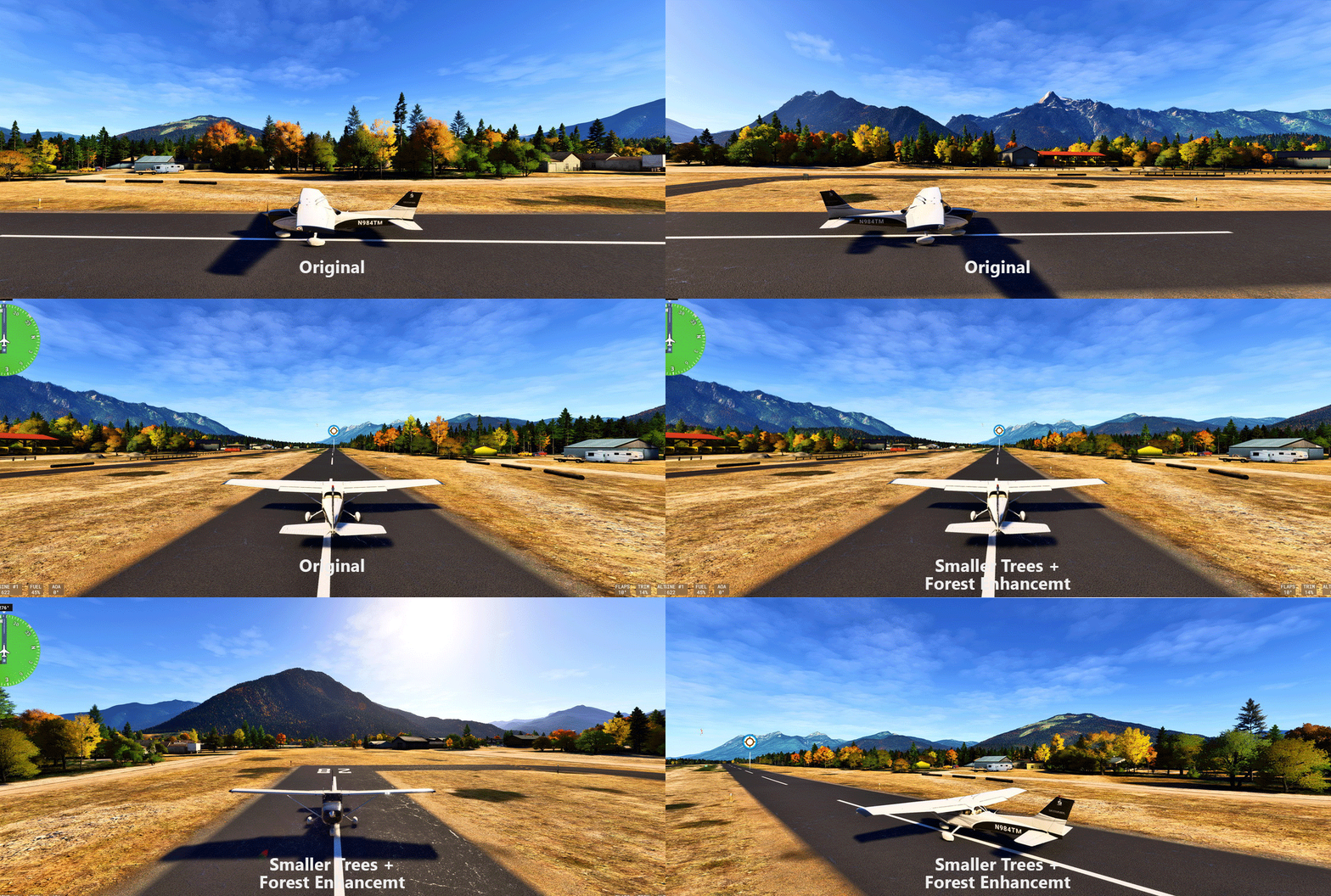
Generally, both addons achieve the goal of shortening vegetations in MSFS2024 without compromising performance.
Personally, the winner goes to Continue reading
 FS Times