
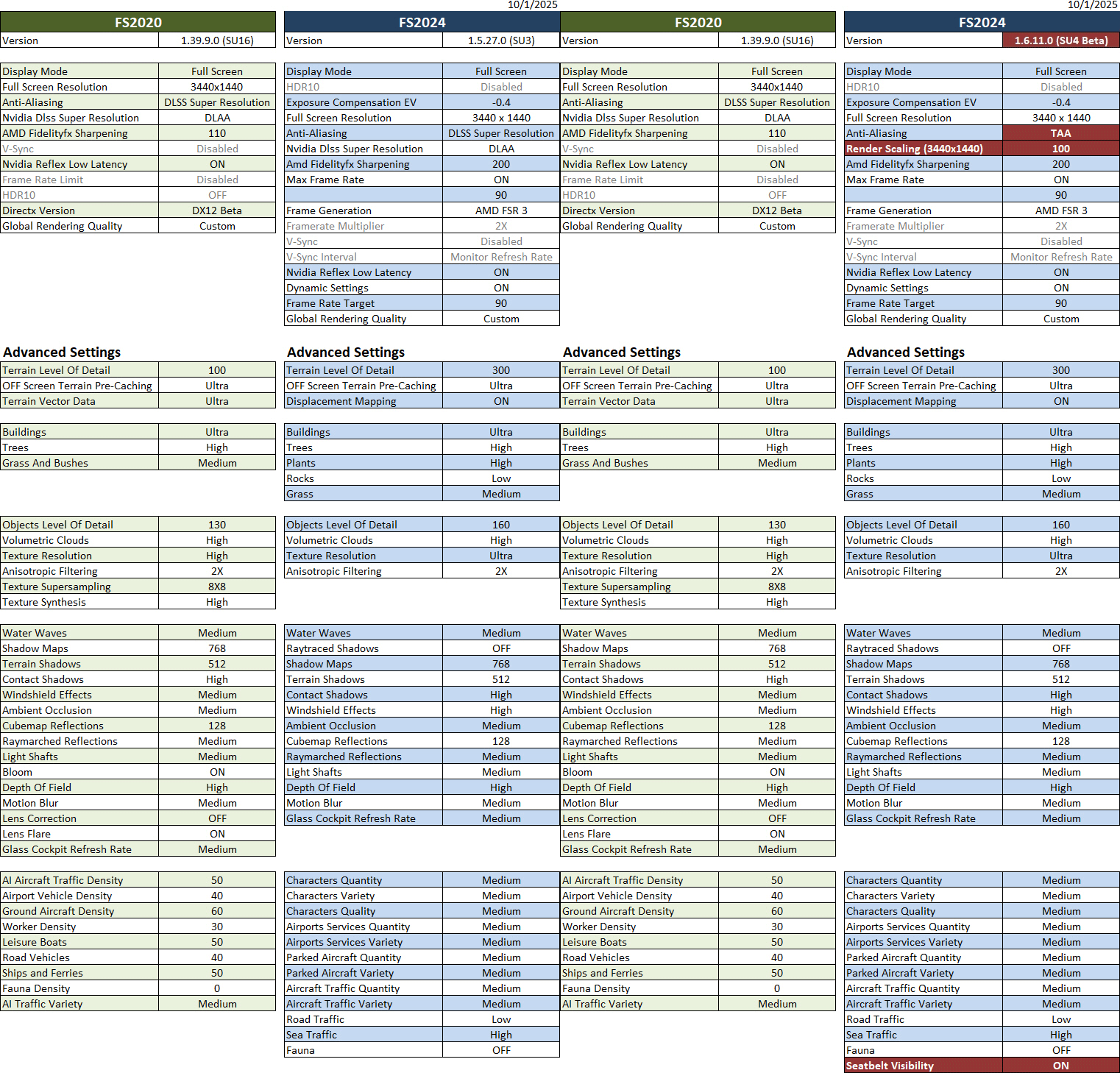
A little update to the Graphics Settings mainly for the FS2024 SU4 Beta. Since the AMD and Nvidia options still cannot be mixed, the Anti-Aliasing and Render Scaling are used instead to avoid screen flickering in the Beta version. Except that, all other settings remain the same.
Update: Since the SU4 1.6.13.0 released on Oct-8, the reported screen flickering issues that occurred when Nvidia and AMD options for Anti-aliasing and Frame Generation were used together have been fixed. I can now either choose to continue to use the TAA+Render Scaling settings highlighted in the table below or revert to use the DLSS+DLAA combos in SU3 for SU4 Beta.
Both are generating good results in general but the DLSS+DLAA yeilds a little better in sharpness and framerate under the same settings.
Hardware of my system are: i9-11900K CPU with GeForce RTX 3080Ti card and 34-inch (3440 x 1440) Mi monitor (144Hz).
Nvidia driver running is 581.15; FS2020 is SU16 version 1.39.9.0; FS2024 is SU3 version 1.5.27.0 and SU4 Beta 1.6.11.0.
==========
- See My nVidia Settings
- See My ReShade Settings
- See My AimxyZ Settings
- See My MSFS Yoke Settings
–
 FS Times
One thought on “900: My MSFS Graphics Settings 25-1001”