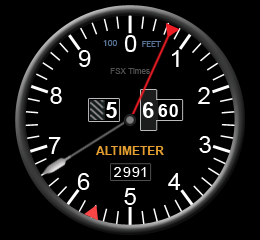
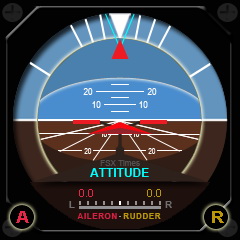
175: Engine Hours Patch for RPM Gauge

I thought at least one of those who are using my Centurion T210 gauges would have noticed and asked me why the RPM gauge they are using doesn’t have the Engine Hours display as I showed in my Post 173.  Obviously, all of them have been busy flying instead.    Haha.
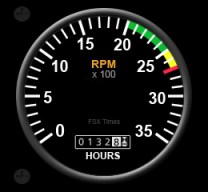
The Engine Hours update patch is now ready.   It will show the current numbers of hours an aircraft has flown and update constantly during a flight session.

Subscribers of FSX Times can write me a note to get the patch via the COMMENTS section below as usual for the download link.

Others who aren’t subscribers yet could enter their emails and press the [Click Me to Subscribe] button on the right hand column to become a subscriber first.   Otherwise, requests will be ignored.

As said, there will be no more new gauges coming out in at least a couple of months.   But the current five gauges should bring good enough fun.

An Update – The Company DOESN’T Care


Probably anyone could tell from all the flightsim gears I bought from Saitek and the many custom gauges I developed for its FIPs that I am really a big fan to the company’s Pro Flight products.   That’s no doubt about it, but that’s also the reason why I was so upset when I got the unreasoning answer from the company’s supporting team regarding my help request on the format for the masking bmp files.

Beyond expectation, the company then followed my grievance promptly and positively.   Despite the misunderstanding involved, I have to admit that I am impressed by the care the company pays onto a customer’s concern.

I never regard myself more special than other customers to the company.   So, there’s no reason why I cannot clear out all my discontent and look to the future.

Even though I’ve tried to put myself in the company’s perspective to look into the service the company promised to deliver, it turns out to be that the company only talks and talks.   I have no more fancy that company really cares about their customers — no matter how beautifully they present themselves.

After all, I am still a big fan to the company’s flightsim products.

Comments

174: Change the Aircraft’s Engine Hours

FSX keeps an up-to-date history of the number of hours an aircraft flew, although not all aircrafts display such information.

Centurion T210 and the default Cessna C172 are both equipped with this type of display.   Should someone wants to change it for any reasons:

  1. Open   C:\Users\<User Name>\AppData\Roaming\Microsoft\FSX\SimObjects  folder;
  2. Select the aircraft you want to change, then
  3. Edit the accumulated_time value in the aircraft’s state.CFG file will do.

Not recommended to push it too far; otherwise, you may soon need a new aircraft —- Just kidding.

173: Centurion T210 Gauges Wide Version

Up to now, I have created 5 gauges (AirSpeed, Altimeter, Attitude, RPM and Vertical Speed) for the Centurion T210.

As mentioned, the wide version (260 x 240) of the previously released Attitude, RPM and Vertical Speed gauges have been revised and ready for download.

Any subscriber of this blog could send me a request for the download links via the COMMENTS section below.   Edit: These Gauges are no more available.

For the next release, it will take a longer while as the creation of these gauges are quite exhausting.   Also, I would like to work on some other topics too.    But I will keep doing it for the Centurion T210 and then other aircrafts, such as C340.

172: Centurion T210 Altimeter Gauge

Here’s the Altimeter for the Centurion T210 I’ve been longing for.    I saw a similar one at a gauge discussion forum many years ago.   I desperately requested a copy of it but got no reply from the developer at all.

Now, here’s the one I created.

Anyone who is interested could send me a request via the COMMENTS section below.   I will definitely reply and share it with a download link.   Edit: This instrument is no more available.

But note, you have to become a Subscriber of this blog first.

You could enter their emails and press the [Click Me to Subscribe] button on the right hand column to become a subscriber.   Otherwise, requests will be ignored.

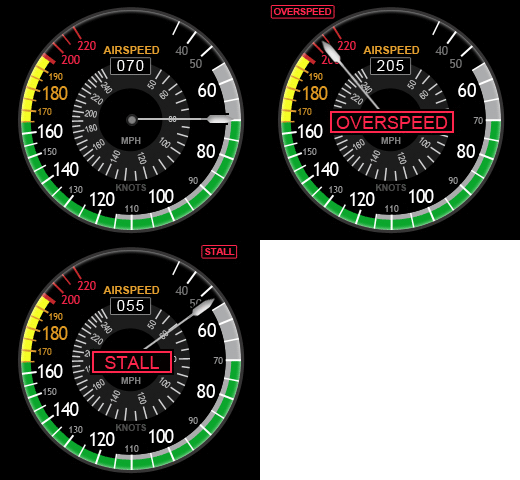
171: Centurion T210 AirSpeed Gauge

Actually I am working on the other story about how to create/modify aircraft liveries.    Since this AirSpeed gauge finishes first, so I have it posted first.   Also, tonight is a blue moon, which worths to do something special.

This new gauge uses a bigger image format (260 x 240) than the standard (240 x 240) size.

Since the extra space on both sides are good for adding additional gauge components when I am planning for its upgrade in the future, this format will be the standard for all my works from now on.   Moreover, the new form-factor looks to be more balanced on the FIP, too.
Continue reading

Confidentiality — Nonsense !


With the help from Bill Leaming, Tom Gibson and Vololiberista at FSDeveloper.com who answered my question about “How to create BMP files for masking purposes” for FIP gauges, I have finally figured out how to create such *.bmp files in the first place.

It is so simple that I just need to:

  • Fill the image file (to be used as a mask) with RGB color=1,1,1 or web color=010101;  then
  • Save the file in either 1, 24, or 32-bit format.

That’s it!    I tried various methods and it turns out that I was just a step behind the door.   Sometimes you just need a twist to get you there.

Regarding my complaint against Saitek — Yes, that is the information I would expect from the company.

What a shame that the Saitek EU technical guy, Gabriel Constantinescu, replies and claims such information as “privileged and confidential to the company” and cannot release it to a loyal customer who asks for a little support.   And irresponsibly says that “we are unable to provide instruction on creating gauges to customers.”

Either he is totally ignorance or the department has rotten by bureaucracy !

Case Closed !

Comments

What’s the Point of Confidentiality ?

Although I’ve created quite some gauges for Saitek’s FIP, I still can’t figure out completely the correct format for the bmp files used as masks for the gauges.

Besides researching the answer from the internet and exploring the result through different programs, I also wrote to Saitek for help.    I wish that I hadn’t done so because the reply from the company’s UK technical support team is a total disappointment:

We are unable to offer this information as it is privileged and confidential.  We are unable to provide instruction on creating gauges to customers.

Frankly, even without this information, we users are still able to create our own gauges.   It may take a bit more time and need some alternative methods to deal with the masking files.

So really I can’t understand the point of such confidential information to the company !

Do they know that the more custom gauges we create, the more potential (new and old) customers we help attract for them ?

Are they afraid that by releasing such information to customers will make us their competitors ?

Darn !

Comments

170: Gauge Obsession

Have been obsessed in creating and modifying gauges for my Saitek Flight Instrument Panels (FIPs) lately.    Just couldn’t help doing it one by one again.

Here’s the Attitude and Vertical Speed meters for Centurion T210 again.   Actually they were modified not too long ago.   Moreover, even they are tagged for Centurion T210, the gauges can be used on other aircrafts as well.

Enhancement to the new Attitude Indicator is the inclusion of the Aileron and Rubber Trim functions.   Users can use the two knobs of the FIP to ajust the trim values as desired.

By modifying the FIP buttons as follows, users can reset both trim values quickly, when needed.
Continue reading