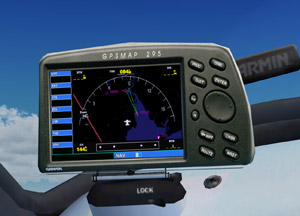
96: Standardize Panel Key Assignment

Many third-party aircrafts have their own set of keys assigned to different panels.

For example on default aircrafts, pressing SHIFT-3 will invoke the GPS panel.   But this key-combo is not necessarily able to call up the GPS panel on Carenado and Aerosoft aircrafts.

If one has assigned an external button, say button 3 on a Saitek FIP, for the GPS panel, the difference between the default and third-party aircraft panel key assignment therefore will be quite annoying when aircrafts are changed.

To standardize panel key assignments across different aircrafts: Continue reading

95: fsx.CFG – Fiber Frame Fraction

Performance of FSX is greatly affected by the amount of time CPU spending between foreground operation and background data scenery loading.  The lower the framerate is set, the more CPU time is devoted to loading scenery and texture.

FIBER_FRAME_TIME_FRACTION is a direct command that helps tune the amount of time per frame that CPU runs fiber jobs.   Continue reading

94: Saitek FIP’s New Clothes

Updated: Nov-26, 2011

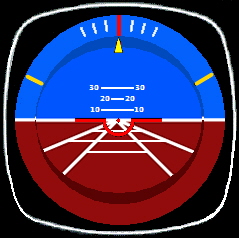
My Attitude Gauge has been updated as follows:

A copy of this update has been sent to those friends who asked for my FIP Gauge set below.   If not, please email me.

Continue reading

93: My FSX Tuning Part 4 – Final Tweaks

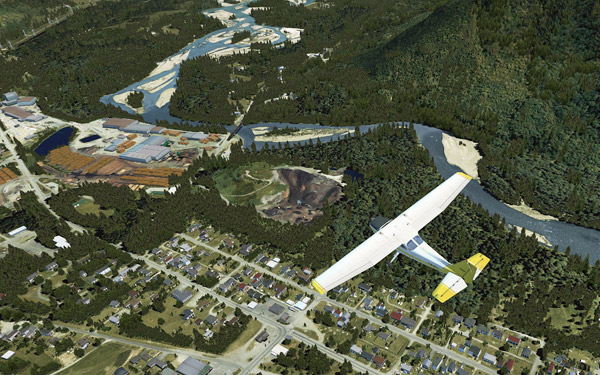
Although the result from the First Run was good, the ultimate goal is still to push the Image and Autogen Complexity of my FSX system to the maximum while having all flights running as smooth as possible.

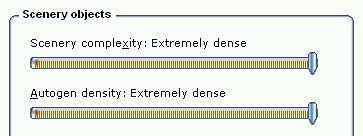
As expected, when settings of Scenery Complexity and Autogen Density were slided to Extremely Dense, stutters became obvious even though overall framerates remained relatively stable around the preset level of 39.

For this tuning, most of the test flights were taken place in Darrington Mun 1S2.   Continue reading

92: fsx.CFG – RejectThreshold

RejectThreshold is a command that instructs the CPU to bypass the bufferpool when a specified amount of graphics data is reached.   Before that threshold, all data are kept sending to the bufferpool.

This function can be used in association with the PoolSize command to improve system stability.

Continue reading

91: fsx.CFG – TERRAIN_MAX_AUTOGEN

The default quantities of trees and buildings auto-generated in FSX are 4,500 and 3,000 respectively.

When one sets the IMAGE_COMPLEXITY and AUTOGEN_DENSITY to the maximum, reducing either or both of these two quantities for trees and buildings could bring a significant performance improvement while maintaining a good level of image complexity and density.
Continue reading

90: fsx.CFG – BufferPools

Autogen has a default texture buffer of 4 millions.  Properly increasing or decreasing this buffer can effectively reduce stutters, especially while the aircraft is in turning.

This function is not by default present in fsx.CFG.    To alter the value, one can add the following lines in fsx.CFG; and commonly used values range from 1 million to 15 million (or even higher) in 1 million increment.

[BufferPools]
PoolSize=15000000

Continue reading

89: My FSX Tuning Part 3 – First Run

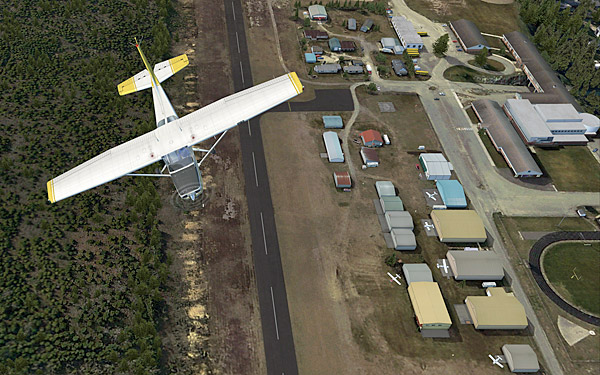
My First Run took place in Concrete Mun 3W5 with framerate locks at 39, after the initial tunings from Part 1 and Part 2.

Before the actual flight, a few more adjustments were made directly in the fsx.CFG as follows: Continue reading

88: My FSX Tuning Part 2 – Display Card

After the initial setup in Part 1, the second thing to look at is now the display card because many issues of jagging, blurry, shimmering and stutter in FSX are all related to the settings of it.

My display card is an ASUS Matrix HD5870 over-clocked to 970MHz/5000MHz (default 894MHz / 4800MHz).  Current Catalyst driver installed is 11.8.

The focus of display card setting is to get the best balance between image quality and game performance.  The results below are decided based on many testings under various conditions.  However, further changes may still be needed as the tuning process goes. Continue reading