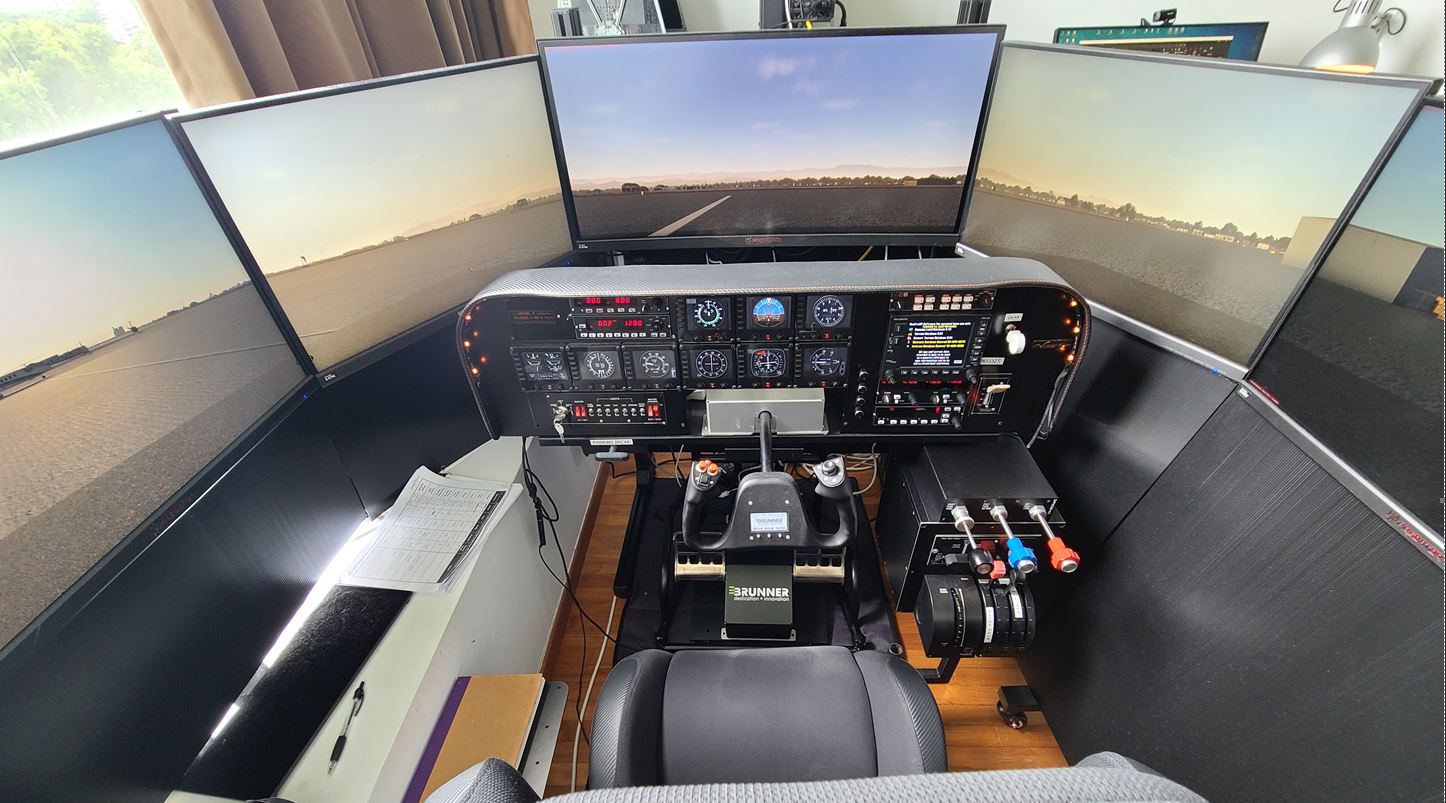
Cockpit: Kase Lite (WSSS, Singapore)

Kase Lite, a friend in Singapore, who started with Saitek gear and upgraded to increase realism level to current incarnation with many fine equipment.

Builder: Kase Lite N333ZS (C182) N333ZA (C210) – PilotEdge
Location: Singapore
ICAO: WSSS, Singapore Changi Airport


Project Notes:
Home cockpit, built from scratch.  Continue reading

639: Full Forward View #2

In my last post about setting up a Full Forward View without Instruments, Michael sent in a comment below:

I’m in the same situation and have been using this for quite some time, however, with one modification:

I first make a copy of the camera file using (I think Alt+Ctrl+0). This will be saved under, e.g.

C:\Users\[your profile]\AppData\Roaming\Microsoft Flight Simulator\SimObjects\Airplanes\Asobo_C172sp_classic

In this file you can make the amendment above.

You can then switch back and forth between the “normal” and the “shifted” camera using Alt+0. I found this somewhere on the official forum. This way you don’t have to modify the original files.

Thanks Michael and that’s another approach of creating a full forward view with no instruments, too.

Well, either method has its pros and cons: Continue reading

638: Full Forward View with no Instruments

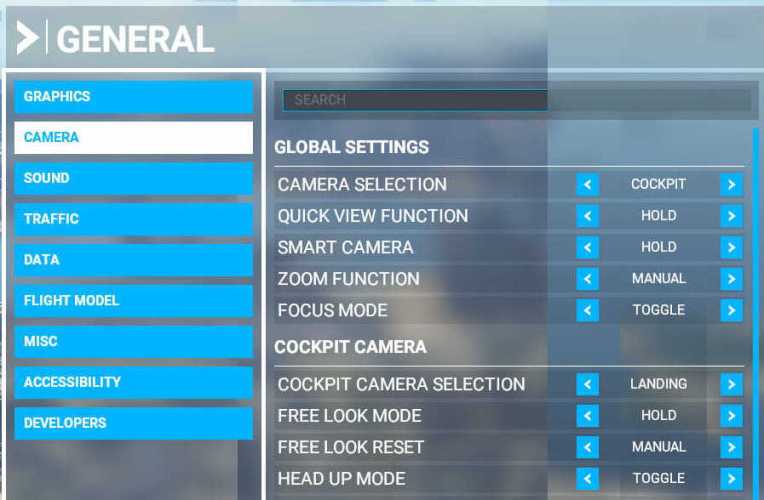
I have chosen “LANDING” as my default camera in MSFS.  But since I already have a physical DIY cockpit, all I want is a clear full forward view without the virtual cockpit and its instruments.

Here’s how I do it quickly: Continue reading

637: User-configured Input Data Location

One thing I in particularly dislike in MSFS is the way how it handles Control inputs.

In FSX/P3D and X-Plane, all you need to do is simply pressing the buttons or switches on a controller, the programs will recognize them for the functions you want to assign them to immediately.   On the contrary in MSFS, you’ll have to find out the mappings of the buttons and switches on a controller or accessory first before you really know which buttons or switches are which to assign them to the intended functions.

That’s not just user-unfriendly, it’s pretty awkward.  Hope that it’s going to change in future update.

Anyway, here’s the location where user configured control data are stored on my computer — “C:\Program Files (x86)\Steam\userdata\270793180\1250410\remote“.

My Steam Library and MSFS are on F:\ drive.  Continue reading

News: P3D v5.1 Released

Lockheed Martin has finally released P3D v5.1.   Seems like not too many people are aware of it (based on the number of respondents in its support forum) while most people are keeping their eyes on MSFS — me the same.

Anyway, hope this update solves or at least improves the many issues reported after its launch.  There are still many features MSFS can’t or doesn’t do properly today.

636: My New Gear Finally Arrived

After nearly three months, my long-waited new gear has finally arrived on the eve of Halloween.
This is my fifth of its kind and my first of its brand.  I am so excited of its coming at last.

Have a guess before you click here to find out what it is. Continue reading

635: MSFS Gauge Table

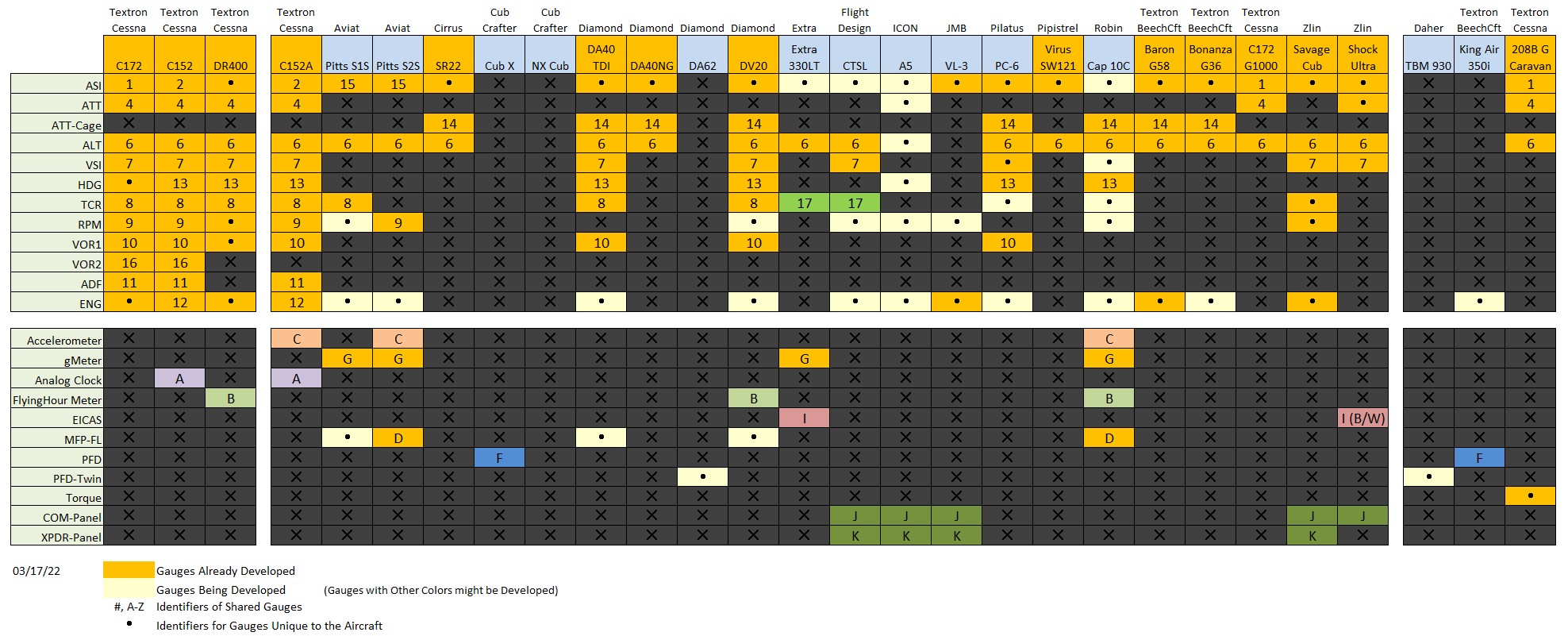
One of the nice designs of MSFS is many of its cockpit instruments can be used across different aircrafts (despite practicability in real life), which in a way simplifies the construction of DIY cockpit using my MSFS Multi-shared FIP gauges.

Following is the table showing key instruments on the default propellers and turboprops in MSFS implemented and to be implemented.
MSFS_Gauge_ChartVia the table, one can check out the usage of each instrument on different aircraft according to the reference number or alphabet assigned to them, and further find out what gauges are included or not included from the cockpit layouts captured below.

Update 1: The number and alphabet indications are added to the corresponding gauges in respective cockpit images for clearer references.

MSFS Cockipts #1 – Propellers Continue reading

634: MSFS Gauges Batch #2-3 Delivered

Have burnt some mid-night oil in the last few days to finish the remaining gauges (except the Engine Gauges) for the MSFS C152, C172 and DR400 bundles as soon as possible.

Glad that the last few Navigation gauges have done and sent out earlier today. 
Will take some breaks before moving on to the Engine gauges as well as some documentations plus the MSFS specific GaugeSwitcher.

Continue reading

633: MSFS-Specific Gauges Batch #1 Delivered

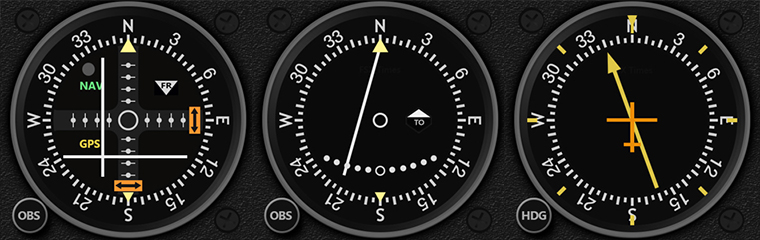
The first seven gauges for MSFS C172 have been delivered, including the ASI, HDG and multi-shared ATT, ALT, VSI, TCR and RPM.

Besides customizations, there are new assisting features added to the extended version of the gauges as follows:

  • Pop-up Style Ground Speed (GS) indicator on ASI while the aircraft is on the ground — good for controlling taxi speed
  • Pop-up Style Parking Brake, Overspeed and Stall Warning on ASI
  • Pop-up Style Above Ground Level (AGL) indicator on ALT while the aircraft is below 500 feet above ground
  • Pop-up Style vertical speed indication on VSI while the aircraft passes the 2,000 feet vertical speed limit

Continue reading