
The first batch of MSFS-specific gauges containing at least 7 instruments are coming next week. Pre-sale discount for them ends tomorrow. Anyone interested please check out details here.
Author: Tom Tsui
632: MSFS-Specific Gauges Update 1
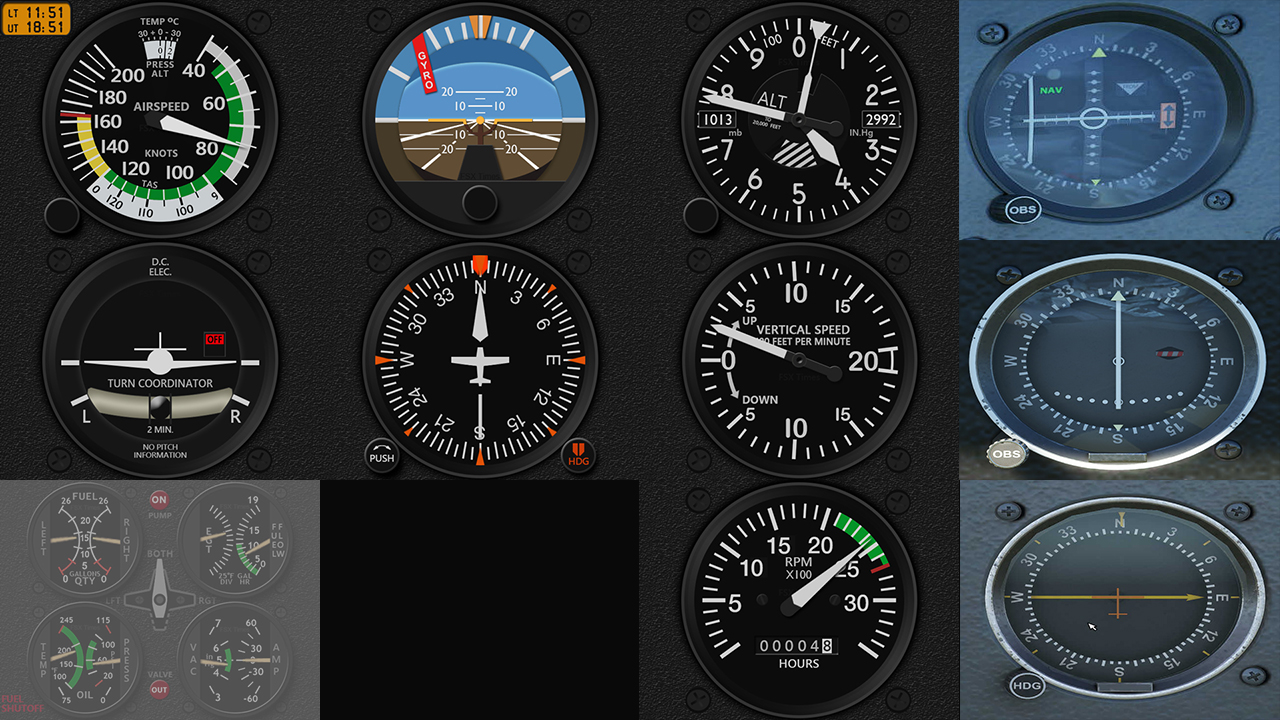
Followings are the image updates for the MSFS-specific gauges being developed. Some of them are completed in general but I will keep them for now because there are still new changes coming up for style consistency.
631: Get MSFS from Steam Instead
In the past weekend, Lukas, a friend who was experiencing similar MSFS installation issue I had had two months ago asked me how I had the issue solved in the end. I told him I really had no idea since I didn’t do anything but just waited for about a month to get the app with the update patch again. The issue was solved by itself, probably due to the new updates, or something else.
He replied he wouldn’t want to wait and asked if there were any suggestions.
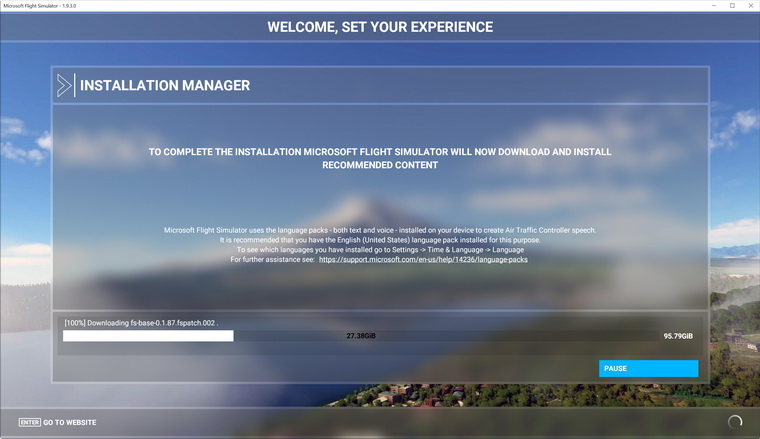
Hm…after some thoughts…I recalled Michael Basler in Germany once recommended me to get the simulator via Steam instead of the Microsoft Shop. So I passed the suggestion to Lukas. Continue reading
Cockpit: Nicolás Luengo (SCTL, Chile)
Nicolás Luengo says hello from Chile. He is running MSFS with his triple monitors via Nvidia’s Surround support.
Builder: Nicolás Luengo
Location: Talca, Chile
ICAO: SCTL, Talca Airport
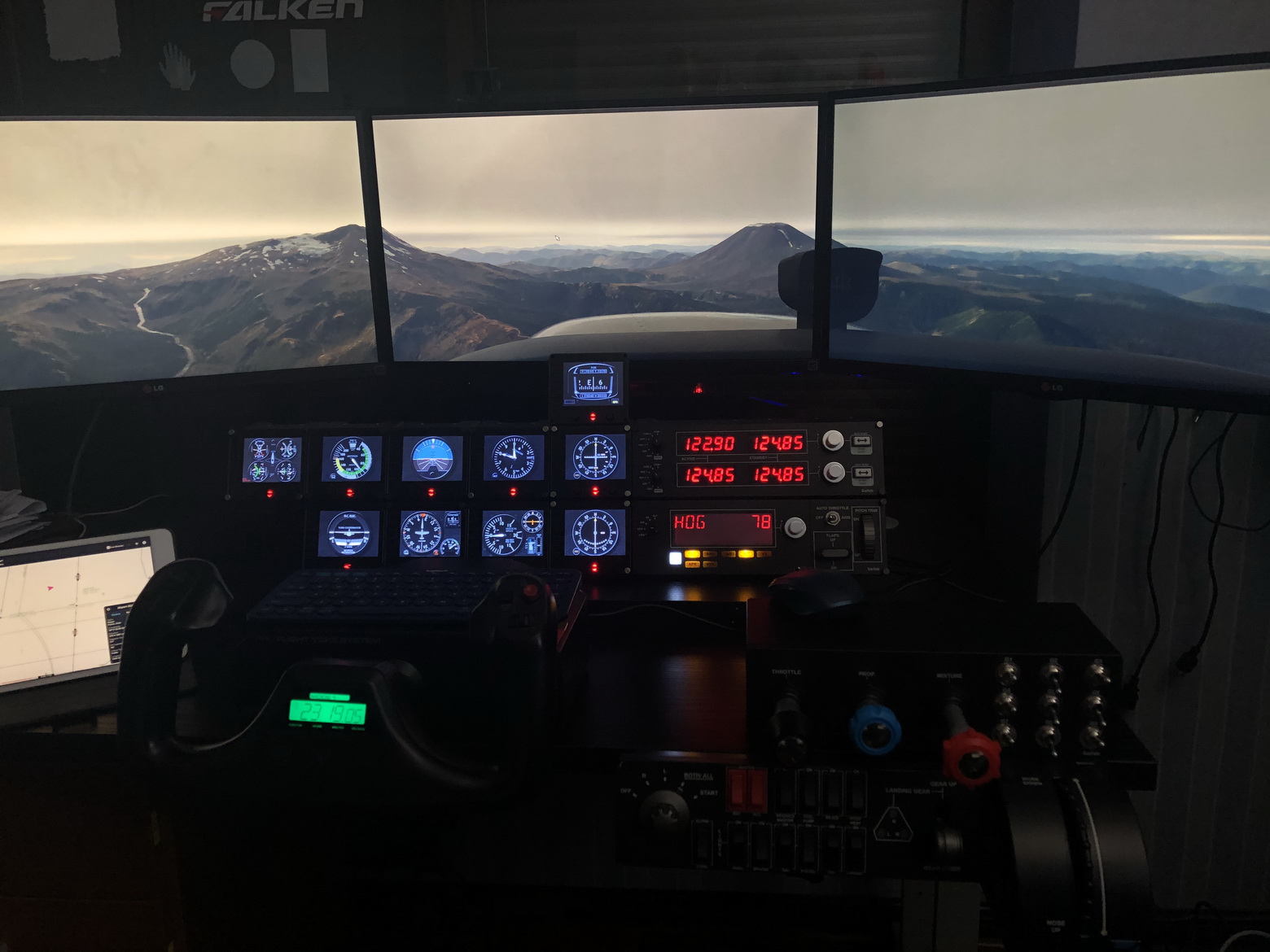
Asobo C172: VFR from SCQP (La Araucanía International Airport or Temuco Airport) to andes mountains (Tolhuaca and Lonquimay volcanoes in the view.) Continue reading
630: MSFS-Specific Fip Gauges Pre-Sale
As reported in Post 627, all my FSX/P3D line of gauges are virtually compatible with MSFS. However, since most of these gauges were based on specific aircraft in FSX/P3D, their layouts and styles might be different from those instruments on the same or similar aircraft in MSFS. Some features on these FSX/P3D gauges, therefore, might perform differently in MSFS, too.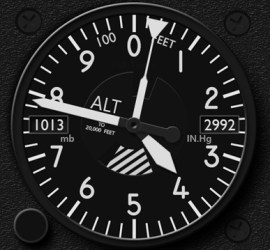
At the moment, three new series of FIP Gauges custom-made for MSFS have been planned. They are the C172, C152 and DR400, in which their gauge line-ups are corresponding to the C172SP, C152 II and DR400 bundles in the FSX/P3D line, but might have variations in the new version.
Special pre-sale discount offers will be given to all existing users of my gauges (up to 40% off) as well as new users (up to 30% off).
Anyone interested in the pre-sale offers could check out the details here. To make things simpler, pre-sale offers are bound to bundle packages only. Continue reading
629: My Second Impression on MSFS
Since I successfully reinstalled the new Flight Simulator (MSFS) two weeks ago, many of my unpleasant impressions about it stated in Post 611 were overturned.
I am not saying that the new MSFS has replaced P3D to be my flightsimming platform. But I have to admit that the more I fly with it, and the more I like it; especially for “sight-seeing” purposes only.
Followings are my subjective ratings on some of the key features I give to MSFS based on the requirements of my cockpit, compared to P3D and X-Plane.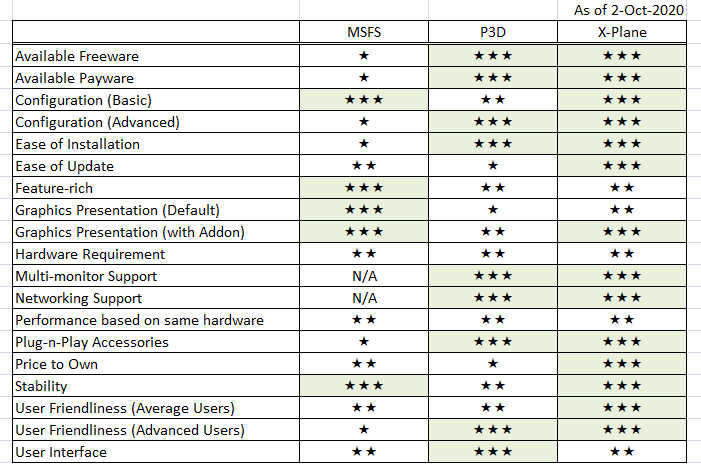
I am expecting the scores to change soon as there are quite some products have been released or being developed for it.
628: The Missing FipGuages.xml is Found
Have found the actual workable FipGuages.xml (which stores the FIP gauges line-up information) reported missing in Post 626. Now all basic information regarding Logitech panels running with MSFS-plugin is complete.
The file is stored under the C:\Users\tomts\AppData\Local\LogiMicrosoftFlightSimulator directory. The one comes installed in the Plugin directory (C:\Program Files\Logitech\Microsoft Flight Simulator Plugin) is fake.
A new GaugeSwitcher utility for the MSFS plugin Continue reading
627: MSFS-Compatible Gauges Clarification
After reporting that my existing FSX/P3D Gauges can be run with the new Microsoft Flight Simulator (MSFS) via Logitech’s MSFS plugin, or the latest FSUIPC, or SPAD.neXt in the last few Posts, I received some emails asking for more details and clarifications about this MSFS-compatibility and my plan on MSFS specific gauges.
Here’s the reply to those who are interested: Continue reading
626: Logitech’s MSFS Plugin is Good but Not Perfect
Just installed the Logitech’s Plugin for Microsoft Flight Simulator earlier today. The content of it is saved onto the C:\Program Files\Logitech\Microsoft Flight Simulator Plugin folder.
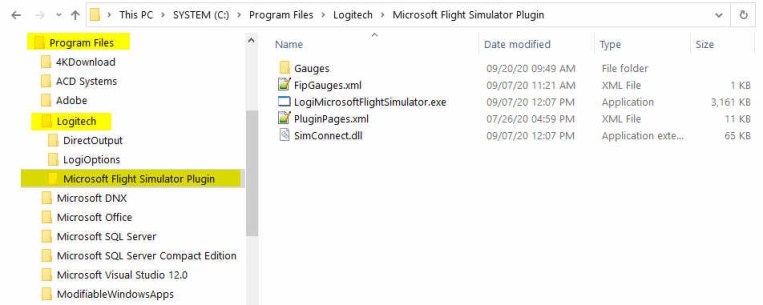
The Plugin works more or less the same as the company’s Plugin for X-Plane — once it is installed, you can forget about it. The plugin will activate automatically with the simulator, allowing panels to communicate with MSFS accordingly.
To use my gauges with this new Plugin, just further copy the 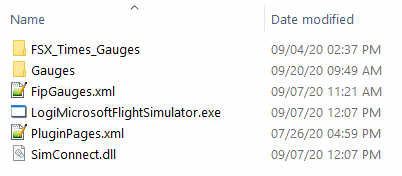 FSX_Times_Gauges folder and the LogiFlightSimX.xml file from C:\Program Files (x86)\Logitech\FSX Plugin to this directory, and rename or copy the LogiFlightSimX.xml to replace the PluginPages.xml file. That will do.
However, Continue reading
 FS Times