873: FS2020 has Beta too

In case you are not aware, MSFS (FS2020) has Beta as well.  It is Sim_Update 15.Haven’t found any new features from the Beta but the performance is a little better than the latest official version in my case.
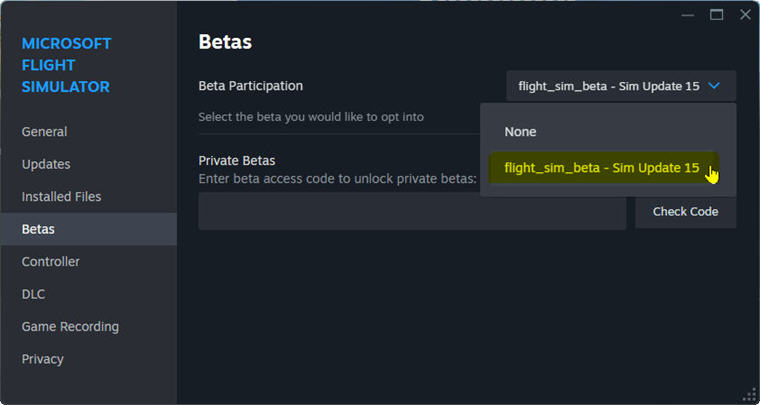
Due to my computer structure, there are occasional stutters happened while running MSFS.  With the Beta, stutters are lesser and there are a few framerates increased in places where I usually fly.

Recommend all MSFS users to run or try this Beta version as Continue reading

872: FS2024 Sim Update 1 Public Beta

Microsoft has released Sim Update 1 Public Beta Test.  Anyone interested could join to test it according to instructions here.

Don’t see any difference in performance compared to the official version.  However, there are some changes in the settings and streamed contents of the beta version.   Also some fixes seem not working as stated, such as infrequent CTD during exit to Stream, etc.

Anyway, worth a try since Continue reading

871: FS2024 Graphics Optimization

Found two videos on YouTube comparing results among different graphics settings.

Suggested optimizations Continue reading

870: Scale Down FS2024 UI Font Sizes

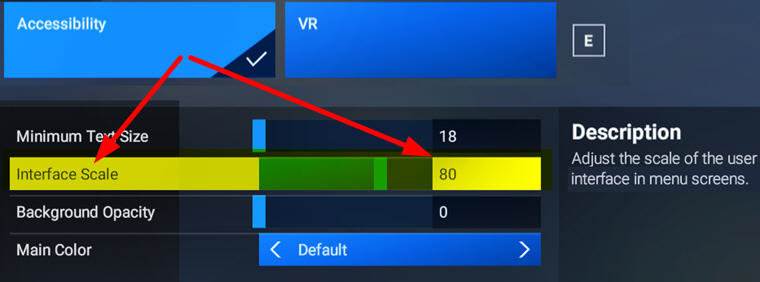
UI fonts in FS2024 are undesirably big, especially on smaller monitors.  A new free addon “MSFS2024: Inteface Scale Option” by Cygnific on flightsim.to allows users to scale down the fonts effectively.
InterfaceScaleOption
A very useful tool Continue reading

869: FS2024 Control Commands Hotkeys

The file structure of Keyboard Control Commands in FS2024 is different from its predecessors.  It is divided into two categories — the Airplane Controls Group and the General Controls Group.  Hotkeys assigned to each group comes with an FS2020 version too, which allows users to choose  either one or customize a combination they are familiar with according to their practices.

For quick reference, I compiled two tables showing all the Hotkeys for the two Control Command Groups, with their FS2020 equivalents listed next to them:

FS2024_Hotkeys_AirplaneFS2024_Hotkeys_General
You can download Continue reading

868: Command to Toggle ATC Panel in FS2024

One of the many confusions FS2024 brought to me, as a long-time flightsim user, is the changing of many widely used FSX/P3D/FS2020 hotkeys and commands.

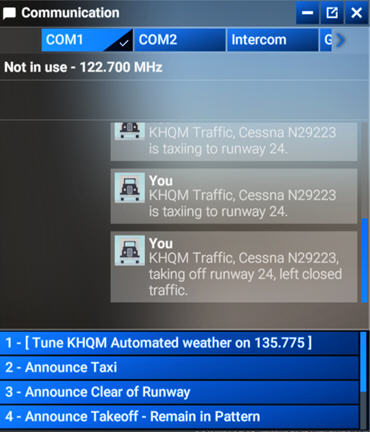
For example the Toggle ATC Panel action, it took me a while to figure out that I need to change to use the new “Open Communications Panel” command instead of FS2024_ATC_Panelthe previous “Display ATC”.   Because the latter now can only open the panel but not close it.

Similarly bad, due to the minimum size of the UI texts used in FS2024 is still relatively big and the ATC panel is unable to resize vertically, only four choices can now be listed.

In other words, we are forced to use the mouse to scroll forward and backward on the narrow scroll-bar many times if we want to see all the options available.

This is awfully clumsy and not user-friendly at all, not even to the X-Box platform.

I know complaining won’t help change what has happened. Continue reading