867: FS2020 is still my Preferred Choice

No doubt, FS2024 has nicer terrain presentations, more realistic flight dynamics, and smoother performances under lower fps, in addition to many new features and improvements brought to the game over FS2020.

However, its user-interface and game management are more inclined to the X-box side.   For example, the ATC panel I use a lot in FS2020 is now nearly unuseable — texts are big, number of options displayed are limited, panel frame is not resizable.  The worst, it can only be closed by the mouse.

I’ve been trying to play FS2024 as much as possible these days, hoping that I could get used to its awkwardness as soon as possible.   Unfortunately, I found the more I play it, the more I resist it.

I can’t help going back to FS2020 for comfortable flights.

I know FS2024 will get mature someday but if you are happy with FS2020 now, there’s really no need rushing to FS2024 at all.  Wait for at least 3 more months to see what it improves.  Continue reading
866: My AimxyZ Settings

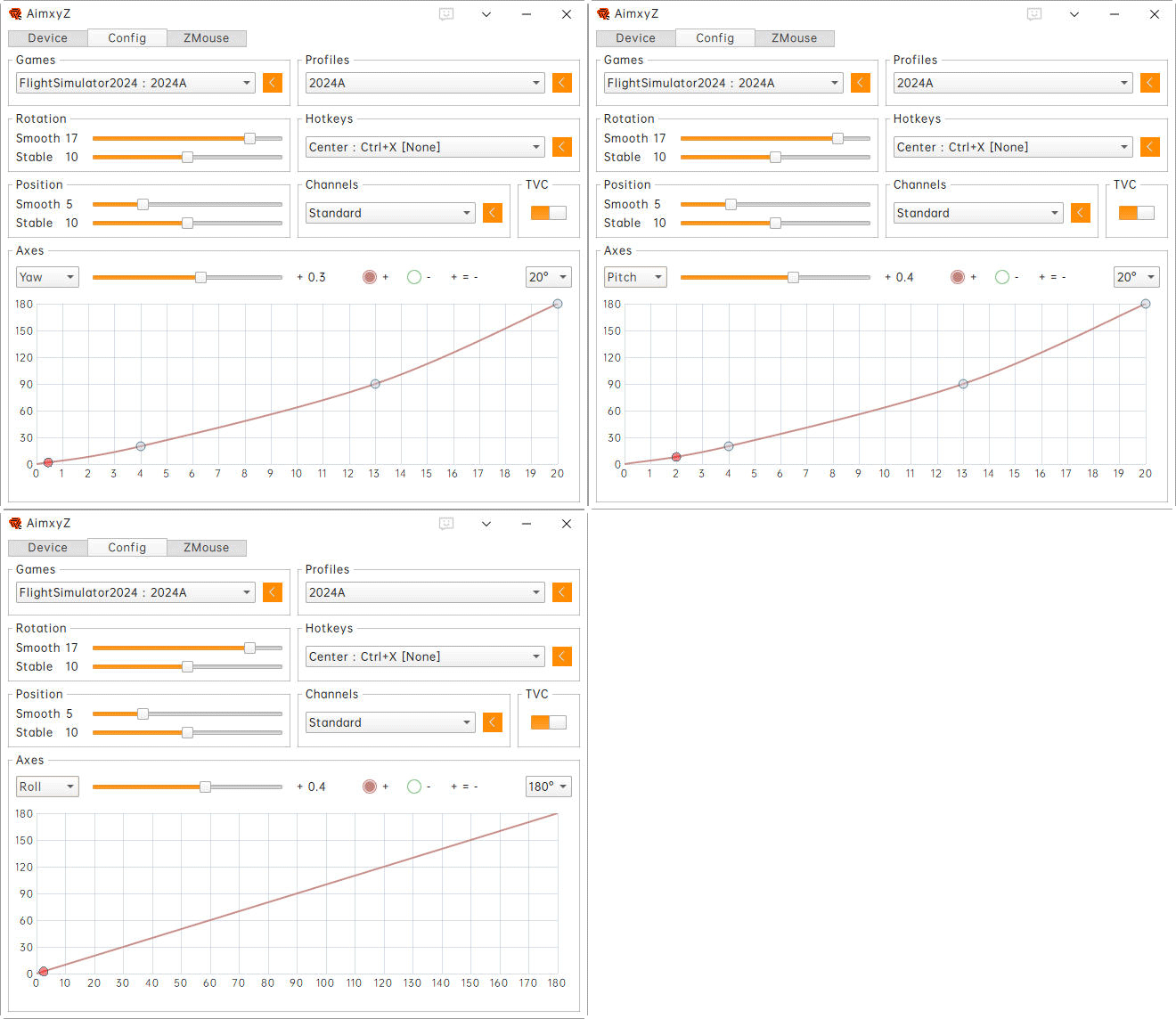
Here’s the current AimxyZ settings I am using for FS2020 and FS2024, which I found it more comfortable to my eyes when flying small aircraft.
AimxyZ_Tom_GIF
Here’s the default Continue reading

865: My New Gear after 2-1/2 Year — AimxyZ

During P3D days, I built a 3-monitor system. I changed it to a single-monitor setup after switching to MSFS 2020 since the flight simulator in the first two years didn’t support multi-monitor function at all.  I kept using one monitor up to today.

Within these single-monitor flightsim days, I used TrackIR for a brief period and gave it up due to its clumsiness with wires and clips.  Since then, I’d been using the POV Hat Switch on the yoke for camera and focus pannings until two weeks ago.

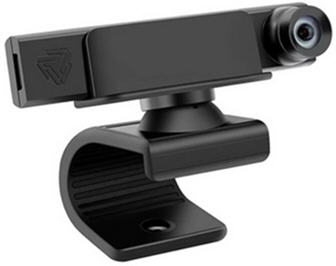
I found an eye-tracking device called AimxyZ by a Chinese company.  AimxyZ_resize1Probably some of you have already heard about it or may even be using it, because the product was actually in the market for over two years.

Unlike the TrackIR which uses a tracking transceiver and a passive or an active reflector, the AimxyZ comes with only one dedicated viewcam, thru which users can quickly translate their head movements to the simulators (or games) via the tracking software provided. Continue reading

864: Using FS2020 Addons in FS2024

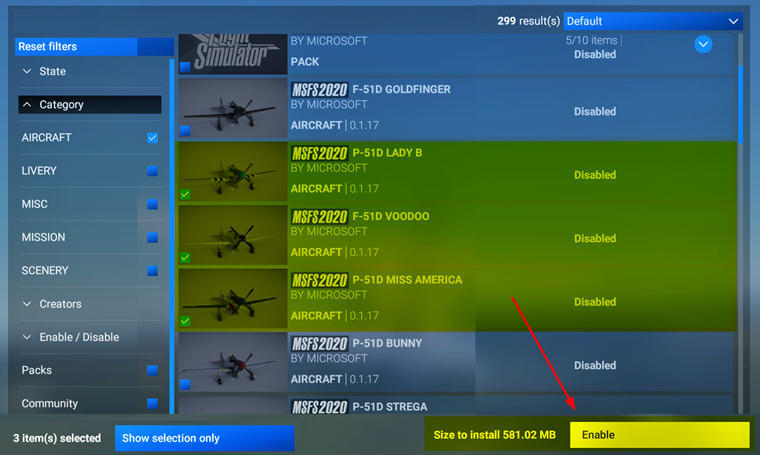
FS2024 allows the use of FS2020 addons.   But we have to enable them manually in My Library.  Otherwise, they won’t show up.
FS2020_Enable
This applies to third-party addons, such as aircraft, scenery, etc., we purchased from Steam or MS Store directly, as long as they are compatible and available.

Addons purchased from other stores Continue reading

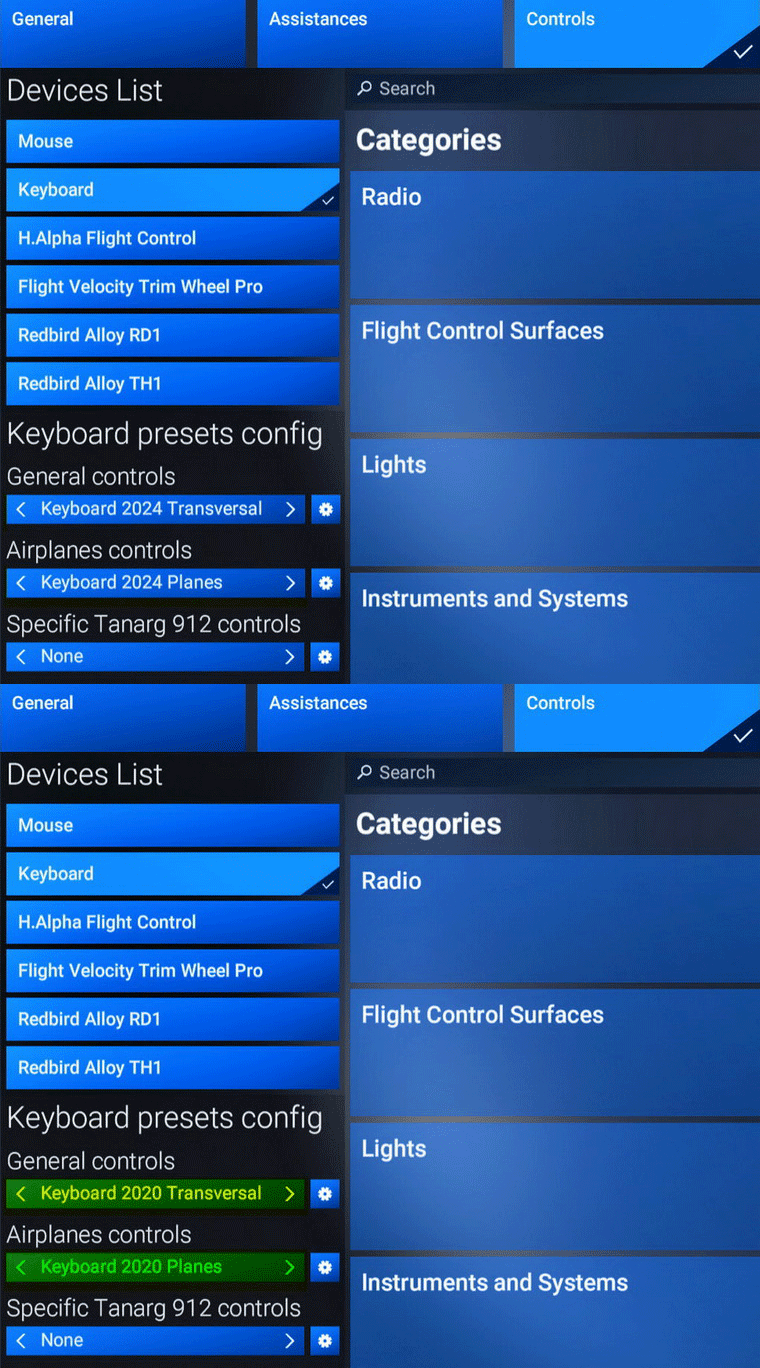
863: Using FS2020 Keyboard in FS2024

In FS2024, there’s not only coming with a keyboard file structure very different from the one in FS2020, many of its commands and hotkeys are different, too.

I must say re-adapting to the new keyboard usages is one of the greatest annoyances I don’t want to deal with.

Fortunately, Asobo is considered enough to include an FS2020-style keybaord set to make my life easier, even though it is not 100% compatible due to new features and functions added to the simulator.FS2020_KB01
What I do is to Continue reading

862: You’ll get happier when treating FS2024 as a new product

No doubt, FS2024 still has many bugs to fix.  But after launched for nearly a month with two little updates so far, I have to say that it’s now more playable.
FS2024_Impression2_resizeUnlike its predecessors, many components in FS2024, such as aircraft, are stored on the Asobo server and will only be streamed to clients (our computers) when it is run.

In a way, this harms the flexibility of user customizations.  But on the bright side, there might be many un-announced fixings going on in the backend.

I suspect that’s the reason why I got an impression that this simulator is getting better everyday — not somethings concrete but bits and pieces here and there.

I might be wrong, of course.

Anyway, if you are thinking of when to get the FS2024, it is time IMO.

But keep in mind Continue reading

861: Changing FS2024 Community Folder Location

By default, the FS2024 Community Folder is created under:
C:\Users\Tom\AppData\Roaming\Microsoft Flight Simulator 2024\Packages\

There are two ways to relocate it to another directory of your choice for easy access.

1)
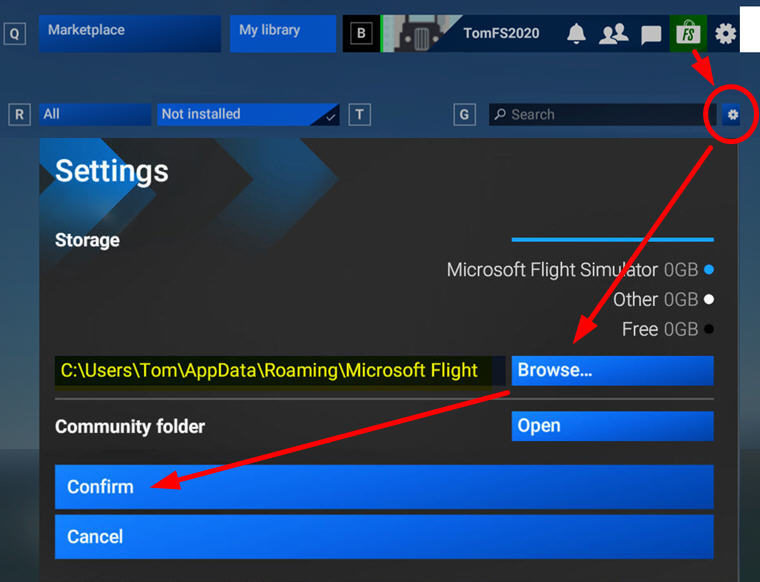
Go into Market Place, click the Setting Icon, then Browse for and Confirm the directory of your choice to be the new Community folder for FS2024.  I am using “F:\FS2024
FS2024_CommunityFolder
2)
Go to  “C:\Users\Tom\AppData\Roaming\Microsoft Flight Simulator 2024”  directory

Continue reading

860: My Key MSFS Folder Locations (Steam)

I have both MSFS 2020 and 2024 installed on F:\Drive of my computer.  Followings are my mostly accessed folders during configurations and modifications.

Main Programs

FS2020
F:\Steam\steamapps\common\MicrosoftFlightSimulator
FS2024
F:\Steam\steamapps\common\Limitless

Controls (Input Devices)           

Continue reading –>

859: FS2024 with ReShade

The hazy atmospheric effect in FS2024 is even worst than FS2020 IMO, making the scenery dull and pale.  Fortunately, ReShade is still good for the new platform.
FS2024_ReShadeBetter still, all my FS2020 ReShade settings can be applied onto FS2024 with no issue.  That comforts me a lot while playing the sim with so many bugs to be fixed.

Here’s my current Continue reading