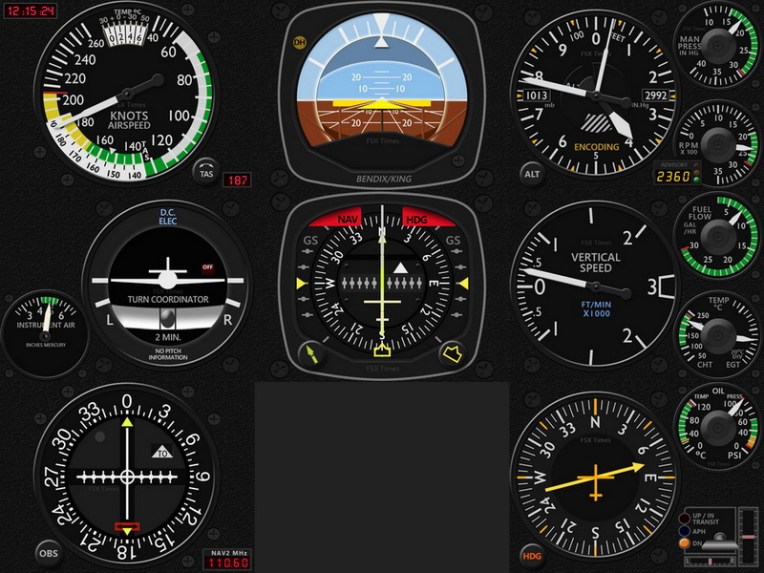
330: FIP Toolkit is now P3D Compatible

Alexey has just reported that the GPS support for Prepar3D is pending for the moment due to some unexpected issues.   Fix will be provided once ready.

Alexey has just updated his FIP Toolkit and FIP Customizer.  The new FIP Toolkit, now P3D compatible, can correctly display serial numbers and device information and assign action to the device with defined serial number.

Do note that the new version requires the latest FIP drivers: 7.0.47.1 (or later) which can be downloaded from Saitek’s website.
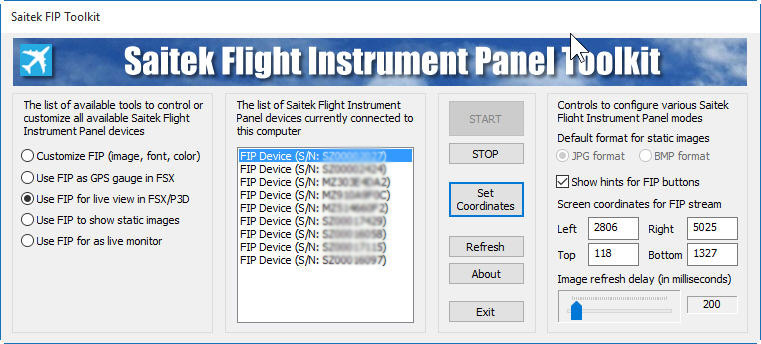
FIP-Toolkit
To download the toolkit, just click on the image above, or click here.

To download the bug-fixed version of the FIP Customizer, click hereContinue reading

329: AffinityMask=256

AffinityMask is the highest searched subject in my blog.   There are many recommended values over the Internet and I’ve tried and explored many of the suggestions (see my various Posts here) for both my FSX and P3D systems.

Since early last year, I’ve been using  AffinityMask=256  in my P3D setup.

I know the Binary of 255 equals to 11111111, which represents the using of all 8 cores on a Quad-core 8-Thread CPU when it is assigned for the AffinityMask.

And the Binary value of 256 equals to Continue reading

328: A36 Bonanza Gauges Ready to Release

I was planning to have the Baron B58 Gauges to release first.   However, due to some unexpected issues, it has been delayed (shouldn’t be long) and gives way to its sibling A36 Bonanza.

A36_EXTD_resize

In general, the gauges on the Carenado A36 (also come with Prepar3D by default) are pretty similar to those on the B58, except that the number of the engine gauges is half of those on the B58.

Due to the same reason, Continue reading

327: B58 Attitude Indicator Video Preview

Here’s a video preview highlighting the Flight Director Bar on the soon to be released Baron 58 Attitude Indicators for the Flight Instrument Panel (FIP).

Continue reading

326: Prepar3D v3.1 – A MUST Update

Perhaps some of you already aware that Preap3D v3.1 is out.   If you are still hesitating whether or not to update, just in fear of any unexpected issues, especially the Xmas is coming, I would say “Yes” — Definitely — even just for the enhanced lighting effect.    Click images below to see the full pictures.

P3Dv31-03_resize1P3Dv31-02_resize1

They are gorgeous, aren’t they?  Continue reading

325: GPS Navigation Fix for VOR1

Trevor Bagnell in Canada recently reported that when NAV1 radio is controlled by the GPS signal under a filed flight plan, the Standalone C172 VOR1 gauge (Integrated as well) doesn’t respond accordingly.

With no flight plan, he said, the localizer needle on the VOR1 of course remains centered when the NAV/GPS Switch is toggled to GPS.

But when a flight plan is active, the NAV1 radio will be controlled by the GPS signal.  The localizer needle on the VOR1 should deflect accordingly.

The virtual panel gauge localizer needle reacts to being off the centreline of the flight plan.  The FIP gauge does not, he added.

Trevor submitted a video explaining the case as follows: Continue reading

324: Make Your Aircraft Invisible

It’s still true that I mainly flightsim in one of the following cockpit views reported in my Post 181.

1. Landing/Takeoff — showing the hood from the pilot seat on the left
2. Cruising — showing outside scenery only
3. Normal Cockpit — used only when FIPs are turned off

To implement the Cruising View, in particular, I used to disable the 2D-Cockpit in the camera.cfg first, and then create a specific CameraDefinition for it.    Recently, I found Prepar3D has a hidden feature which makes this customization process totally unnecessary as shown in the video below:

Two steps only are required: Continue reading