218: Turning Off the FIP#1 – VS Indicator

TechLevel01W
(Updated on: 24 October 2013 Just recalled reading a question somewhere before — “Is turning off the Fligth Instrument Panel (FIP) possible?”

Yes, it’s possible by unplugging it from the USB socket.

I know it is not what the question really asks for.   But truly, when the FIP is connected with electricity powered, there isn’t “A Switch” that one can turn off the FIP, unfortunately.

Well, for those who are using my C172 gauges, here’s an alternative:

Continue reading

217: Align TrackIR Quickly

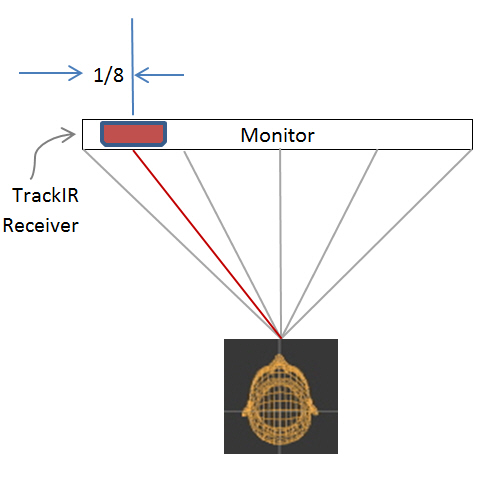
Have tried a few wireless head tracking software, NaturalPoint’s TrackIR + TrackClip Pro is still my choice so far.  Following is the method I find very effective when aligning the device at startup.  Of course associated software must be activated first.

AAA
Place the TrackIR receiver on top of the monitor about 1/8 in length from the left edge.

TrackIRP01 Continue reading

216: Squeezing In

The seven Saitek Flight Instrument Panels (FIPs) I currently have are far less than enough to individually cover each flight instrument on the C172, not to mention the more complicated aircrafts.  I could purchase a couple more — the easiest solution.   But I am quite happy with my current setup, and the success of the recently made Integrated Fuel Gauges also strengthens the possibility for me to integrate all (ideally) C172 instruments onto my current seven FIPs.

The following is the layout I drafted which includes proximity consideration of the instruments in the cockpit.  No doubt, compromise is inevitable.

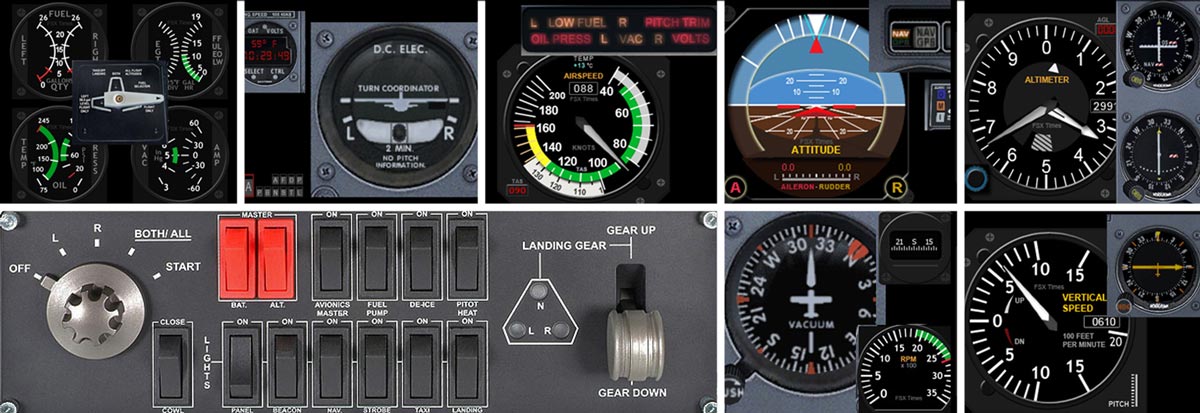
FIP Gauge PlannedS
Initial Draft to include all C172 instrument onto 7 FIPs (Click to Enlarge)

Moreover, Continue reading

215: Turn Off FIP Buttons

TechLevel01W
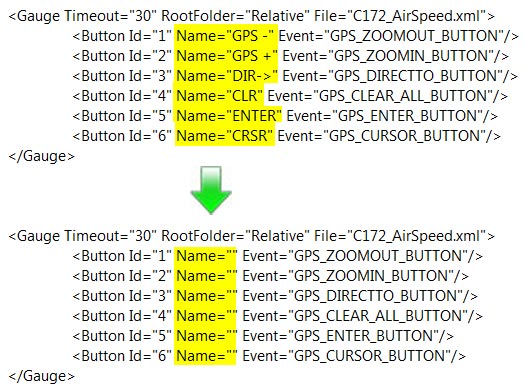
Received a question yesterday asking how to remove the text of the six programmable buttons on the left hand side of the Flight Instrument Panel (FIP) so that one could make use of the whole 320×240 area on the device.

It is easy to achieve by just removing the content of the Name command inside the LogiFlightSimX.xml file under C:\Program Files (x86)\Logitech\FSX Plugin directory as shown below.
(For systems using the older drivers from Saitek, the file is called SaiFlightSimX.xml and it is located under C:\Program Files (x86)\Saitek.)

FIP Botton 01

Continue reading

214: The C172 Trainer is still a Migraine

Update:  I’ve just got my refund back from A2A.  There wouldn’t be a solution to the FIP gauge issues, at least not for the short future.  Frankly, the product is quite good.  What a pity!

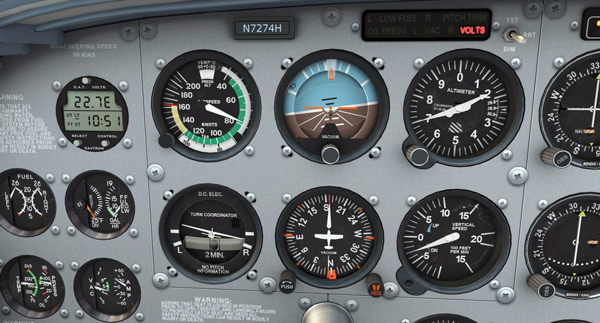
Despite the excellent design and graphic renditions,  the A2A C172 Trainer is really a migraine when coming to the Saitek gears.  Gauge reading problems encountered have been reported on its support forum but so far non solution is reached.

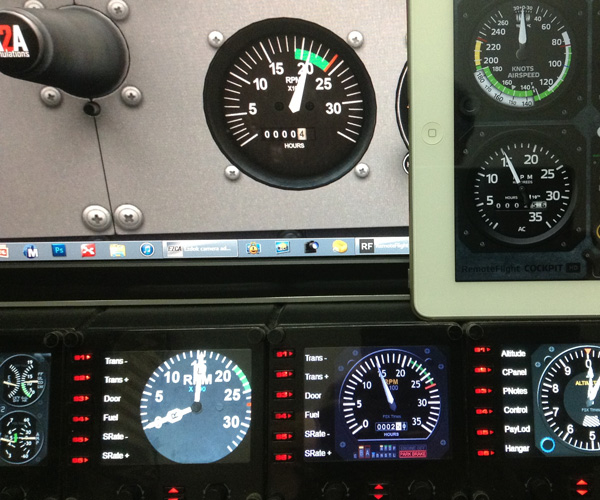
Followings are images showing the RPM readings on Saitek’s FIPs, iPad’s RF Cockpit and FSi C172 Cockpit.   The readings on all these platforms are consistent.   But not the A2A C172 one.

G01S
RPM Readings shown on FIP gauges and iPad’s RF Cockpit

Continue reading

213: Avoid Messing up C172 EZDok Profile

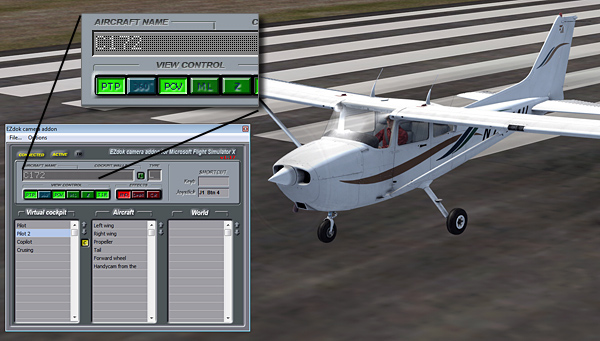
The newly released A2A C172 Trainer is quite troublesome.   Despite the various Saitek accessory incompatibility issues waiting to be solved, the aircraft can mess up the EZDok Camera settings of the default C172 as well.   Because the aircraft is using an atc_model name of C172, which is exactly the same as what the default C172 is having.

EZDok-01

If you are unaware of this and Continue reading

Help to Make A2A Aware of the FIP Problems

Below is a comment sent to me by James (jsrickel) this morning:

It might be a good idea if we all leave feedback on the A2A forum mentioning the gauge read error. I haven’t yet experienced it myself since my flight simulator computer is not complete, but I trust what you are experiencing and, no doubt, will experience the same when I get it up and running, unless A2A fixes the problem. We can back you up by helping to make them aware of the problem.

It’s a good idea since so far I see no one but me raising the FIP reading issues in the forum.   If so, the chance for getting a fix in the coming update patch is minimal.

If you have FIPs and the aircraft, or if you are planning to get it, let’s leave a comment about the problem at A2A’s C172 Training Support Forum here to raise the company’s attention.

212: Darn, I Paid to be a C172 Beta Tester

I am a bit exhausted in “fixing” the various issues of the C172 Trainer in the last few days.

Obviously, I am not the only one facing the dilemmatic situation. I particularly like the saying from jgraddon who put down on the support forum about the situation that he faces:

It seems I may have paid $49.99 for the privilege of being a beta tester once again.

It is exactly how I feel.

Continue reading

211: A2A C172 Trainer First Impression

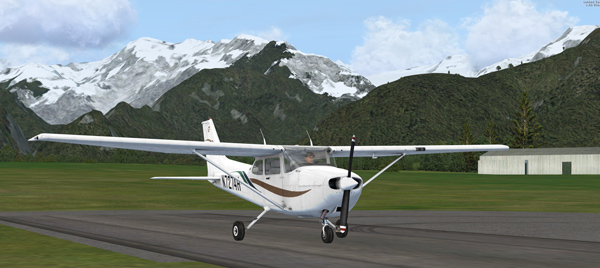
Just purchased the A2A C172 Trainer after Matthew Porter who notified me that the aircraft is now available from its store.  After flying it for about an hour, the impression that this C172 gives me is sharp and responsive. Graphics is stunning. Also simmers can access many information via pressing the [Shft] + number keys.
A2A C172-01
A2A C172-0.21
Unfortunately, the aircraft doesn’t recognize some of the FSX functions via the buttons on Saitek panels or FIPs or by pressing the keyboard.

Continue reading