215: Turn Off FIP Buttons

TechLevel01W
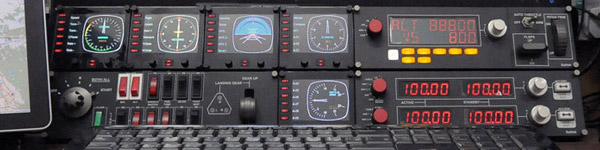
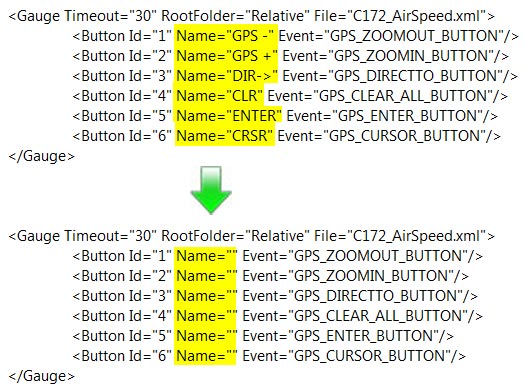
Received a question yesterday asking how to remove the text of the six programmable buttons on the left hand side of the Flight Instrument Panel (FIP) so that one could make use of the whole 320×240 area on the device.

It is easy to achieve by just removing the content of the Name command inside the LogiFlightSimX.xml file under C:\Program Files (x86)\Logitech\FSX Plugin directory as shown below.
(For systems using the older drivers from Saitek, the file is called SaiFlightSimX.xml and it is located under C:\Program Files (x86)\Saitek.)

FIP Botton 01

Continue reading

194: An FIP Display Order Setup Guide

TechLevel02W

I keep receiving questions from friends asking why the display order of FIPs are different every time when they start up FSX.  Followings are two of the most recent examples:

I have built a Saitek cockpit with 6 FIP’s so far.  It works great until I reboot.  It seems the USB ports start in a different sequence on each boot up.

When I added additional FIPs [using a single 10 port USB hub], they no longer would come up in the SaiFlightSimX.xml order.

Evidently, Saitek’s customer support is still lousy even after the product has been marketed for many years.   Anyway, here’s the revised FIP Display Order Setup Guide based on my Posts 28: Flight Instrument Panel Tweak – Part 1 and 118: Loading FIPs in Desired Order, and many replies I gave in various Comments.

Continue reading

187: Adding New Gauges to FIP

TechLevel02WT210_AltimeterW

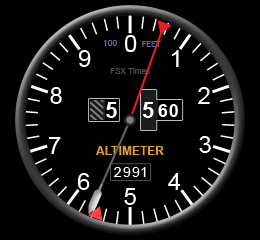
Although my previous Post 28, Post 29 and Post 30 already talk about the basics, installation and tweaks for Saitek’s Flight Instrument Panel (FIP), there are still many friends asking for direct instruction on how my Centurion T210 gauges be installed.

So, here is a step-by-by tutorial in which I am using my Altimeter Gauge wide version as an example:

AAA
Download the T210 AlimeterW.rar from the link you received  —  Note that only subscribers of FSX Times are eligible to get my files (Edit: No More Available)

Continue reading

178: An Alternative Cockpit

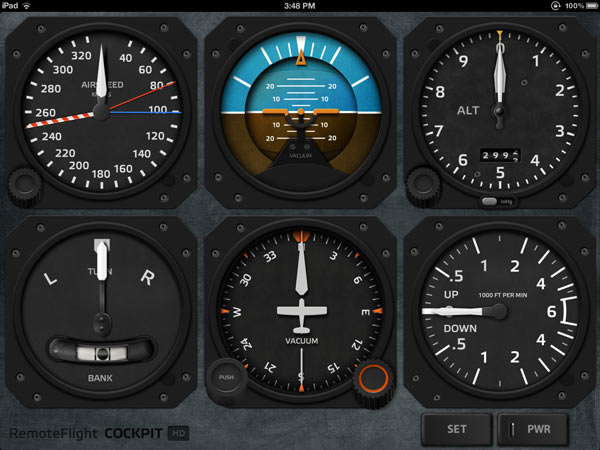
For those simmers who would like to have a separate gauge display in their setup but don’t have a second monitor or any Saitek’s Flight Instrument Panel, Cockpit HD from RemoteFlight is a pretty good alternative.

The prerequisite: you need an iPad and it’s better to be the new retina one.

Continue reading

169: One Press, Two Actions

FSUIPC by Peter Dowson is no stranger to flightsimmers.  But many of us might have no idea of what it really is, even though we are all very likely having a copy of it installed in our systems.

Part of the reason is because the unregistered (free) version of the program is merely to provide necessary I/O communications between FSX addons (either software or hardware) and the simulation system.   And the process works hiddenly in the background.

The unlocked version, on the other hand, is indeed very powerful and comes with many sophisticated functions for the building of an advanced system.   However, these features are not designed for average users.

Here is a simple workout on how to add a second function to virtually any button on the flightsim yoke or TPM with the help of it. Continue reading

150: A Quick Fix to TrackIR 5 Error

I’ve been using TrackIR with no problem until this morning.   When it was loaded, the screen popped up with a  message box as shown to the left.   After the OK button was pressed, another error showing up saying that TrackIR had stopped working due to some system issues.


Tried uninstalling and reinstalling the driver (either new or old), as well as turning off and on the computer, several times.  The error persisted.

A few people reported the same issue on NaturalPoints’ support Forum here.    Mike from the company replied that the issue was caused by an OpenGL conflict between Radeon latest driver (12.4 in my case) and TrackIR driver.    He said he could provide replacement files and instructions to solve the issue.  Continue reading

148: Blowing Up Moving Map

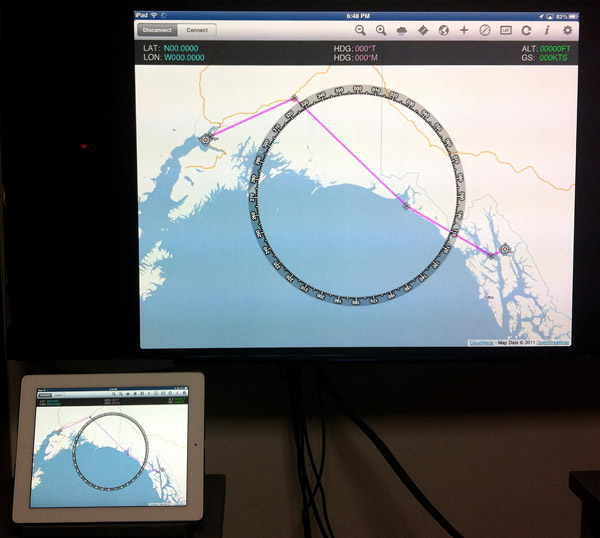
Via FSWidgets iGMapHD, iPad can be turned into a moving map device as reported in Post 63 and adds a lot of fun to FSX experience.   However, should some one find the iPad display too small to read or want to be felt like in a flight control tower…  Well, what about putting the moving map onto a 52-inch or larger TV set?

Continue reading

144: Remove Burn-In Marks on FIPs

During the installation of Saitek’s Flight Instrument Panels (FIPs), a few images of the company’s other products will also be copied to the device’s driver directory.    These product shots, since they are useless, can be  removed or replaced easily (see my Post 28: Flight Instrument Panel Tweak – Part 1).   However, by doing so, the FIP will show the serial number screen all the time when FSX is not engaged.

Saitek’s official states in the company’s product forum that because the intensity of the LCD is so mild that the screen of FIP won’t get hurt even it is left on for a long period of time.

Above situation stayed true for more than two years for my first three FIPs until I bought two more FIPs for my system recently. Continue reading

139: Profiling TrackIR Effectively

Updated: 3-Jan-2012
It is for sure that TrackIR enhances flightsim reality.    However,  it also easily causes eye fatigue and dizziness when it is not proper set.

Following is how I configure the TrackIR profile for FSX on my 30-inch monitor:

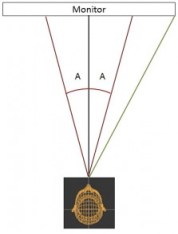
When in FSX, the focus of my eyes mostly falls within the range roughly spreading across the mid-points between the center and the edges of the monitor on both sides.    It is about 20 degrees (A) on each side from the center or 40 degrees (A+A) in total around the center  (See the image on the right).

Within this 40-degree area, my head moves very little while my eye focus changes.   Beyond that, my head starts to turn more significantly. Continue reading