250: New Gauges – Sorry, Not Free

Time flies.  The next Anniversary of FSX Times is coming in two months.   FSX Times will be four years old.

In the note for the last Anniversary day, I mentioned that it’s very likely that I would set up a Donation link for my blog so that I could get some free cups of coffee while sharing my hours of works and creations for the flight simulation friends.

Unfortunately, Paypal’s requirements towards oversea donation uses are harsh.   In my country, only registered charity organizations would get their approvals.

Since I’ve developed many gauges for the flight instrument panel (FIP) users for free for years, I believe it shouldn’t be irritating if I charge a small price for some of the new gauges that are complex and time-consuming to build.   Updates to these gauges, of course, will be free and be on high priority.
Continue reading

247: Wet Compass C172 Style

Here’s the C172 variation of the wet compass gauge.   The link has already been sent to those who requested the last version.

C172_WCP_140520

No need to ask again and Continue reading

246: Wet Compass Update

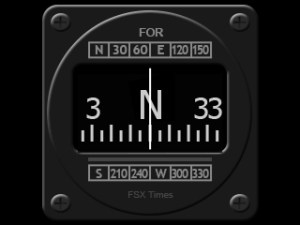
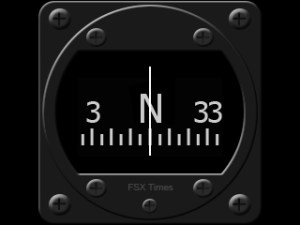
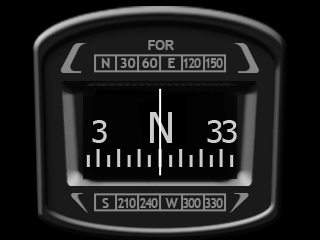
Haven’t updated my gauges for a long time.   Here are two full-width wet compass versions with minor graphics enhancements over the last one from Post 222.

The one on the left is for general aircrafts and the other is for 737, which is based on the model found on the aircraft.

Wet_Compass_140511W  Wet_Compass_737_140511

As always, subscribers of FSX Times could ask for the download links via Continue reading

224: Turning Off the FIP – Black Friday

TechLevel01W
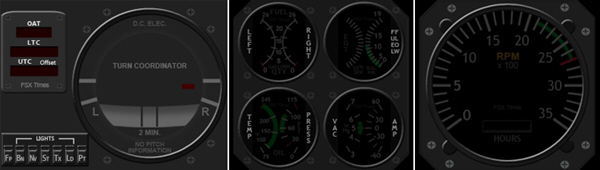
Due to various unexpected situations, the Turning Off the FIP series were stopped for over a month.   To compensate for the interruption, I have put the OFF Masks for the remaining RPM, Integrated Fuel Gauges, and even the new Turn Coordinator into a single RAR file on this Black Friday for existing users to download by clicking the image below.  The OFF masks for the earlier Altimeter, Vertical Indicator and Airspeed Indicator are also included.  Just put the files in corresponding folders will do.

TurnOFF_FIP_MISC

Continue reading

223: Useful Tips on Multiple FIP Usage

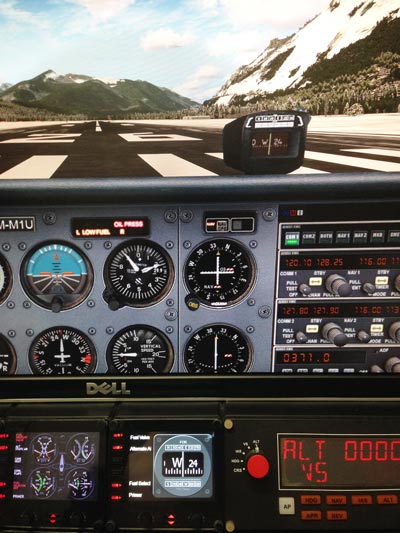
In addition to the stunning 18 FIP cockpit photos Andrew Crowhurst shared with us earlier, he also summarized his experience about setting up multiple FIPs as follows.   (BTW: some of you may have not noticed that the cockpit photos from Andrew posted yesterday have just been replaced by newer, higher resolution updates.)

Despite one of his recommended suggestions on how to link multiple hubs for FIPs which requires a little DIY technical knowledge and skill,  Andrew’s tips are pretty straightforward and should answer many questions FIP users generally have in mind.

1. Should I connect all my FIPs directly to my PC?

I found that Continue reading

222: Wet Compass

Just made a simple Wet Compass for Nils Taubert.   Actually, it’s been requested by some other friends from time to time.CompassS

Programming for the wet compass isn’t complicated.   But, the graphics renderings and image alignments, in particular, are still very time-consuming and involve a lot of trial and error as always.

The gauge uses the default 240 x 240 resolution on FIP due to its simplicity.   Very likely I will incorporate it to my other gauges in the future.
Continue reading

221: Full-width Turn Coordinator

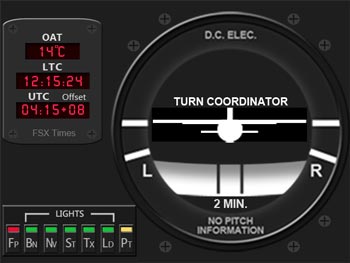
I am supposed to complete the Turning Off the FIP series for the remaining Tachometer C172_TCCLKand the Integrated Fuel Gauges in this two weeks.  Instead, here’s my first attempt utilizing the full resolution (320 x 240) of the FIP for the Turn Coordinator, plus OAT and Local & Zulu Time Clock with Time Zone Offset.

Both features had been missing from my previous gauge development and they’ve been frequently requested by friends of FSX Times.

Continue reading

Update: Corrections to Post 218 – 220

Thanks to Michael Johnson who pointed out some problems and errors when applying the Turning Off the FIP options in Post 218, 219 and 220.

Firstly
The OFF screen mask images previously uploaded to WordPress wouldn’t correctly revert to its original BMP format by simple renaming method.   The images obviously were modified during the upload process.   So, I have created a direct download link.

Just save the images to the respective folders as described in the post will do.

Secondly Continue reading

220: Turning Off the FIP#3 – AS Indicator

TechLevel01W
(Updated on: 24 October 2013)  This is part three of the Turning Off the FIP series. This time is the AirSpeed Indicator.

C172_AS_OFF.bmp==========
AAA
Similarly, save the image on the right to the \1024 folder where you keep the VS indicator (e.g. C:\Program Files (x86)\Saitek\DirectOutput\Gauges\1024) via the link below:  https://dl.dropboxusercontent.com/u/25018674/Gauges-C172/C172_Gauges_130815_OFF/C172_AS_OFF.bmp

==========
AAA
Remember that the image must be saved as it is in BMP format — C172_ALT_OFF.bmp Continue reading