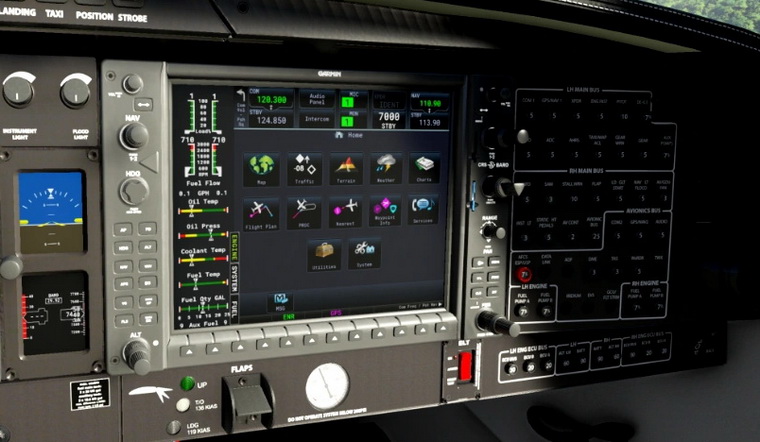
750: Ground Speed Display Fix

After the recent MSFS update, the Ground Speed Display on my MSFS FIP gauges no longer works. There are 3 types of instrument affected:

ASI Extended Versions of ALL aircraft
– Generic G5 HSI
– Generic G5 PFD

To fix the issue, one simply needs to change a command from
(A:GPS GROUND SPEED, knots) to (A:GPS GROUND SPEED) in the affected gauges.

Here’s how to do it: Continue reading
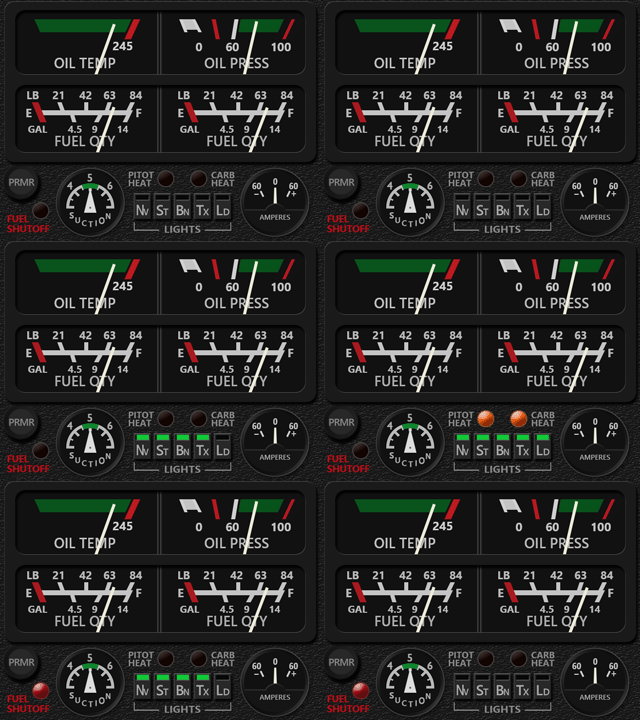
747: Multi-Shared ATT Updated

The adjustment of the artificial aircraft on the Multi-shared Attitude Indicator via the knobs on the FIP was inverted since the last few MSFS updates.

Just spotted the bug recently and have it corrected to R1r03 so as to match with the one in the virtual cockpit again.

Download Link have been sent to all users already. Continue reading

746: Landing Gear, Landing Gear

Have been revising many of my gauges lately.  Here’s another two of them which now come with enhanced landing gear indicators.

The first is the RPM of the Just Flight PA28R Arrow III and Turbo III/IV.  The new landing gear indicators on the left now take the comprehensive Gear Unsafe & Gear N-L-R style from the aircraft, rather than the simple one used on the right in the last version released in September, which took from the M20R.

The landing gear indicators on the Carenado M20R Engine Cluster also updated to simulate the up-down movements of the indicators on the aircraft as well.

In addition, Continue reading

745: C152/A ENG FUEL QTY CORRECTED

A new C152/A Engine Cluster user, Roland Duhme, just pointed out to me that the Fuel Quantity Indicators MSFS_C152_ENG_GIFSis unclear and incorrect on the Asobo airplane, which I carried forward to my gauge.

He said there’s no C152 has 100 LBS fuel capacity so the upper scale should be in percentage but there’s not a “%” mark for it.  In addition, the fuel quantity in GAL in the lower scale for the two tanks are 14 gallons each instead of 18 as show in the cockpit.

Good point.  Even though I realized the marking a bit strange when I was developing the gauge, I just put it is what it is in the C152/A Engine. Continue reading

744: G58 ENG with Landing Gear

In addition to some minor fixes, the B58-Style Engine Cluster for the G58 in MSFS has been updated  to R1r01, which now includes the landing gear indicator as well.

Continue reading

743: Flying the G58 like a B58

To friends (including me) who have an FIP-based virtual cockpit setup might have missed the Beechcraft Baron a lot, as the aircraft have been “upgraded” from analog gauges (B58) in FSX/P3D to G1000 panels (G58) in MSFS.

No more.  Following the recent updates that allow many of my B58 Gauges to be used in MSFS, the B58 Engine Clusters have been converted to cope with the spec of the G58 in MSFS as well.

In other words, we can now fly the G58 in MSFS like a B58 with the analog instruments on the FIPs as shown below:

Click Image to Enlarge

Continue reading

742: Free MSFS ATT Upgrade

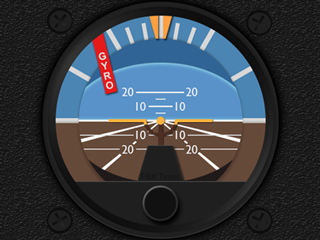
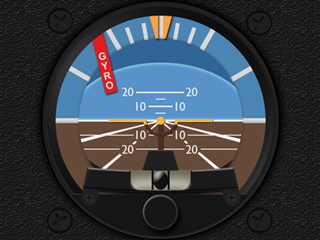
There are 4 different types of Attitude Indicator (ATT) in MSFS.

The first one is used on the Cessna C152, C172 and DR400.  The second is based on the first one but comes with an additional inclinometer. Among all 30 default aircraft in MSFS, only the Zlin Shock Ultra uses the second ATT.
MSFS_MS_ATT_#1    MSFS_MS_ATT_#2
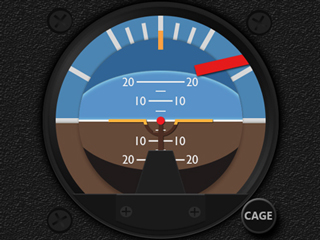
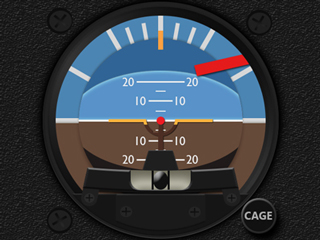
The third and the fourth ATTs have a different layout than the first two.  And they are differentiated by the additional inclinometer as well.
MSFS_MS_ATT_#3    MSFS_MS_ATT_#4
But unlike the first two ATTs, the knobs on the third and fourth ATTs are for the caging of the miniature aircraft, rather than for the adjustments of the miniature aircraft as in the first two ATTs. Continue reading

740: USING Garmin GTN750 in MSFS

A few months ago, Robert Temmerman in Belgium wrote me an email about a new addon (by that time) in Flightsim.to, which could replace the G1000 or GNS430/530 on quite a lot of aircraft in MSFS with a Garmin GTN750.

I totally forgot about this.  Sorry Robert.  The addon is called “JDS PMSGTN750 on Others Mod” by JayDee, and it looks awesome.
GTN750_00
Continue reading

736: Set MSFS Priority to High at All Time #3


Setting CPU priority for MSFS to High does improve the performance of the Simulator.  Instead of using third-party utilities, such as “Prio-Process Priority Saver” and “Process Hacker” to change the CPU priority as reported in Post 714 and 726, Nicolas Bouesnard in France sent me a registry tweak that achieves the same result.

Here are the steps: Continue reading