635: MSFS Gauge Table

One of the nice designs of MSFS is many of its cockpit instruments can be used across different aircrafts (despite practicability in real life), which in a way simplifies the construction of DIY cockpit using my MSFS Multi-shared FIP gauges.

Following is the table showing key instruments on the default propellers and turboprops in MSFS implemented and to be implemented.
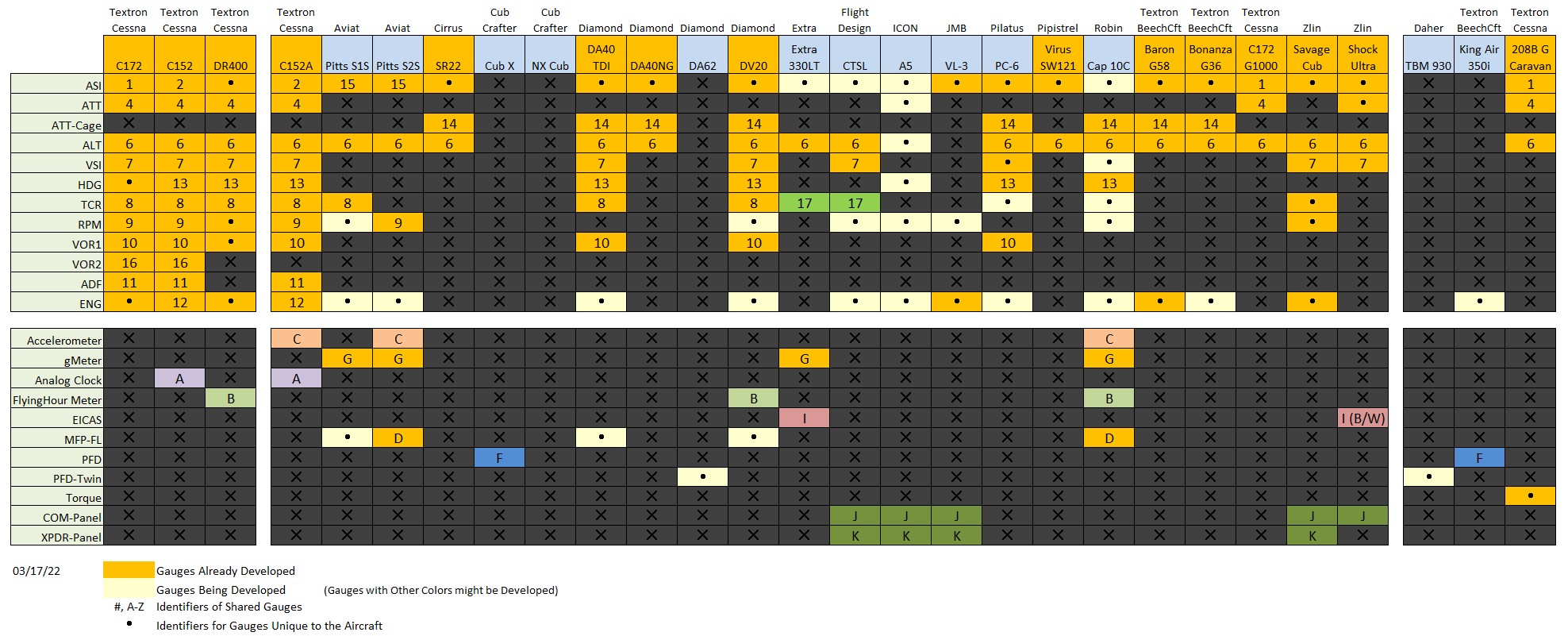
MSFS_Gauge_ChartVia the table, one can check out the usage of each instrument on different aircraft according to the reference number or alphabet assigned to them, and further find out what gauges are included or not included from the cockpit layouts captured below.

Update 1: The number and alphabet indications are added to the corresponding gauges in respective cockpit images for clearer references.
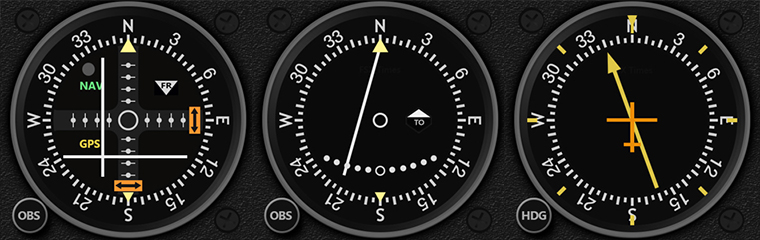
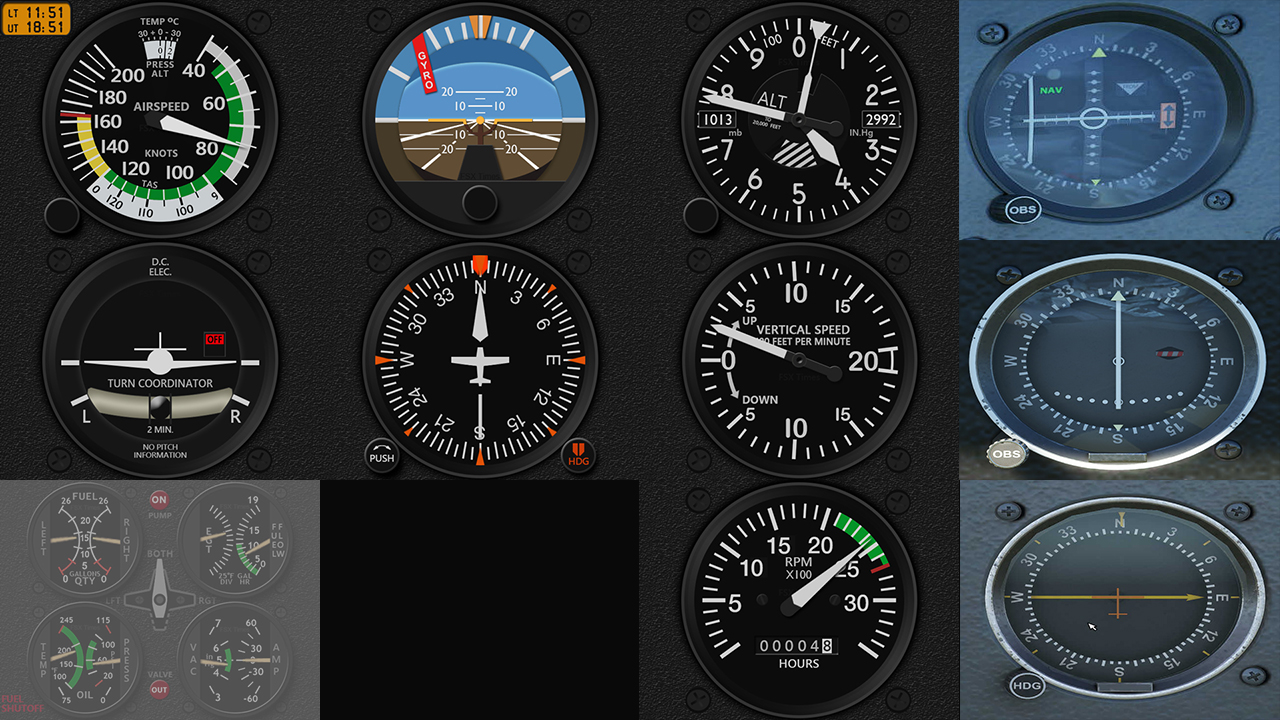
MSFS Cockipts #1 – Propellers Continue reading

634: MSFS Gauges Batch #2-3 Delivered

Have burnt some mid-night oil in the last few days to finish the remaining gauges (except the Engine Gauges) for the MSFS C152, C172 and DR400 bundles as soon as possible.

Glad that the last few Navigation gauges have done and sent out earlier today. 
Will take some breaks before moving on to the Engine gauges as well as some documentations plus the MSFS specific GaugeSwitcher.

Continue reading

633: MSFS-Specific Gauges Batch #1 Delivered

The first seven gauges for MSFS C172 have been delivered, including the ASI, HDG and multi-shared ATT, ALT, VSI, TCR and RPM.

Besides customizations, there are new assisting features added to the extended version of the gauges as follows:

  • Pop-up Style Ground Speed (GS) indicator on ASI while the aircraft is on the ground — good for controlling taxi speed
  • Pop-up Style Parking Brake, Overspeed and Stall Warning on ASI
  • Pop-up Style Above Ground Level (AGL) indicator on ALT while the aircraft is below 500 feet above ground
  • Pop-up Style vertical speed indication on VSI while the aircraft passes the 2,000 feet vertical speed limit

Continue reading

632: MSFS-Specific Gauges Update 1

Followings are the image updates for the MSFS-specific gauges being developed.  Some of them are completed in general but I will keep them for now because there are still new changes coming up for style consistency.

The C172 Bundle – Click for larger Image

Continue reading

631: Get MSFS from Steam Instead

In the past weekend, Lukas, a friend who was experiencing similar MSFS installation issue I had had two months ago asked me how I had the issue solved in the end.  I told him I really had no idea since I didn’t do anything but just waited for about a month to get the app with the update patch again.  The issue was solved by itself, probably due to the new updates, or something else.

He replied he wouldn’t want to wait and asked if there were any suggestions.

Hm…after some thoughts…I recalled Michael Basler in Germany once recommended me to get the simulator via Steam instead of the Microsoft Shop.  So I passed the suggestion to Lukas. Continue reading

630: MSFS-Specific Fip Gauges Pre-Sale

As reported in Post 627, all my FSX/P3D line of gauges are virtually compatible with MSFS.  However, since most of these gauges were based on specific aircraft in FSX/P3D, their layouts and styles might be different from those instruments on the same or similar aircraft in MSFS.  Some features on these FSX/P3D gauges, therefore, might perform differently in MSFS, too.

At the moment, three new series of FIP Gauges custom-made for MSFS have been planned.  They are the C172, C152 and DR400, in which their gauge line-ups are corresponding to the C172SP, C152 II and DR400 bundles in the FSX/P3D line, but might have variations in the new version.

Special pre-sale discount offers will be given to all existing users of my gauges (up to 40% off) as well as new users (up to 30% off).

Anyone interested in the pre-sale offers could check out the details here. To make things simpler, pre-sale offers are bound to bundle packages only.   Continue reading

629: My Second Impression on MSFS

Since I successfully reinstalled the new Flight Simulator (MSFS) two weeks ago, many of my unpleasant impressions about it stated in Post 611 were overturned.

I am not saying that the new MSFS has replaced P3D to be my flightsimming platform. But I have to admit that the more I fly with it, and the more I like it; especially for “sight-seeing” purposes only.

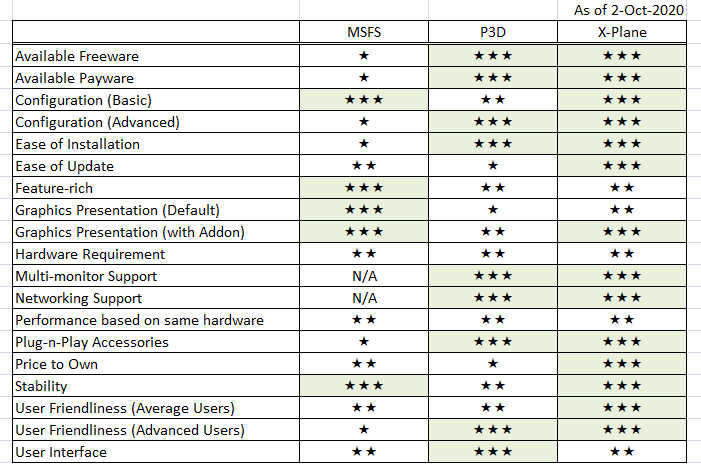
Followings are my subjective ratings on some of the key features I give to MSFS based on the requirements of my cockpit, compared to P3D and X-Plane.
I am expecting the scores to change soon as there are quite some products have been released or being developed for it.

Continue reading

628: The Missing FipGuages.xml is Found

Have found the actual workable FipGuages.xml (which stores the FIP gauges line-up information) reported missing in Post 626.  Now all basic information regarding Logitech panels running with MSFS-plugin is complete.

The file is stored under the C:\Users\tomts\AppData\Local\LogiMicrosoftFlightSimulator directory.  The one comes installed in the Plugin directory (C:\Program Files\Logitech\Microsoft Flight Simulator Plugin) is fake.

A new GaugeSwitcher utility for the MSFS plugin Continue reading

627: MSFS-Compatible Gauges Clarification

After reporting that my existing FSX/P3D Gauges can be run with the new Microsoft Flight Simulator (MSFS) via Logitech’s MSFS plugin, or the latest FSUIPC, or SPAD.neXt in the last few Posts, I received some emails asking for more details and clarifications about this MSFS-compatibility and my plan on MSFS specific gauges.

Here’s the reply to those who are interested: Continue reading