626: Logitech’s MSFS Plugin is Good but Not Perfect

Just installed the Logitech’s Plugin for Microsoft Flight Simulator earlier today.  The content of it is saved onto the C:\Program Files\Logitech\Microsoft Flight Simulator Plugin folder.
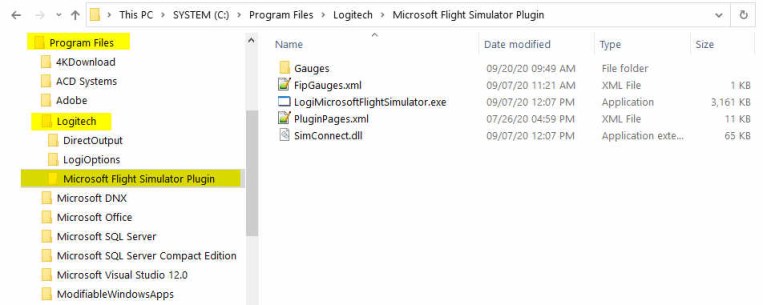
The Plugin works more or less the same as the company’s Plugin for X-Plane — once it is installed, you can forget about it.  The plugin will activate automatically with the simulator, allowing panels to communicate with MSFS accordingly.

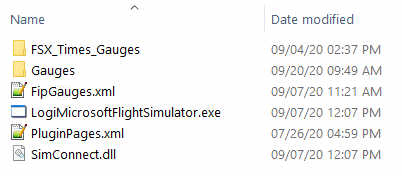
To use my gauges with this new Plugin, just further copy the FSX_Times_Gauges folder and the LogiFlightSimX.xml file from C:\Program Files (x86)\Logitech\FSX Plugin to this directory, and rename or copy the LogiFlightSimX.xml to replace the PluginPages.xml file.  That will do.
However, Continue reading
625: New Logitech Plug-in for MSFS

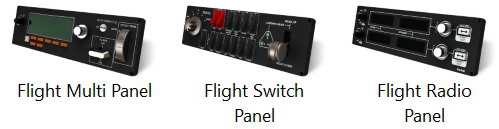
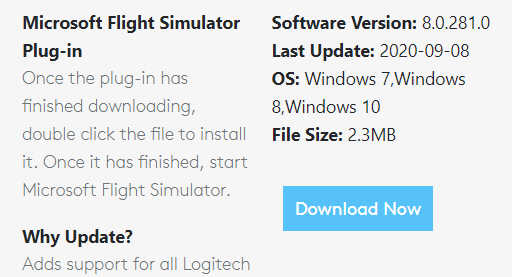
Reported by David Bechkett that Logitech has now released a MSFS 2020 Plug-in for all Logitech Saitek Pro Flight Panels including the Radio Panel, Multi Panel, Switch Panel, and the Instrument Panel.

Apparently now SIMCONNECT, FSUIPC, and other 3rd party plug-ins are no longer required to use the Logitech Panels with MSFS 2020. All of the Logitech panels will now be recognized by MSFS 2020 if you download the Logitech Plug-in from the Logitech Support site.

Just search for the Panel that you have and in the downloads section you should find the new plug-in.   Here’s the link: https://support.logi.com/hc/en-gb/articles/360024692354–Downloads-Flight-Multi-Panel

That’s great news. Thanks very much, David.  Continue reading

624: Running Logitech Panels in MSFS

I pulled out my Logitech Panels from storage earlier today.   After a few hours testing, they are successfully communicating with MSFS via FSUIPC 7, like the FIPs.

Followings are the steps I found the most effective:
Continue reading

623: Finding Button #s of Your Gears

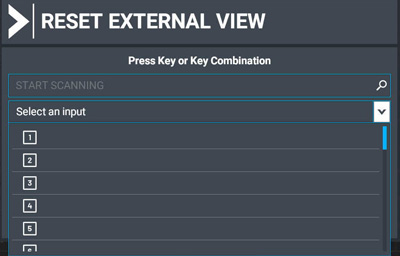
Whether your flightsim gears are instantly recognized by MSFS or not, you’ll need to find out what the numbers of the buttons are when selecting them in MSFS Control.
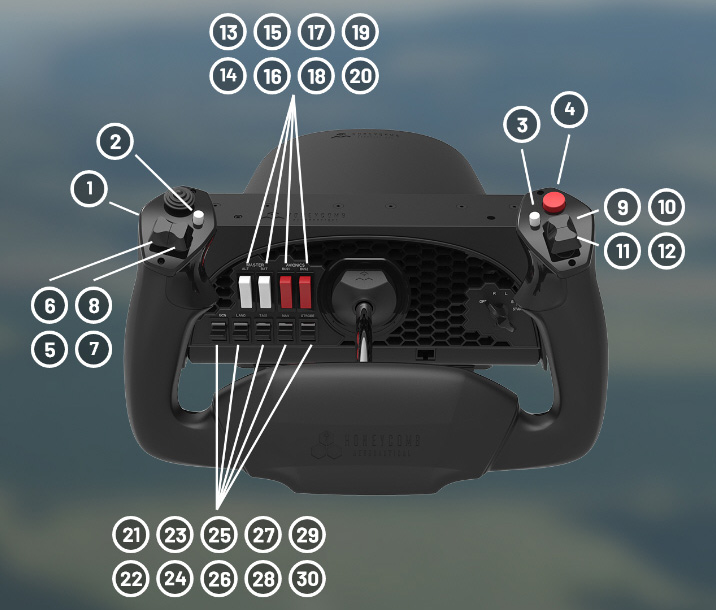
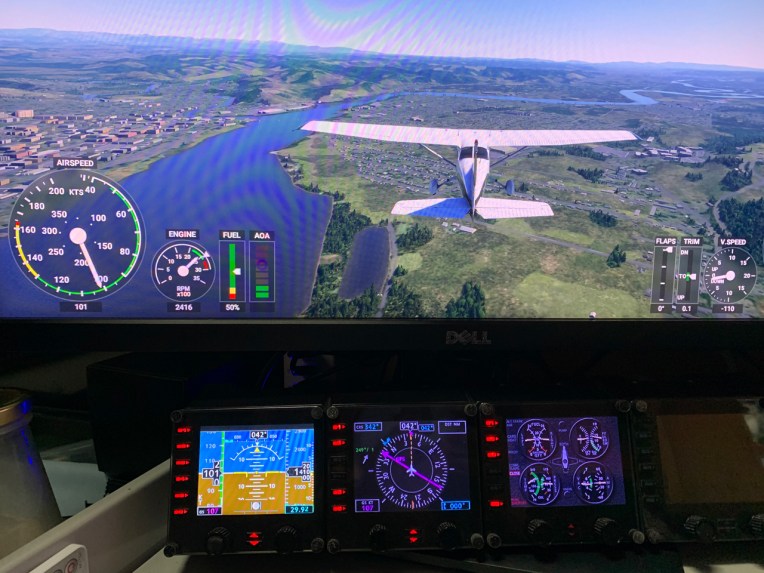
Unless your gears already come with a button number map, you’ll have to find them out yourself.   It’s pretty easy. Continue reading

622: MSFS Control Mappings

At the moment, only a few accessories are instantly recognized by the new Microsoft Flight Simulator (MSFS).  The Honeycomb Alpha Yoke is one of them, which I used as a reference to set up my VRInsight Flight Master Yoke and other flightsim gears on my second computer.

It’s funny to look at the white buttons and the red buttons on the Yoke panel as they are wrongly placed carelessly.  The two red buttons for Batteries should be on the left and the two white buttons for Avionics should be on the right.   Wonder why no one from the Asobo team nor the Honeycomb team spotted the mistake and have it corrected in the last update.

Anyway, followings are the default button mappings on the Alpha Yoke: Continue reading

621: Running FIP Gauges in MSFS with Logitech Drivers

I am excited to inform you guys that FIP gauges under Logitech Drivers can actually be run properly in MSFS without the need of SPAD.neXt or other similar utilities available on the market.   In other words, all existing FSX/P3D gauges in my store are MSFS-compatible ready, despite whether Logitech will have updates supporting MSFS or not.

To run the FIP gauges using Logitech Drivers in MSFS, all you need Continue reading

620: My MSFS Update 5

Finally I got MSFS downloaded successfully today.

Probably the issue I encountered were fixed by the recent update since the installation steps I carried out are the same.   Anyway, glad to have it installed eventually. Continue reading

615: My MSFS Update 4

I got refund from Microsoft again and it was even faster than last time.  Good job MS Support.

During my wait for the refund, I kept searching similar issues on the Internet and Xbox forum.  I found that I am not alone but still my case seems to be a little different from others.

One friend in last Post told me not to go for the DVD version.  So, Steam may be the only choice left for me.

Some friends commented there’s really no need to rush for it.  Yes, after a second thought, why not? Continue reading

614: My MSFS Update 3

I got the refund from Microsoft Support in about a day after my request.  A thumb up to their quick response.

I immediately re-purchase the Standard Version again, hoping that it would solve the issue.  Sadly, no.  Same issue lingers and doesn’t go.

I really have my head scratched.  If it is my DIY PCs, the Surface Pro should be good and shouldn’t encounter the same issue.

There are two things I am thinking now: Continue reading