794: MSFS V35B VSI Updated

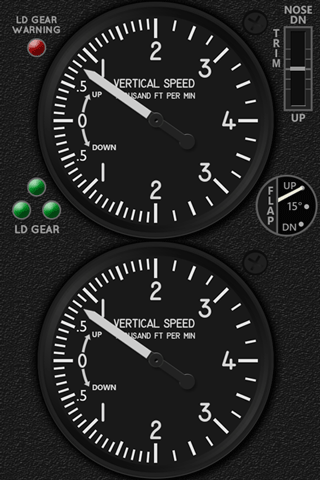
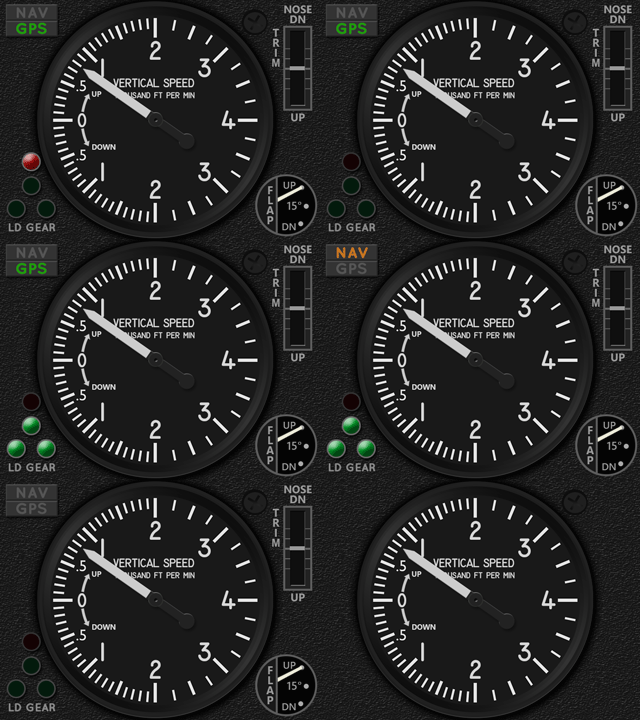
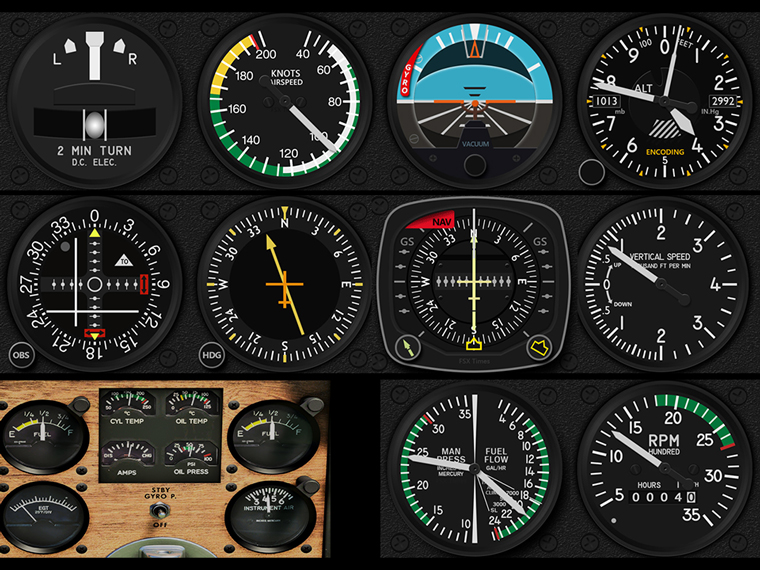
The Carenado V35B VSI has been updated to R1r01 as shown below on the right.
MSFS_V35B_VSI_GIF02b    MSFS_V35B_VSI_GIF02c
One major change is the moving of the red Landing Gear Warning Light from top left corner on the gauge to the lower proper position atop of the green Landing Gear Lights.  In addition, the vacated space is filled with the NAV/GPS Indicators.

Furthermore, an experimental version is added to this update. Continue reading

793: MSFS V35B Engine Cluster is Out

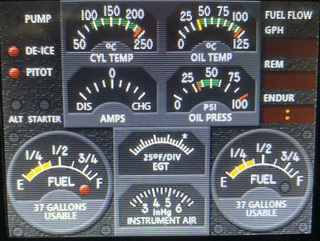
The wait for the MSFS V35B Engine Cluster is finally over.  Here’s a short video showing how it works:


Fuel pump, De-ice and Pitot Heat can be toggled by Button #1 to #3 on the FIP. The ALT indicator will lit up when alternator is OFF, and STARTER will flash when magneto stays at the starter position. Continue reading

792: NAV/GPS malfunctioning After SU10

After MSFS SU10 update, the NAV/GPS button on the C172 (above VOR1) won’t toggle the status between NAV and GPS on the VORs as well as on the GNS530/430.

To change the status of NAV and GPS on the VORs, one has to press the CDI buttons on the GNS530 and 430 in the virtual cockpit respectively.


The issue seems true to the C172 only. Have tested the NAV/GPS function on other aircraft and they all work fine.

Too bad, many times the C172 is always the one messed up by new updates.

791: MSFS V35B ENG Layout Preview

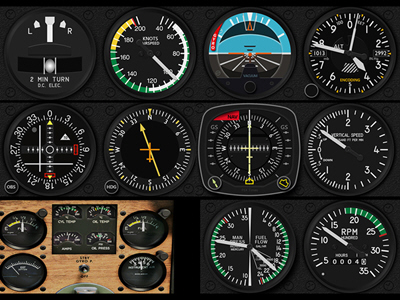
Virtually all my FIP gauges are using darker frames and bezels so as to highlight the MSFS_V35B_FIP_resizeinstruments better.  While working on the layout for the Engine Cluster of the Carenado V35B, I found the variation in lighter color could look similar attractive as well.  I might very likely keep the lighter color style or provide it as a user option.

In the layout being design, there will be additional indicators for Fuel Pump, De-Ice and Pitot Heat, etc, plus essential digital information for Fuel Flow, in addition to the eight core engine instruments on the aircraft

The development is pretty much under schedule so far.  Completion date as planned is optimistic.  The completion date is delayed due to some personal matters.  Download link will be sent as soon as it is ready.  

790: MSFS V35B Guages are READY

Except the Engine Cluster, all core gauges for the Carenado V35B are now ready as scheduled. MSFS_V35B_Z_BUNDLE_FULLS

For the Engine Cluster, although integrating eight instruments into one single FIP layout is a little complex,  I guess it should still be completed by Sept-9 as planned.

The Presale Discount will end when the Engine Cluster is released.

789: MSFS V35B Guage Presale

In past few days, I received a couple of ASI gauge orders for the A2A Simulations’ V35B. Upon confirmations, the buyers actually need the instrument for the just released Carenado’s V35B in MSFS 2020.  Moreover, the existing ASI for the A2A’s V35B (for FSX and P3D only) is NOT compatible with the Carenado’s V35B in MSFS.

Actually, I have been working on a dedicated FIP gauge set for the MSFS version already because the V35B is one of my favorites, too.

To avoid confusion, here’s the detail of the gauge set before its announcement.MSFS_V35B_Z_BUNDLE_FULL
As planned, there will be 11 to 12 gauges, including the Engine Cluster, tailor-made for the Carenado V35B.  However, Continue reading

788: My New Aircraft View

For more than a year, I’ve been flying VFR mainly with a full forward view without showing the virtual cockpit panel as described in my Post 638, 639 and 697.

However, lately I found showing the propeller and engine hood during curising actually adds more fun.


And, most importantly, brings forth Continue reading

787: MSFS Performance Hit By FIPs Q&A

A friend, Lonn in the US, who emailed me with some questions regarding MSFS performance hit he encountered lately after he got his 7th Logitech FIP and my C172 CMP+Annunciator.  I think his case is worth a post to clear up some queries among those who are building their home cockpits with FIPs.

His questions here:

How many Fips do you run? I am getting a 7th and have noticed lately that my cpu usage is getting high on the Logiflightsimulator.exe or Logitech exe for the panels.

I also noticed certain gauges use more CPU intensive. Like the new Cessna 172 CMP I just bought from you seems to use alot of cpu compared to another asi gauge etc. How do you deal with it.

If I turn off the logitech panel drivers altogether I get better fps since the cpu isn’t bogged down. I know you run alot of panels and wondered how you work around this?

It seems the more complex the gauge set the more cpu that logitech exe takes up. Like the CH701 takes up nothing. But you start getting the eng on the 172 along with the hsi and the new cmp and the cpu usage is very high.

Man I am going to have to start planning my gauges around cpu usage. Any advise? Do you have this issue?

My answers: Continue reading

786: G5 PFD UPDATE (For MSFS ONLY)

With the introduction of the Airspeed Switcher added to the Generic G5 PFD, I received some requests for help and feedbacks for its manual installation process.

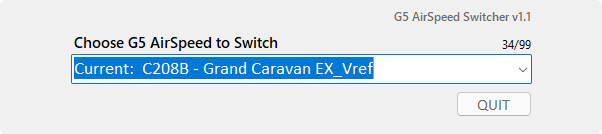
Compared to the automatic installation of the G5 PFD, I admit the manual installation of the Airspeed Switcher a little clumsy.G5_AirSpeed_Switcher

Therefore, the installer has been revised accordingly so that the Airspeed Switcher will now be installed automatically with the G5 PFD.  So users are no longer needed to read a couple of pages of text in order to install it.  Everything is now completed automatically.

SIMILARLY, the update is for MSFS platform ONLY.  If you are running FSX or P3D, DON’T INSTALL the update. Continue reading