702: Airport Enhancement – REX vs Zinertek

After Zinertek released its Enhanced Airport Graphics for MSFS a few months ago, REX Game Studio just follows to announce their Real Global Airport Texture for MSFS as well.  To me, it’s pretty similar to what they compete in FSX/P3D environment before.AirportTexture_REX AirportTexture_Zinertek_resize

In terms of pricing, REX’s version is $17.95, which is about a dollar more than Zinertek’s $16.97.

Does that extra dollar makes REX’s new product better than Zinertek’s?

Let’s put aside the quality of enhancement first, the extra one dollar does give users a choice of 4 combinations spawned from New & Used Taxiway Markings and Heavy & Light Rubber Buildups, against Zinertek’s only one universal style.

How are they different and are they better ?

Followings are two sets of photos briefly comparing the two products.  I’ll give my choice at the end of the story.

Since the size of the photos are a bit large (1,800 x 1,100) , be patient if your network isn’t fast. Continue reading
701: Flight Velocity Trim Wheel Pro Review

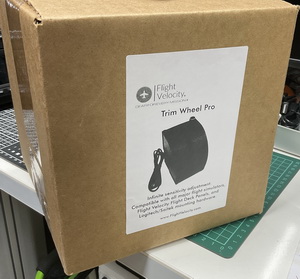
If you have ever used any trim wheel circuited with an encoder before, you should have experienced that the last position remembered by it could be very annoying if you forget to set its position back to the center at the start of a flight.

TrimPro_01b_resizeSince I got the Cessna Trim Wheel from Saitek many years ago, I’ve been looking for a solution to this annoyance.   But search is futile.

So when I found out Flight Velocity was soon to release a new product called Trim Wheel Pro which would use new software last Decemeber, I was quite excited, hoping that it could be a remedy to my agony.

Unfortunately, after checking with the company, the new player is no exception.  The issue seems to be unsolvable. Continue reading

696: SkyElite Version 1.3 Preview

In the last few days, I got a chance to test the beta version 1.3 of the SkyElite for MSFS by 4FlightSims.

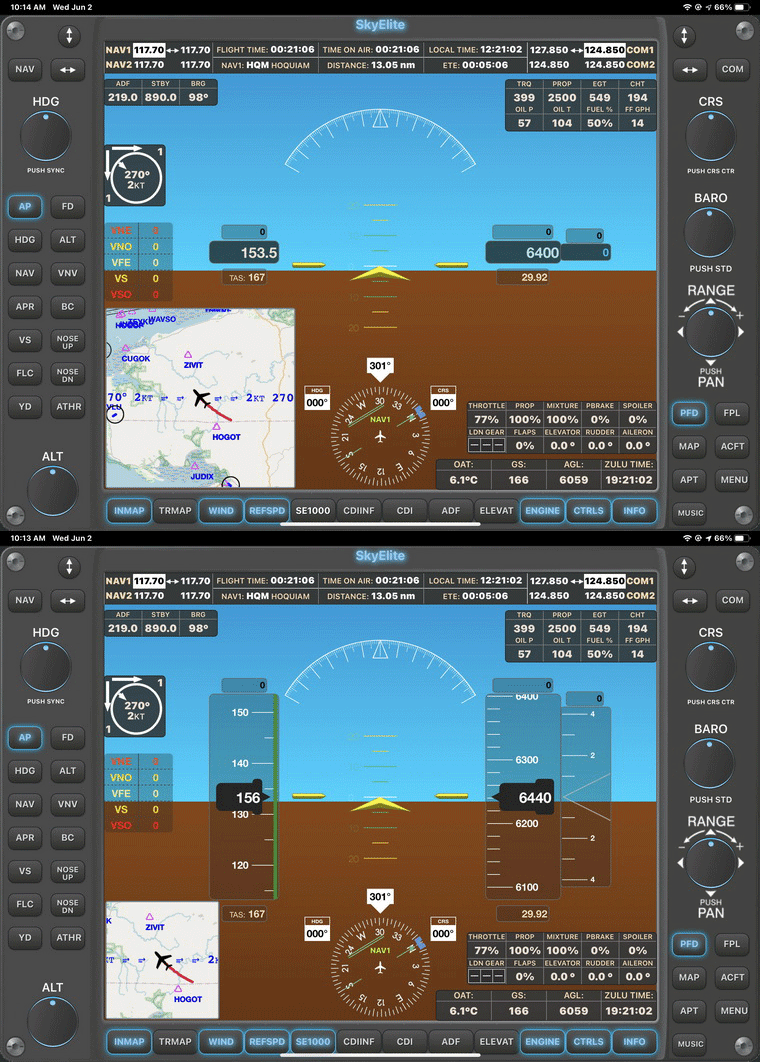
One of the improvements that impresses me is the fixing of text displays on soft keys and info pages that I reported in Post 659.  Now they are properly aligned.
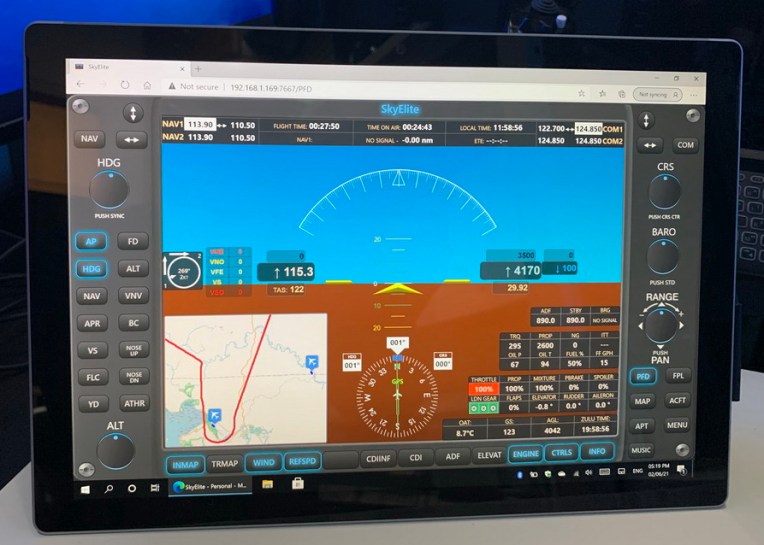
SkyElite13-GIF1Regarding new features, the most significant should be the SE1000 AHRS mode in the PFD.  Although it is different in style and operations from the G1000s on the default aircraft in MSFS, it functions equally as good in general.
SkyElite13-GIF2
In addition, Continue reading

688: The Hong Kong City Times is Pretty Good

In my last post “Make Hong Kong More Lively”, John M. Helms in the Comment section asked if it is true that the roads in the Hong Kong City Times payware look like dirt roads.  I replied yes, in many areas.

After that, I sent a note to the developer asking the same question.  The developer replied: “Yes it is due to the satellite image being used from the default MSFS, they are yellowish, they are from the outdated Bing map. But our scenery includes some part of custom satellite image already, such as the central and west kowloon, more will be added in the next update.”

I guess many friends might be wondering what exactly the answer meant in his reply. So I captured a few pictures for those who are interested. Continue reading

659: SkyElite for MSFS Review

This morning, I accidentally came across this less than a month old SkyElite for MSFS by 4FlightSims while searching on the Internet.   It immediately captured my eyesight with its glass-cockpit-style appearance as well as its feature-rich EFIS PFD and moving map interfaces.
And in particular, unlike other similar apps that are run on the iOS system and connected back to the flight simulator in Windows via a “bridging” program, this one is Continue reading

629: My Second Impression on MSFS

Since I successfully reinstalled the new Flight Simulator (MSFS) two weeks ago, many of my unpleasant impressions about it stated in Post 611 were overturned.

I am not saying that the new MSFS has replaced P3D to be my flightsimming platform. But I have to admit that the more I fly with it, and the more I like it; especially for “sight-seeing” purposes only.

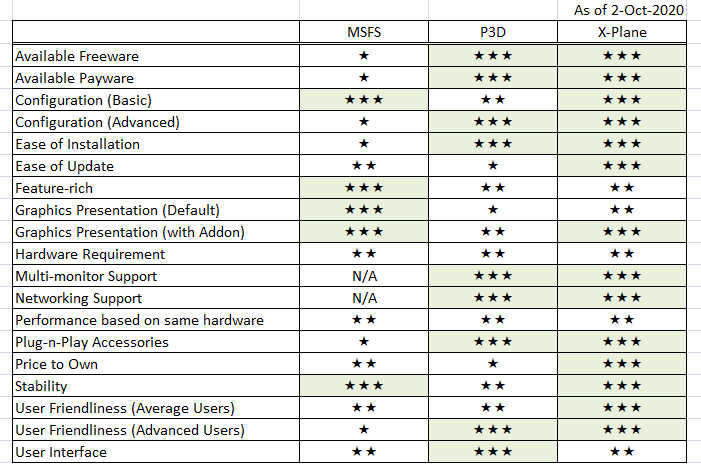
Followings are my subjective ratings on some of the key features I give to MSFS based on the requirements of my cockpit, compared to P3D and X-Plane.
I am expecting the scores to change soon as there are quite some products have been released or being developed for it.

Continue reading

617: My FIP Gauges and MSFS

The update patch for MSFS is out, which claims to solve many issues in the first release.   I still haven’t tried re-installing MSFS yet due to various personal matters.   But surely will do it again very soon.
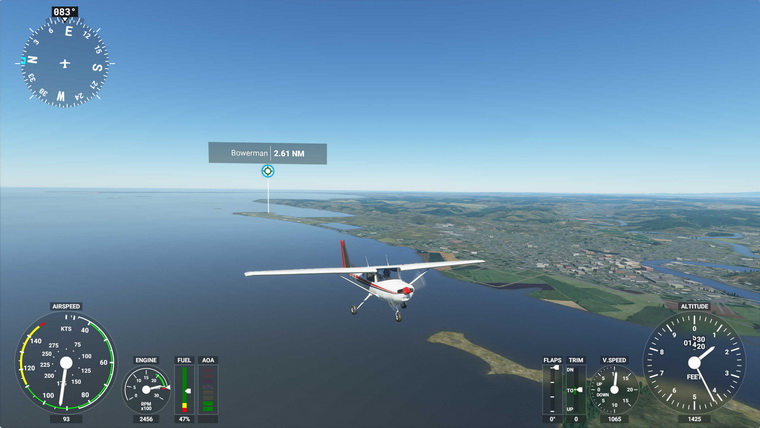
During these days, have received many emails questioning about the compatibility of my FIP gauges with MSFS.

Frankly, due to my current situation of not an MSFS user, I am really not a good person to give a proper answer.

However, some users of my gauges have reported successfully running FIP gauges in MSFS Continue reading

611: My First Impression on MSFS

Just played the new Microsoft Flight Simulator (MSFS) for about an hour after spending the whole afternoon downloading the files to my computer.  Frankly speaking, although many alpha players praised it highly on the Internet, my first impression on it is quite disappointed and even worse than my first time with X-Plane 10.

Maybe my i7 CPU is not fast enough, maybe my graphics card is not high-end enough.  The simulator severely stutters from start to end.  Even though I configured it to the lowest graphics settings, it didn’t perform satisfactorily.  All my drivers were updated to the latest.

Moreover, many of my flightsim gears, Continue reading

585: TE Washington – Think before You Buy

I originally had great expectation on Orbx’s True Earth Washington for P3D because the company’s True Earth Washington for X-Plane looks great.  But when I got the P3D version yesterday, I have to say that I am disappointed since it is inferior to its X-Plane brother, especially in the two aspects below.

In its description, it says it offers 66,574 square miles of hand-corrected, crisp aerial imagery.   However, crisp or not depends on how high you fly.

click to see larger image

Continue reading