236: P3D v2.2 Part 1 – Still No Good ?!

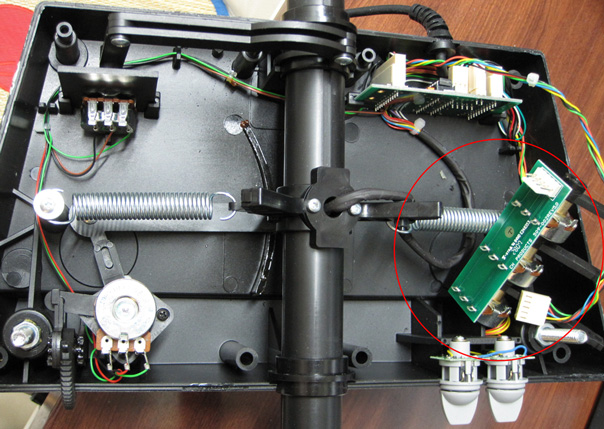
With the launch of the P3D v2.2 on Monday, I did a clean install with the hope that it would bring better performance to the LM platform while solving many of its earlier reported issues, especially the three ghosts that had been haunting my system since the beginning — namely, stutters, Saitek Flight Instrument Panel (FIP) sluggishness and texture blurriness.
P3Dv22-Blurry00

Actually, over the last few weeks, the first ghost, stutters, was in general removed through the increase of the BufferPool to 900 millions as described in Post 234.

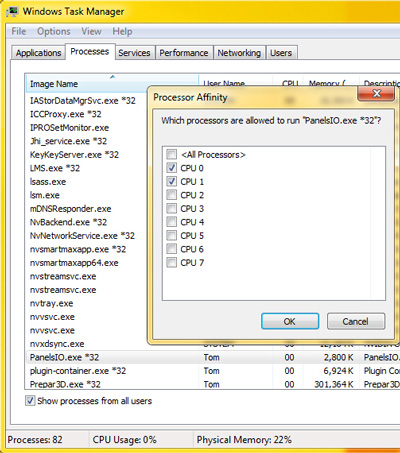
The FIP smoothness was also enhanced by assigning the first 2 CPU cores via Set Affinity option under Windows Task Manager.  Similarly, the texture blurriness was improved with the AffinityMask set to 252, which dedicated the last 6 CPU cores for the simulator.

Although it still couldn’t be said ideal, P3D v2.1 at that moment was pretty close to what FSX was performing on my rig.  Continue reading

217: Align TrackIR Quickly

Have tried a few wireless head tracking software, NaturalPoint’s TrackIR + TrackClip Pro is still my choice so far.  Following is the method I find very effective when aligning the device at startup.  Of course associated software must be activated first.

AAA
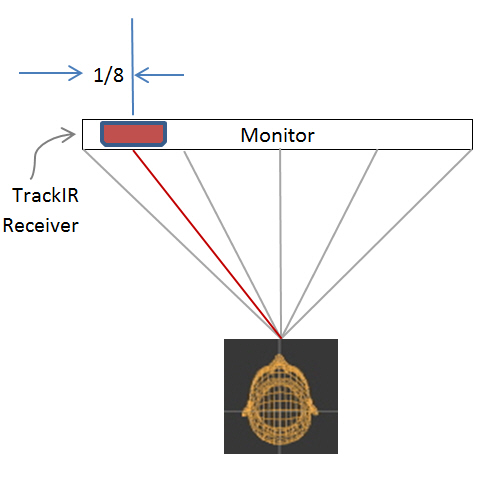
Place the TrackIR receiver on top of the monitor about 1/8 in length from the left edge.

TrackIRP01 Continue reading

139: Profiling TrackIR Effectively

Updated: 3-Jan-2012
It is for sure that TrackIR enhances flightsim reality.    However,  it also easily causes eye fatigue and dizziness when it is not proper set.

Following is how I configure the TrackIR profile for FSX on my 30-inch monitor:

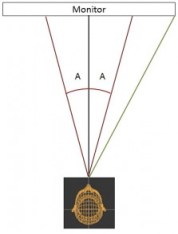
When in FSX, the focus of my eyes mostly falls within the range roughly spreading across the mid-points between the center and the edges of the monitor on both sides.    It is about 20 degrees (A) on each side from the center or 40 degrees (A+A) in total around the center  (See the image on the right).

Within this 40-degree area, my head moves very little while my eye focus changes.   Beyond that, my head starts to turn more significantly. Continue reading

135: My Best fsx.CFG Update

As earlier reported in Post 133, my system got some positive results from increasing the value of TEXTURE_BANDWIDTH_MULT to 800.

Updated on May-4, 2012: However, dropping down the value from 800 to 400 brings a result that the setting is more compatible to my recent hardware changes.   Therefore, the value of TEXTURE_BANDWIDTH_MULT is now set to 400.

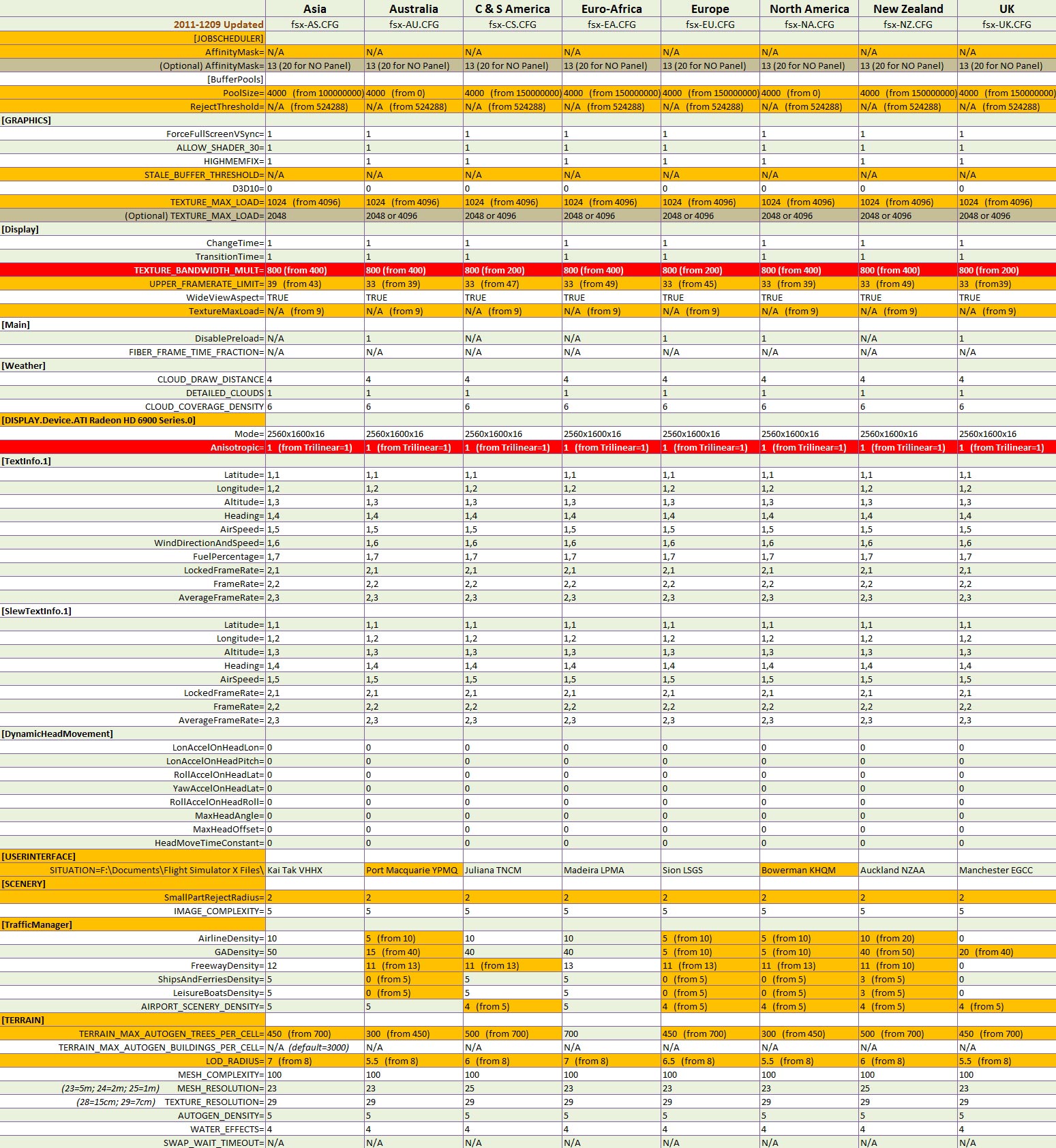
Here is the fsx.CFG for all my flying zones — Note that TEXTURE_BANDWIDTH_MULT is 400, not 800.


Updated items are highlighted in red.

NOTE:

  • The Anisotropic=1 setting should be good for most people.
  • But many others may find the result from TEXTURE_BANDWIDTH_MULT=800 (which is good on my HD6970 card) differently with a different card.     Explore it yourself.
  • My previous fsx.CFG settings should still be good for general references.

133: Texture_Bandwidth_Mult Revisited

Haven’t written a lot recently because I’ve been testing extensively with different tweaks on my system (mainly due to the addition of HD6970).    Also, some more hardware changes and replacements are going on.   Both consume a lot of time.

So far, there are two positive findings resulted from these tests, which help reduces the occasional stutters in my current setup described in Post 131.

1)  Under the Display Device section, use Anisotropic=1 rather than TriLinear=1, even though the Anisotropic Filtering is hardware controlled via the Catalyst Control Center.   Don’t ask me why.   It just performs better.

[DISPLAY.Device.AMD Radeon HD 6900 Series.0]
Mode=2560x1600x16
Anisotropic=1

2)  Mentioned in Post 27 that increasing the value of TEXTURE_BANDWIDTH_MULT under [Display] section could render a smoother display quality.   The result is more obvious from my current HD 6970 card than the retired HD 5870.    Three of my flying regions have been raised to 800 from 400.    Values higher than 800, however, cause negative impacts.

[Display]
TEXTURE_BANDWIDTH_MULT=800

Remaining regions are being tested, and will report the results later.

131: My Best FSX Setup (2011-1124)

Since my last update in August regarding my FSX setup, there were quite some changes to my system,

where I:

  • added two more FIPs

Continue reading

130: Radeon Settings for HD6970

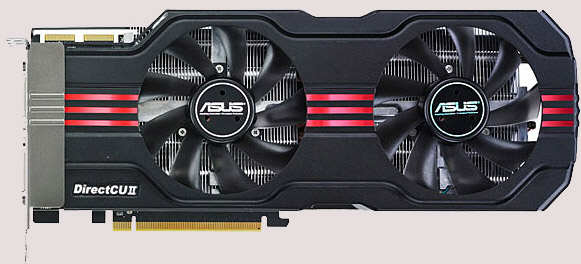
In terms of FSX performance, my newly added ASUS HD 6970 Direct CU II graphic card is just slightly better than my previous ASUS Matrix HD 5870However, it does bring a better image quality and a much cooler and quiet environment to my system.  Moreover, the card allows connection up to six monitors, giving me flexibility when planning for future multi-monitor system upgrade.

The Radeon driver I am using is the latest 11.11 (updated on Nov-28).   Despite the new features come with the new driver, the Mipmap Detail Level option in 3D Application Settings was gone for the HD 6970.    Moreover, the Wide-tent and Narrow-tent filters of Anti-Aliasing were combined into one Edge-detected filter.

Continue reading

120: AMD Radeon Driver 11.9 Update

Just updated my Radeon driver to 11.9 for a few days.

My impression from the overall result of the new driver is more or less the same as when I did the 11.8 update — no obvious increase in fps but feel a little bit smoother.   Seems like the driver is getting better every time it updates.   Maybe it is psychological since no direct comparison could be made.   Anyway, don’t see any performance hit either.

Settings for the 11.9 driver remain unchanged as in 11.8.

Read some posts reporting the drop in fps after the 11.9 udpate.   No idea what causes the issue but Rebuilding the Shader Cache may help.

In particular for driver updates, I will beforehand backup both my Windows drive and FSX drive (using Acronis True Image) just in case.   This saved me several times in the past.

104: Kill UTX in Orbx Regions

Lately, I’ve been helping scenery checking for Return to Misty Moorings’ coming Cambria Icefield Research Project (CIRP).

One team member Guy Maricich (known as Spud) commented the anomalies I reported as follows:

Due to time differences, installation differences and ‘the eye of the beholder’ differences there will always be anomalies showing.   Tom for instance, seems to have some objects that are floating more so than others do.   I suspect either he has addon MESH or something else that is causing him to see things a wee bit different than most of the rest of us. Continue reading