Equivalent WEATHER setting in fsx.CFG
Continue reading
Settings
59: My Best FSX Setup (2011-0716)
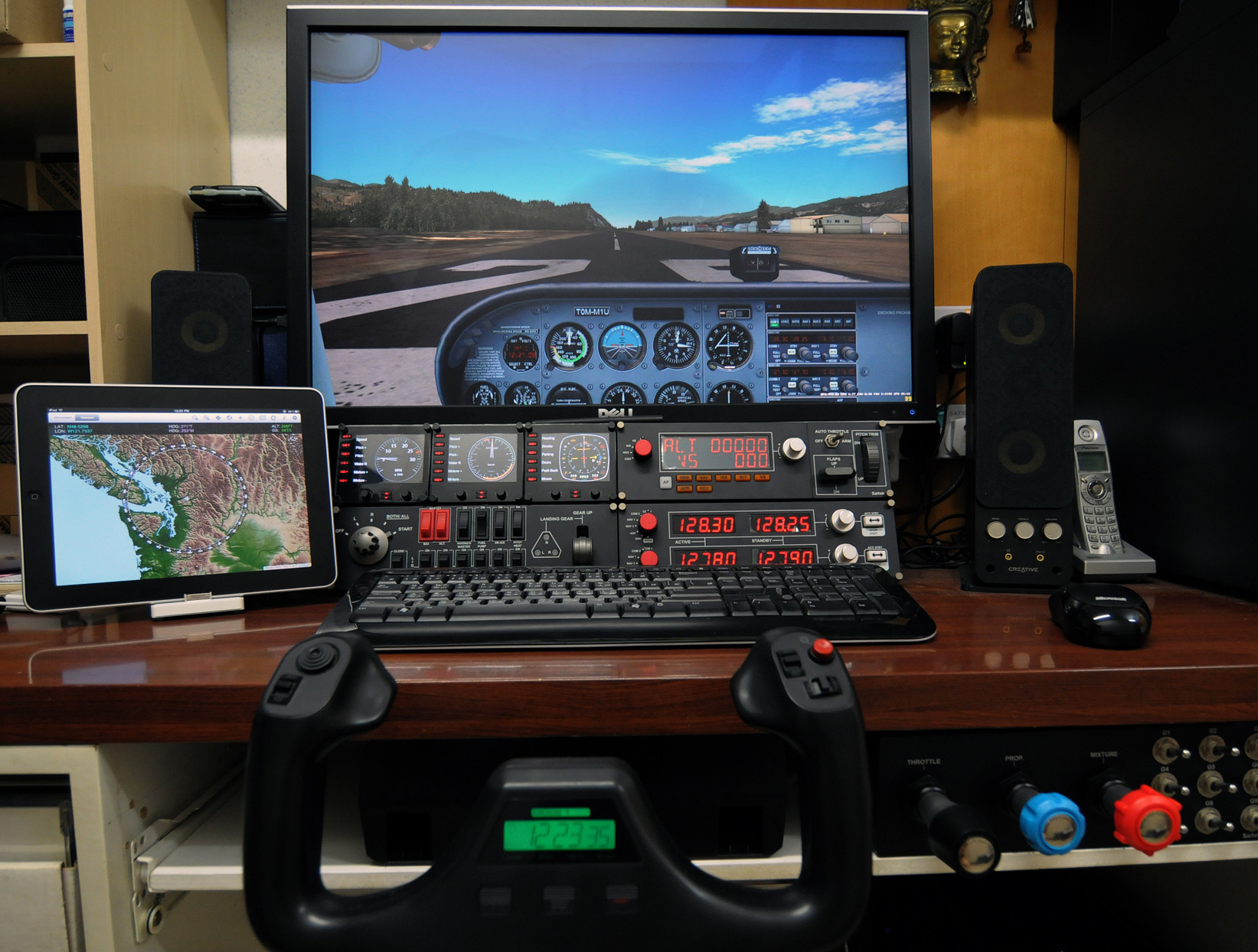
With following hardware, software, display card settings and fsx.CFG tweaks, I am generally getting :
- 39-47 FPS (20-30 FPS in heavy urban areas; ALL with 3rd party scenery installed)
- No Stutter (well, virtually)
- Very Sharp Image
- Very High Anti-Alias Quality
Hardware:
ASUS P6X58D-E | i7 930 @ 4.0G | 12GB DDR3 1600
ASUS Matrix HD5870 @ 970MHz / 5000MHz | Dell 3007 @ 2560 x 1600
2 x Corsair Nova 128 GB SSD — One for Windows & One for FSX | 1TB WD SATA3 HDD for Add-on Sceneries
iPad with iGMapHD
46: Alternative to fsx.CFG
Even using the Flying Zone Approach described in previous posts to configure the FSX system, it still provides general-purpose optimum settings only.
While flying around specific airports or areas, one may further need to fine-tune values of Target Frame Rate, Terrain and Water, Autogen Density, Traffic, etc.
Although this could be achieved via SETTINGS option in FSX, the SETTINGS option will simultaneoulsy revert TEXTURE_MAX_LOAD, TEXTURE_BANDWIDTH_MULT and LOD_RADIUS back to their default values of 1024, 40 and 4.5 respectively.
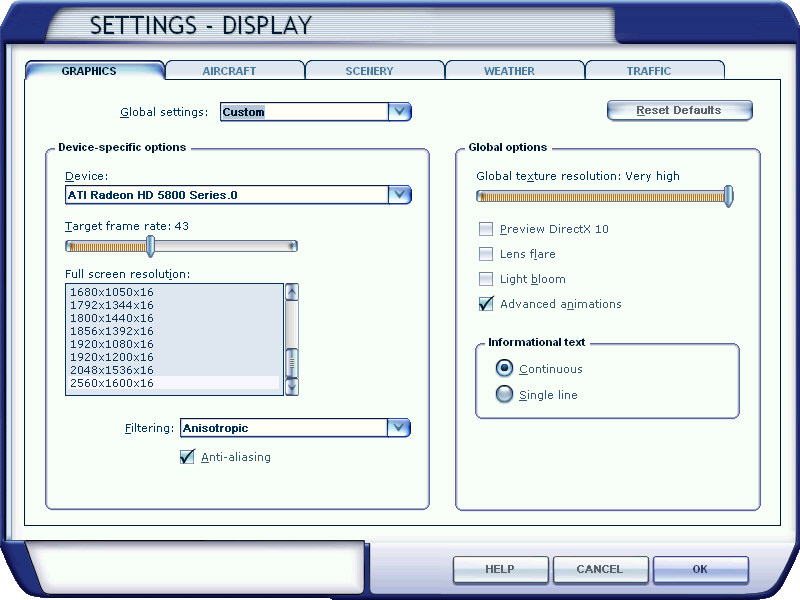
There seems to be no apparent option available but to quit FSX and change them back to your desire value via fsx.CFG. However, this is silly since the fine-tuning objective is to make changes during a flightsim session.
The solution is as follows: Continue reading
31:My HD5870 Overclocking Profiles
Followings are the overclocking profiles of my ASUSTeK MATRIX HD5870 P/2DIS/2G
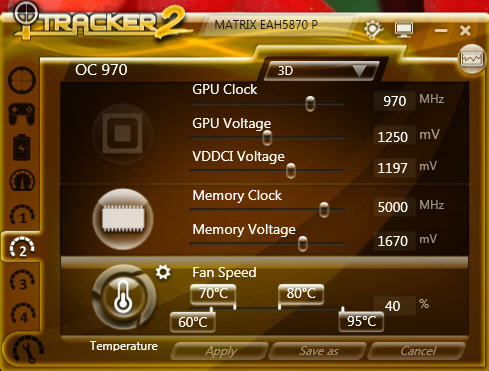
I generally flighsim under 970MHz setting but sometimes further OC to 1000MHz as follows:
19: Less CPU Core is More FPS

If allocating more CPU cores to FSX will bring higher frame-rates sounds logical, the findings from recent experiments show a different result.
By applying different numbers to the AffinityMask command in fsx.CFG file, frame-rates achieved vary significantly. And most important, allocating more cores to FSX (including default setting without AffinityMask) doesn’t necessarily mean that framerate will be subsequently higher.
My CPU is an i7 930. After many testings, setting AffinityMask to:
* AffinityMask=20 (00010100; two cores) generates the highest framerate
* AffinityMask=84 (01010100; three cores) generates the second best FPS performance
However, setting to use fewer CPU cores will lengthen the time to load all FSX session, especially when a system has installed many complicated add-ons.
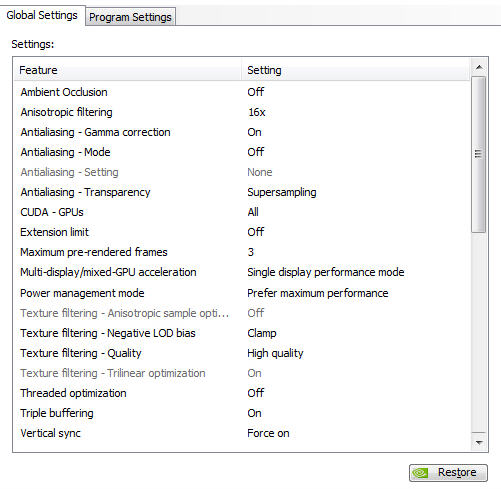
14: Nvidia Settings
Graphic Card: Gigabyte GTX 280 with 1G RAM
Nvidia driver: 258.96 == Settings are as follows:
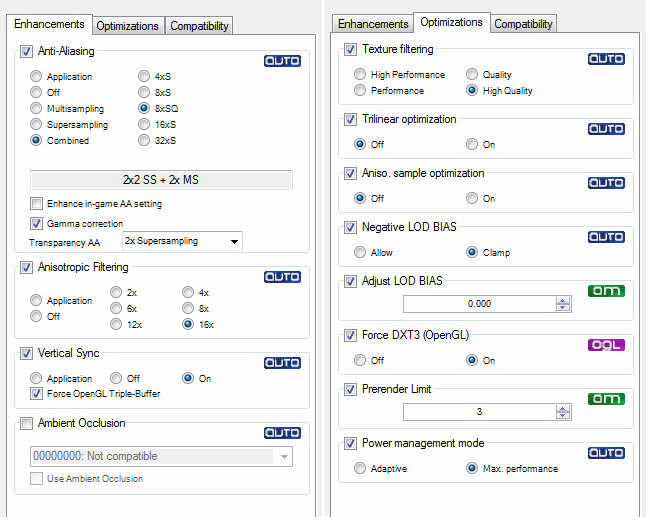
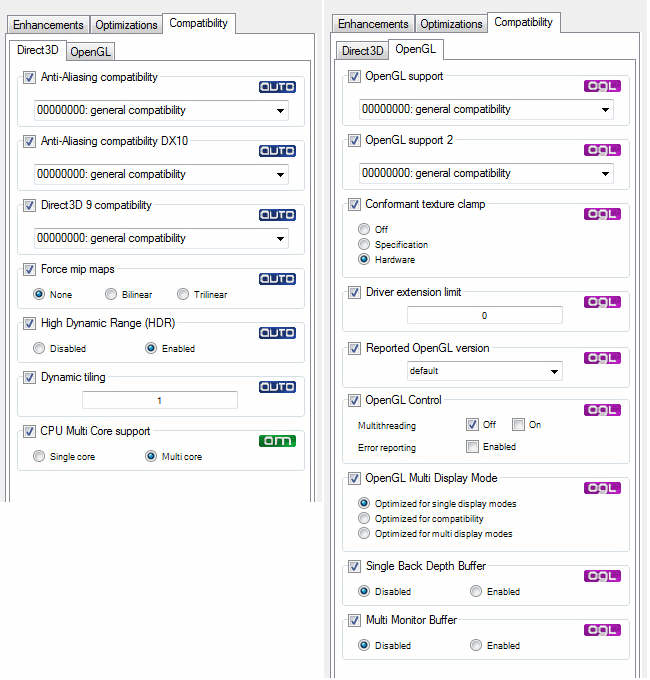
13: nHancer Settings
nHancer 2.59 is used and settings are as follows:
 FS Times