
723: My SU5 Tuning #4 – ReShade

In MSFS, objects in far distance, even on a clear fine day, are too hazy to me.  This is one thing in particular I dislike.  And the Sim Update 5  (SU5) further worsens it as the overall color tone has been washed out, making the scenery looks very dull.

I use ReShade to tune the screen to my preferences.  Click image to enlarge.
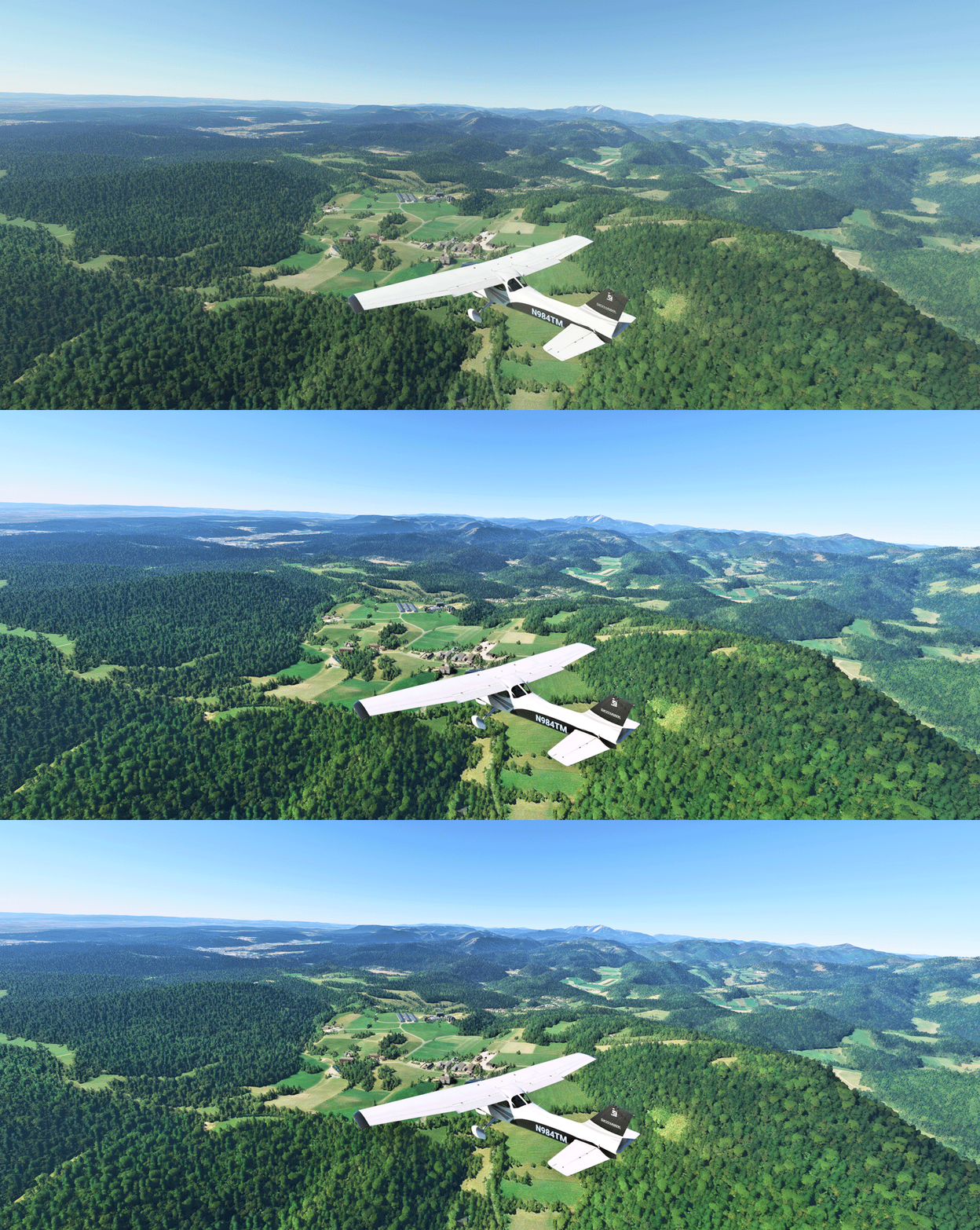
Reshade_03L
The app is somewhat like the “Shade for FSX” that changes the atmospheric effects in FSX in the old days, but ReShade for MSFS is more sophisticated.  And most importantly, I don’t see any impact from using it at all.
Continue reading
713: Custom Camera Restore Utility

It is quite annoying when the custom cameras I created for full forward view (see my Post 638 and 697) are reverted back to their defaults after MSFS 2020 or the addon aircraft themselves updated.

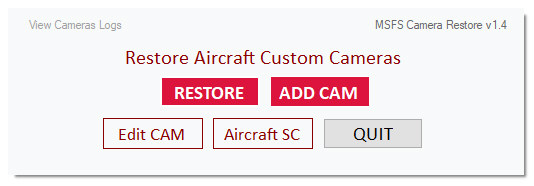
Therefore I created a small utility called MSFS_Camera_Restore to help put my custom cameras back quickly in case such situations happen.
CameraRestore05The objective of the utility is straightforward and requires no learning curve.  And it has virtually no limit to the number of cameras to be added.  Moreover, the original camera will be backed up prior to its adding to the utility, too.
For those Continue reading

709: A Fix to my RSG Interface not loading

One thing that frustrated me for quite some time was the RealSimGear Device Interface wouldn’t load up with MSFS automatically.

After the Interface was installed, I moved the whole package out from the MSFS\Community folder to the \Addons\Utility\RealSimGear folder on the same drive in my system, so that it could be activated via MSFS Addon Linkers.

Then I edited the Path of the Device Interface Module accordingly in the exe.xml file as follows:

<Launch.Addon>
    <Name>RealSimGear Add-on</Name>
    <Disabled>False</Disabled>
    <Path>F:\Addons\Utility\RealSimGear\bin\RealSimGear.exe</Path>
</Launch.Addon>

The path was correctly pointing to the RealSimGear.exe but the Device Interface simply wouldn’t load with MSFS.

I had been scratching my head for quite some time why the setting wouldn’t work until today Continue reading

706: Trim Wheel Pro Friction Mod

Earlier today, I received an email from Nicolas Bouesnard in France who acknowledges he has the same flaws on his Flight Velocity Trim Wheel Pro as I reviewed mine in Post 701.

Instead of leaving them as they are, he applied some mods to the unit and now he gets friction while turning the wheel.

Nicolas said: Continue reading

695: MSFS Gaming Services Error Fix

Rick Sheehan, a friend in the US, reported that he recently ran into a problem updating Gaming Services; showing an error 0x8007139f.  Since then, he couldn’t load MSFS (Microsoft Store version) any more.

After searched more than 50 sites and tried numerous possible fixes including several PowerShell fixes to no avail in a few days, he found a solution to get past the error, at the brim of reinstalling the simulator.

All he did was Continue reading

683: JF-PA28 VOR2 Left-deflection Fix

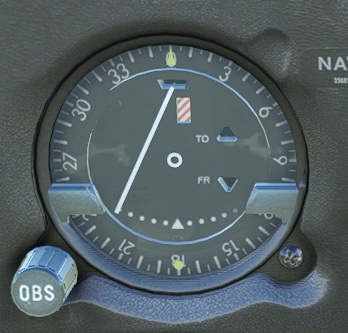
Have you ever noticed when the Just Flight PA28 Arrow III for MSFS is loaded with engine JF-PA28-VOR2-Needlerunning (meaning the aircraft isn’t started from cold and dark), its VOR2 needle is always deflected to the left?
It’s a bug, I believe, since the needle won’t return to center when no NAV signals are present.

To correct this error, we’ll have to flip Continue reading

678: Fitting RSG GNS Display Easily

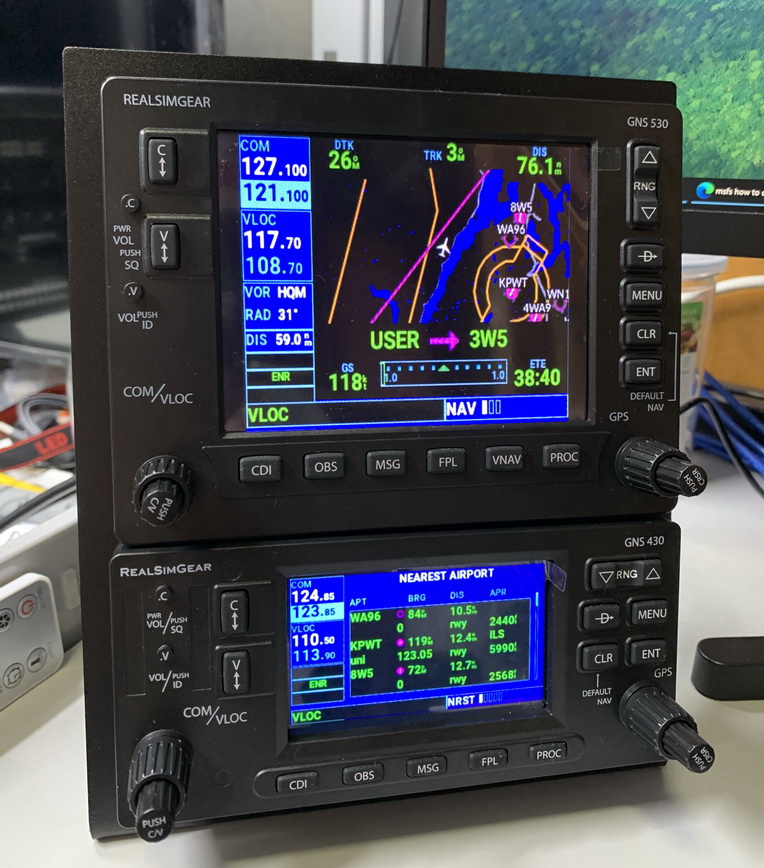
Read from RealSimGear’s forum that some users have alignment IMG_1577_resizeissues when moving the GPS displays from the virtual cockpit to the GNS430 and GNS530.

The official instruction says that there is no need to resize the popped out GPS screens from the virtual cockpit. Just move them over to the GNSs and press right Alt-Enter.  The GPS screens will fit on the devices accordingly.

Unfortunately, it’s not just those users in the forum having problems in doing so.  I encountered the same situation that the GPS screens wouldn’t fit onto the GNSs by following the official instruction as well.

Here’s my solutions: Continue reading

673: MSFS is really Depressing – Update

I am so happy to report that the MSFS on both my machines have recovered from CTDs. One by reinstalling to a new folder.  The other was by replacing the Community Folder with an empty one.

After I posted the CTDs on both my machines yesterday, Robert Temmerman suggested me to remove the Community folder to avoid any potential or tangible incompatibility among the addons in the folder with MSFS update.  He said he ran into similar situations before and it took him a while to figure this out.

Jim Gerow also forwarded me an announcement from RealsimGear saying that their addons are temporarily incompatible with MSFS after France update and they are working onto fixing it.

Sadly, I didn’t receive any notice from RealsimGear nor I alerted enough to aware that the GNSs I recently added to my system would be the culprit causing the crash.

Unfortunately, Continue reading

671: MSFS Logbook Fix

Received a few inquires asking why their logbook records in MSFS didn’t update accordingly.

Actually there are answers in various MSFS forums over the Internet.  But in case you didn’t aware of it, here’s the fix:  Continue reading