
So far, the only problem I have with Windows 10 is: the mouse will stop responding to mouse clicks if any of the Saitek game controllers (yoke, rudder pedals, trim wheel, etc) is hot unplugged from the computer after use.
There are many similar reports on the Internet, and it is generally agreed that the issue is caused by the Saitek driver. So far, no solution has been found.
The quickest way to put the mouse back to normal is to press the Reset button on the computer. The soft reset switch via Ctrl-Alt-Del doesn’t work.
Edit:
Some friends, like Philip M, suggest to open the Devices and Printers in Control Panel and right-click to “Remove” the Saitek devices in question prior to unplugging them. That’s another easiest cure of the problem as well.


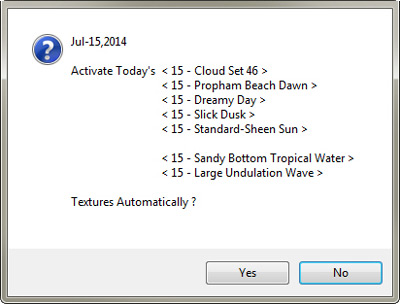 could inject different pre-extracted sky and ocean textures from REX according to the calendar day of the month, prior to the loading of FSX or P3D. And these textures have been further mixed to maximize allowable texture-combo variations. In other words, my sky and ocean now look differently each day.
 Frankly speaking, I was really a bit nervous about my bold decision of upgrading to the new OS. And I was prepared to encounter all sorts of unexpected FSX problems plus the notorious crash-to-desktop (CTD) issue.
 FS Times