305: The New Saitek Drivers – Part 1: Installation

Normally, driver installation should be no more than pointing-and-clicking on the mouse.   Saitek’s new ProFlight drivers, “ProFlight_FSX_Plugin_7_0_40_9_x64_Software” and “Saitek_Pro_Flight_Instrument_Panel_7_0_40_9_x64_Full_pfw”, however, might need a little tweak.

Some friends said to me that the installation of these two drivers was as easy as snapping fingers.   However, there were others telling me the opposite.  To be more exact, their FIPs wouldn’t start up after the installation, even though all the other Saitek gears work as usual.

To me, both statements are true since I experienced both extremes myself over the last few days. Continue reading

302: Commands Assigned to FIP Not Working

What a coincidence of receiving a few emails in the past two weeks asking why the commands (such as the barometric settings — KOHLSMAN_DEC and KOHLSMAN_INC) assigned to the rotation knobs and buttons on the FIPs are not working any more.   After checking their SaiFlightSimX.xml files, I found another coincidence that the <X52Pro> section in the beginning of their files was somehow removed.

Yeah.  I do remember as they reported that the SaiFlightSimX.xml file worked properly without the <X52Pro> section before.   Continue reading

301: Mouse Not Responding after Hot Unplugged

So far, the only problem I have with Windows 10 is: the mouse will stop responding to mouse clicks if any of the Saitek game controllers (yoke, rudder pedals, trim wheel, etc) is hot unplugged from the computer after use.

There are many similar reports on the Internet, and it is generally agreed that the issue is caused by the Saitek driver.   So far, no solution has been found.

The quickest way to put the mouse back to normal is to press the Reset button on the computer.   The soft reset switch via Ctrl-Alt-Del doesn’t work.

Edit:
Some friends, like Philip M, suggest to open the Devices and Printers in Control Panel and right-click to “Remove” the Saitek devices in question prior to unplugging them.  That’s another easiest cure of the problem as well.


300: Windows 10 FSX Crash-to-Desktop Fix

With Windows 8.1 two years ago, I experienced recurring crash-to-desktop errors on FSX platform after Orbx’s FTX Global Base was added to it (see my Post 228: FSX with Windows 8.1).

Now with Windows 10, thank goodness, the same combination (FSX + FTX Global Base) doesn’t crash to desktop any more.   But, my goodness, the excitement only lasts for two days until I added another Orbx’s regional product to the platform.

I really don’t know if it is FSX itself or Orbx’s addon the true culprit causing this notorious CTD problem.

Anyway, the tweaks I suggested in the earlier Post 228 are still valid.  Continue reading

298: Cautious to the New Saitek Drivers

Perhaps some of you have noticed that Saitek has released two new drivers.  The “ProFlight_FSX_Plugin_7_0_40_9_x64_Software” is an integrated driver for all its Pro Flight products except the Flight Instrument Panel (FIP) which requires another new driver “Saitek_Pro_Flight_Instrument_Panel_7_0_40_9_x64_Full_pfw” to support it.

The up-sides of the two new drivers are:  they simplify installation, and the load-up order of the FIPs can now be configured.   The latter feature, in particular, has been a long-time request by almost all FIP users.

However, the down-sides are: Continue reading

289: Automate Shader Cleaning

TechLevel01W

Rebuilding the shader cache of the simulator helps fix problems suddenly coming up without a proper cause.   The reasons explained in my Post 58: Rebuild FSX Shader Cache for FSX.  It is applicable to P3D as well.

There are friends asking if it is possible to automate the deletion process right before the running of FSX or P3D, when needed.

Surely it is possible.   Continue reading

262: A Hardware Fix to GPS Dragging

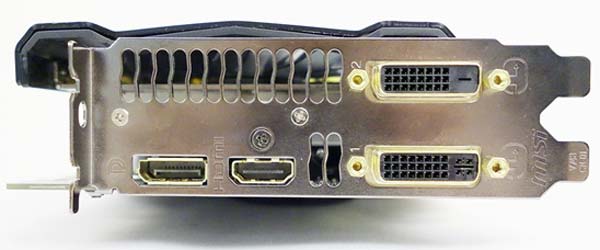
After the two DVI ports and Display port on my graphics card had each been taken by a monitor, my newly added VRinsight GPS-5 was naturally connected to the remaining HDMI port on my GTX 780 via a VGA-HDMI converter in the first place.GPS5-Card-03

Surprisingly, while my FSX system continues to run smoothly, my P3Dv2 responds with serious stutters as framerates dropped momentarily under the same setup with the external GPS attached.  Feedbacks to such framerate dropping issues in the last post reveal that the phenomenon is common regardless of platform and monitor setup.

Based on the presumption Continue reading

254: The SkyShifter

TechLevel03W
I don’t know how you use REX (Real Environment Extreme) in your system.   I just choose the environment textures I prefer and then install them into FSX or P3D for good.   True, I might pick a different cloud or sky texture once or twice a month to give the simulator a fresh look.   But that’s all.

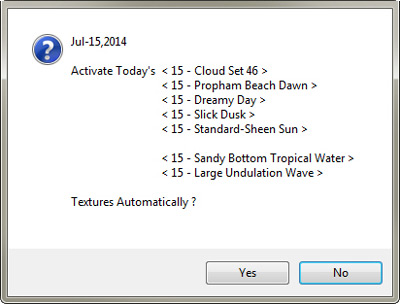
Based on the concept from my earlier ShadeShifter, which allows the changes of tones and colors of the environment in the simulator everyday, I recently wrote another utility that SkyShiftercould inject different pre-extracted sky and ocean textures from REX according to the calendar day of the month, prior to the loading of FSX or P3D.   And these textures have been further mixed to maximize allowable texture-combo variations.  In other words, my sky and ocean now look differently each day.

Continue reading

228: FSX with Windows 8.1

FSX is prone to crash under Windows 8 — a lot of people reported that on the Internet, even though there are still many positive feedbacks about the combination.  Windows8Frankly speaking, I was really a bit nervous about my bold decision of upgrading to the new OS.  And I was prepared to encounter all sorts of unexpected FSX problems plus the notorious crash-to-desktop (CTD) issue.

To my surprise, in the first few days after FSX with Acceleration was installed under Windows 8.1 on my new computer, the simulator not only performed smoothly without the need of any tweaks but also ran sturdily.   It didn’t crash at all, not even once during those days, UNTIL … Continue reading