
Finally I got MSFS downloaded successfully today.
Probably the issue I encountered were fixed by the recent update since the installation steps I carried out are the same. Anyway, glad to have it installed eventually. Continue reading
Finally I got MSFS downloaded successfully today.
Probably the issue I encountered were fixed by the recent update since the installation steps I carried out are the same. Anyway, glad to have it installed eventually. Continue reading
The update patch for MSFS is out, which claims to solve many issues in the first 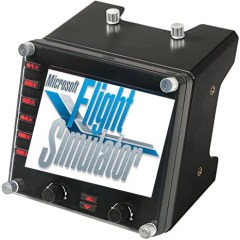 release. I still haven’t tried re-installing MSFS yet due to various personal matters. But surely will do it again very soon.
During these days, have received many emails questioning about the compatibility of my FIP gauges with MSFS.
Frankly, due to my current situation of not an MSFS user, I am really not a good person to give a proper answer.
However, some users of my gauges have reported successfully running FIP gauges in MSFS Continue reading
I got refund from Microsoft again and it was even faster than last time. Good job MS Support.
During my wait for the refund, I kept searching similar issues on the Internet and Xbox forum. I found that I am not alone but still my case seems to be a little different from others.
One friend in last Post told me not to go for the DVD version. So, Steam may be the only choice left for me.
Some friends commented there’s really no need to rush for it. Yes, after a second thought, why not? Continue reading
I got the refund from Microsoft Support in about a day after my request. A thumb up to their quick response.
I immediately re-purchase the Standard Version again, hoping that it would solve the issue. Sadly, no. Same issue lingers and doesn’t go.
I really have my head scratched. If it is my DIY PCs, the Surface Pro should be good and shouldn’t encounter the same issue.
There are two things I am thinking now: Continue reading
Here’s another quick update to my status with MSFS. In general, I have tried every suggested fix I could find from the Internet and MS/FS site for the error issue I am facing. Unfortunately, all are helpless.
I was suspecting if I had done something wrong to the two PCs, either before or during or after applying those potential fixes. Then an idea “why not trying it on the Surface Pro?” popped up before I went to bed last night.
I immediately jumped out of bed and did it right away. Although the installer warned me that my Surface Pro doesn’t meet the minimum requirement of MSFS and the performance would be poor, it still carried on to putting the initial part of the game to my laptop.
When MSFS was run to the Content Manager stage for update download, Continue reading
Received some feedbacks for my post yesterday regarding the under-par performance of MSFS on my computer. One of the concerns is the spec of my PC. It is as follows:
Asus Maximus VI Extreme
Intel i7-4770K OD to 4.0GHz
Corsair DDR3-2133 RAM 16GB
7 Samsung SSD Storages with various capacity
MSI GeForce GTX 780 x 2
Windows 10 Home 64-bit 2004
Surely not the latest and very high-end one but it’s still passes the minimum requirement listed by Microsoft. And it runs P3Dv4 satisfactorily in general.
Bad things don’t come alone. Continue reading
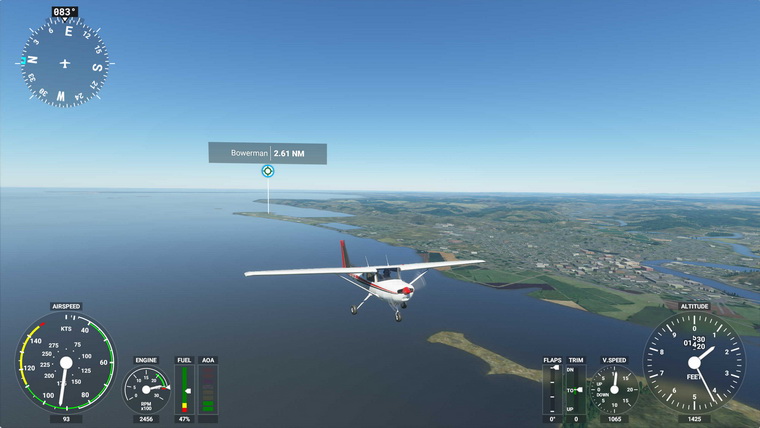
Just played the new Microsoft Flight Simulator (MSFS) for about an hour after spending the whole afternoon downloading the files to my computer. Frankly speaking, although many alpha players praised it highly on the Internet, my first impression on it is quite disappointed and even worse than my first time with X-Plane 10.
Maybe my i7 CPU is not fast enough, maybe my graphics card is not high-end enough. The simulator severely stutters from start to end. Even though I configured it to the lowest graphics settings, it didn’t perform satisfactorily. All my drivers were updated to the latest.
Moreover, many of my flightsim gears, Continue reading
If you have updated your Windows 10 to version 2004, wonder if you know the latest version has a new feature called Windows Display Driver Model (WDDM 2.7) which supports Hardware-Accelerated GPU scheduling (HAGS) function.
HAGS allows GPU to take over the video memory scheduling from CPU, so that resources are not only saved on the CPU but the latency on the graphics card will be reduced as well.
In simple English, overall performance of the graphics card is enhanced, which is a good thing as all simulators available today are CPU intensive.
A prerequisite, however, is required to activate the function Continue reading
I flew the P3Dv5 continuously for nearly three hours this afternoon. Besides the  landclass issues that I mentioned in my Post 568 earlier, I didn’t encounter any other issues reported in P3D forum during the session (perhaps some but not noticeable to me) luckily.
Of course the ATC service was kept silence all the time except during take-off and landing. This is a known bug so far causing freezes or CTDs. Other than that, I really feel the new simulator runs smoother.
Be the way, I have clean installed the latest Nvidia drivers again and Continue reading
 FS Times