49: Rename Missions

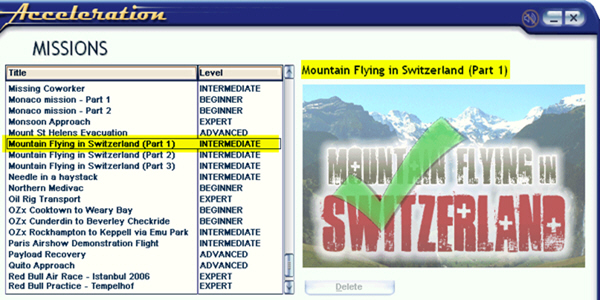
In addition to prioritizing missions as described in last post, names of missions can also be changed easily.  For example, the three Mountain Flying in Switzerland missions from vertical studios were originally shown in small captial letters. Through following steps explained below, they are now capitalized.

Continue reading

48: Prioritize Missions

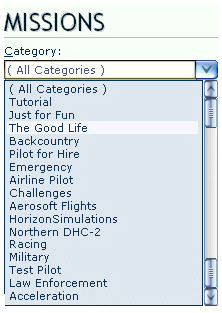
Mission Categories are seldom displayed in proper order, especially after new Missions have been added.

Here’s how to prioritize Mission Categories as one desires.

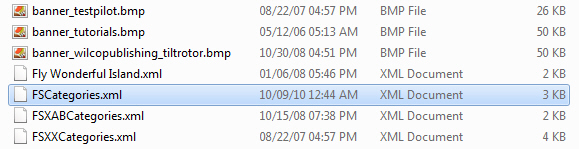
Inside the Categories folder of FSX system, there should be XML files similar to what is shown below.

Each of these XML files contains one or more Mission Categories that were created by FSX or when addons were installed. The alphabetical order of these files also determines how Mission Categories will ultimately displayed in FSX.

Folder Location: X:\Microsoft Flight Simulator X\Categories

Continue reading

45: Configuration Fits for ALL #5 – Back to BASIC

With all the files prepared from previous steps, here’s the BASIC programming part to load corresponding files automatically when a flying zone is selected.

C:\Users\Tom\AppData\Roaming\Microsoft\FSX

Continue reading

44: Configuration Fits for ALL #4 – fsx.CFG

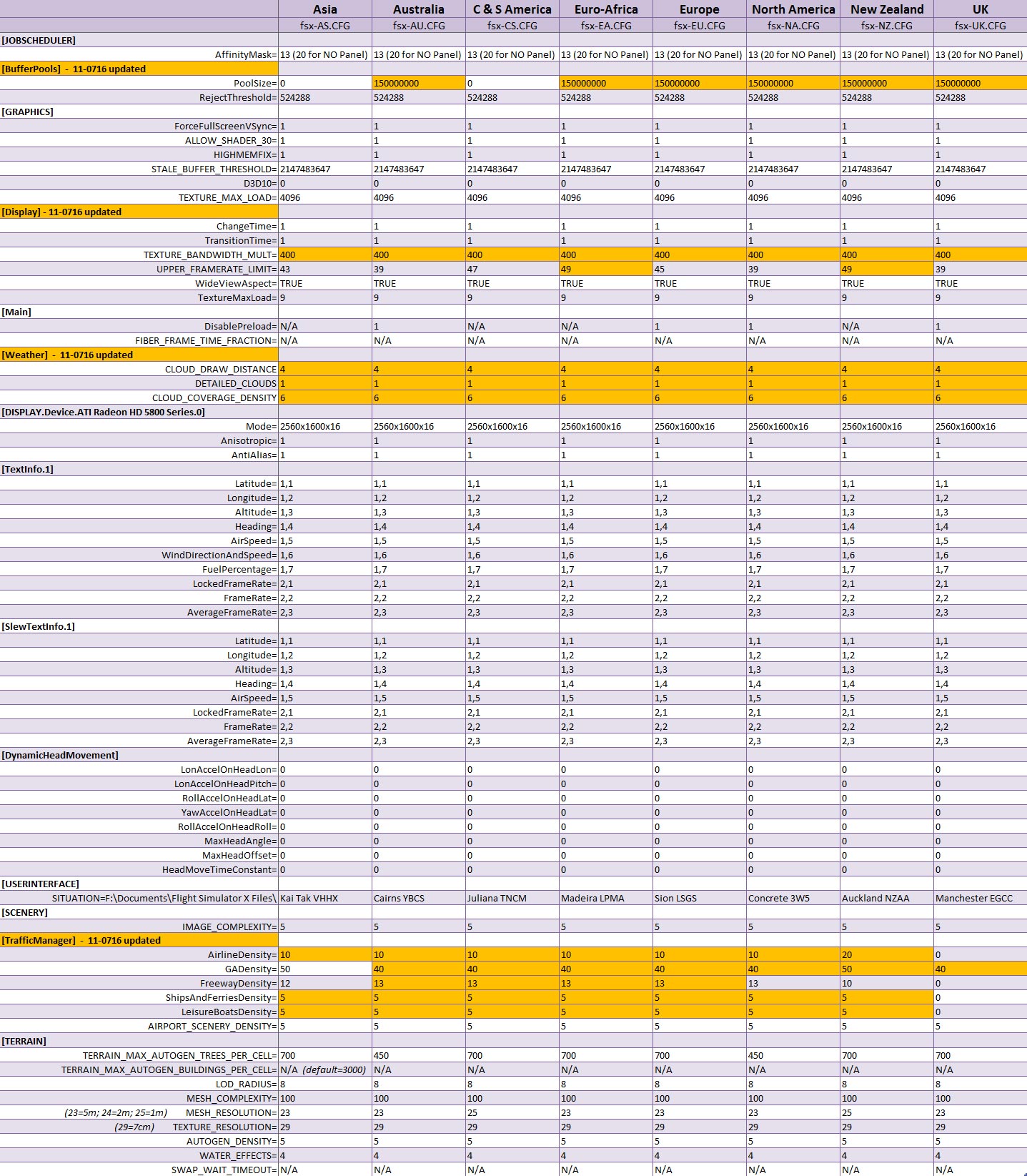
The concept of this approach is to divide FSX into a number of flying zones so as to minimize the impact from too many addons installed onto the system.  Therefore, a number of corresponding fsx.CFG are created.  This not only allows customzing fsx.CFG for each flying zone but also makes subtle fine-tuning possible according to actual performance resulted from each scenery.

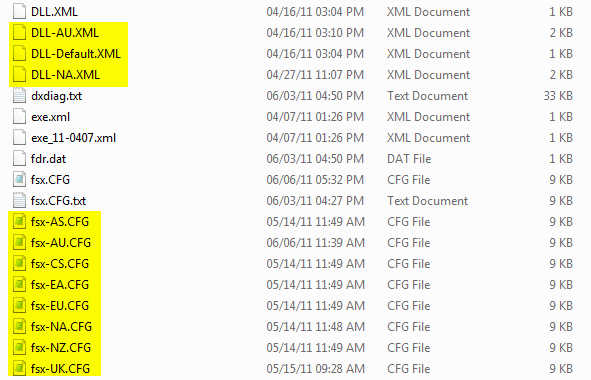
So, instead of having only ONE My Best FSX Setup, I am actually having EIGHT as shown in the table below.   The matching fsx.CFG will be loaded via the BASIC command when a zone is selected.

fsx.CFG for different flying zones

Next post regarding the BASIC program will be the last of the series.

43: Configuration Fits for ALL #3 – scenery.CFG

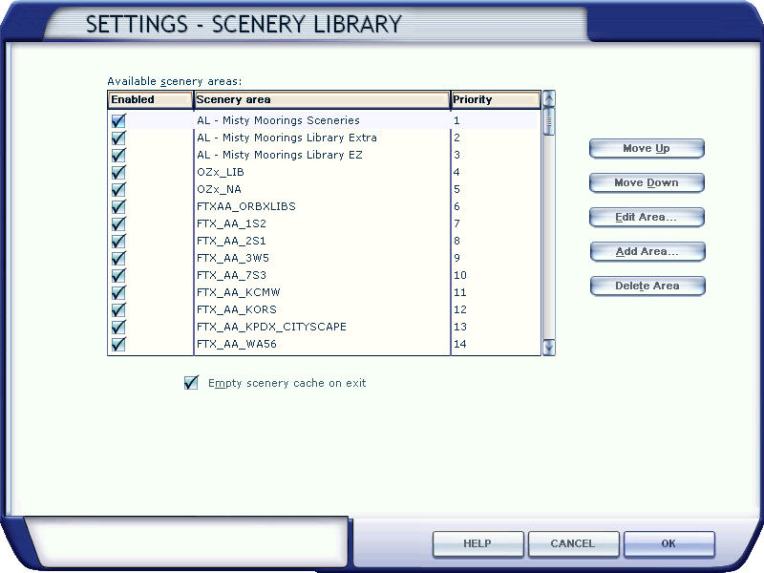
The more addons we install, the longer time FSX takes to load up a sim flight.  Deactivating sceneries from the Scenery Library won’t shorten load-up time as long as they remain in the Library.  The only solution is to remove them from the library completely.

Followings are scenery.CFG files modified for flying zones mentioned in Configuration Fits for ALL #2.  The matching scenery will be loaded via the BASIC program when a flying zone is selected. Continue reading

42: Configuration Fits for ALL #2 – The Files

The more addons we install, the longer time FSX is needed to load up, no matter if SSDs or 1,000rpm HDDs are used.   My system has nearly 400GB of third-party sceneries, not to mention additional aircrafts.   FSX load-up time, imaginable, is intolerably long.  Deactivating sceneries through Scenery Library under Setting will not help.

The main purpose of this flying zone approach is to trim down FSX system size and speed up loading and execution performance, without deleting any addons.  At present, I splitted my system into 8 Flying zones according to specific Landclass and Scenery installed.  They are: Continue reading

41: Configuration Fits for ALL #1 – The Concept

I usually flightsim only in areas with third-party sceneries installed.  FSX, however, performs vastly different due to scenery’s complexity and technology used.

Like many others, I’ve been searching for and experimenting tweaks and suggestions, aiming to get the best FSX result.

Unfortunately, One Setting that Fits for All simply doesn’t exist.    My Best FSX Setup may not apply to others at all, for example.

Inspired by Orbx’s FTX scenery approach, I started reconfiguring my FSX system into different flying zones about a year ago.  Tweaks and settings, therefore, are specifically customized to target the best result for a particular scenery or flying zone under the same hardware setup.

Nevertheless, the concept is pretty simple: Continue reading

37: Clean Install Display Driver

Display driver plays an important part in Flight Simulator.   How to install it or uninstall it will impact FSX’s performance and stability, especially when switching from NVIDIA to ATI or ATI to NVIDIA.

It is widely known that even after a program or a driver is uninstalled, many “tails” of it will still remain in the system.  It is therefore necessary to ensure that a display driver will only be installed or updated onto a clean environment at all time.

Following is how I update the ATI display driver from 11.3 to 11.4   Continue reading

23: My New Gear – ASUS GTX580 Direct CU II Part 2

I’ve given up the card after using it  for 5 days.  It is hardly conceivable that such a high-end graphic card is a crap to FSX!

Indeed, it has pros:
1.  Better depth of field compared to my previous ASUS Matrix HD5870
2. Framerate is about 3 to 5% more than Matrix 5870
3. It generates less heat and relatively quieter

However, two intolerable problems with this card are:
1. Texture become incurably blurry
2. FSX crashes frequently

In the past few days, I have tried all different tweaks, including BP=0, RejectThreshold, etc, etc.  After a lot tweakings, I can manage to have it running FSX smoothly; but, blurry land texture was unpreventable and the worst thing was: FSX crashed uncontrollably.

Continue reading