861: Changing FS2024 Community Folder Location

By default, the FS2024 Community Folder is created under:
C:\Users\Tom\AppData\Roaming\Microsoft Flight Simulator 2024\Packages\

There are two ways to relocate it to another directory of your choice for easy access.

1)
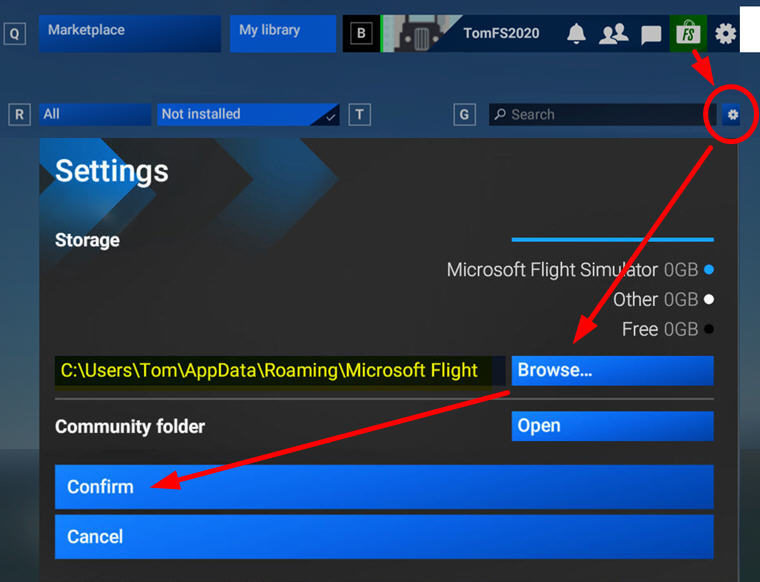
Go into Market Place, click the Setting Icon, then Browse for and Confirm the directory of your choice to be the new Community folder for FS2024.  I am using “F:\FS2024
FS2024_CommunityFolder
2)
Go to  “C:\Users\Tom\AppData\Roaming\Microsoft Flight Simulator 2024”  directory

Continue reading

860: My Key MSFS Folder Locations (Steam)

I have both MSFS 2020 and 2024 installed on F:\Drive of my computer.  Followings are my mostly accessed folders during configurations and modifications.

Main Programs

FS2020
F:\Steam\steamapps\common\MicrosoftFlightSimulator
FS2024
F:\Steam\steamapps\common\Limitless

Controls (Input Devices)           

Continue reading –>

859: FS2024 with ReShade

The hazy atmospheric effect in FS2024 is even worst than FS2020 IMO, making the scenery dull and pale.  Fortunately, ReShade is still good for the new platform.
FS2024_ReShadeBetter still, all my FS2020 ReShade settings can be applied onto FS2024 with no issue.  That comforts me a lot while playing the sim with so many bugs to be fixed.

Here’s my current Continue reading

858: Copying Custom Cameras to FS2024

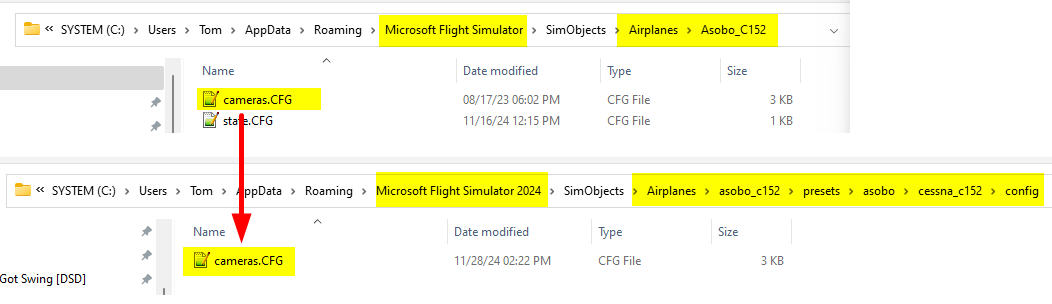
If you have many custom cameras set up for aircraft in FS2020, you can make use of them immediately in FS2024 via simple copy-and-paste.

In FS2020, the custom cameras are stored under specific aircraft folders beneath the following directory path:
C:\Users\[UserName]\AppData\Roaming\Microsoft Flight Simulator\SimObjects\Airplanes\

In FS2024, the path is similar:
C:\Users\[UserName]\AppData\Roaming\Microsoft Flight Simulator 2024\SimObjects\Airplanes\

However, the custom camera folder structure of DEFAULT AIRCRAFT in FS2024 are now more complex than that in FS2020 (click below image to enlarge):
FS2024_CameraDefaultTherefore, we’ll need to pay extra attention to find out the correct folders when copying DEFAULT AIRCRAFT cameras to FS2024. 

For THIRD-PARTY AIRCRAFT, Continue reading

857: Something Wrong in my FS2024 Settings?

Firstly, just to confirm that SPAD.neXt is FS2024 compatible after the recent update. Tested it with my FIP gauges and so far so good.

Also, Flight Tracker plugin for Elgato Stream Deck is FS2024 ready, too.

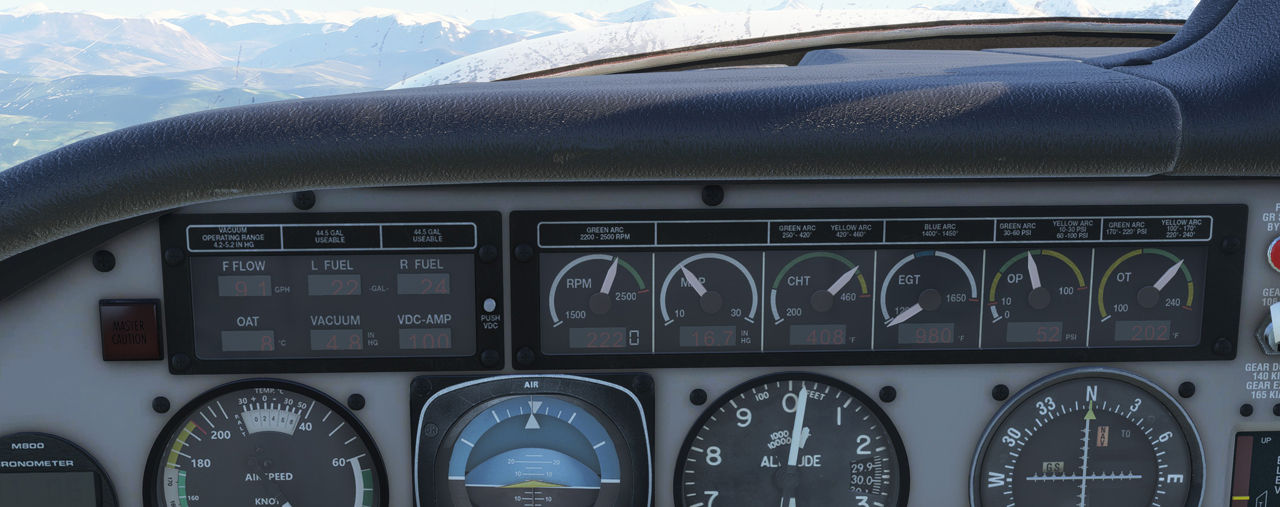
Back to FS2024, look at the picture below.  All instruments are obscured.  It’s just like their surfaces are made of poor greyish glass, and the LEDs are worn out so they can’t be seen clearly. This problem isn’t just on third-party airplanes but on all default airplanes as well.FS2020_InstrumentsS
Oddly, I don’t see people talking about it.  Something wrong in my settings?

If you have an answer, let me know.

In addition, the local time Continue reading

856: My FIP Gauges are MSFS2024 Compatible

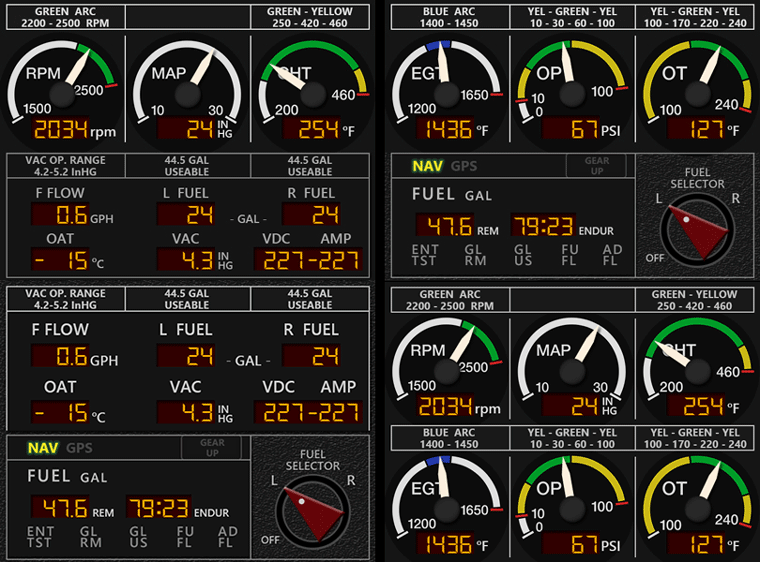
After aircraft purhcased from Steam were released earlier today into MSFS2024, I flew a few a number of them with my FIP Gauges.  Both airplanes and my gauges work together smoothly, for example the M20R Ovation.
MSFS_M20R_ENG_DUAL_GIF
No special action is needed as long as you have the Logitech’s FIP plugin installed already for MSFS.  Just load them as usual but with the MSFS2024.  They will run normally.

Again, this is for aircraft I purchased from Steam directly.  I haven’t checked if aircraft purchased from third-party sites are similarly good or not.

Also, Continue reading

855: MSFS 2024 is No Good

Was excited to installed the Microsoft Flight Simulator 2024 this morning and played with it for nearly the whole afternoon.   My comment: it’s full of bugs and needs a lot of improvements, in short, it is not ready at all.
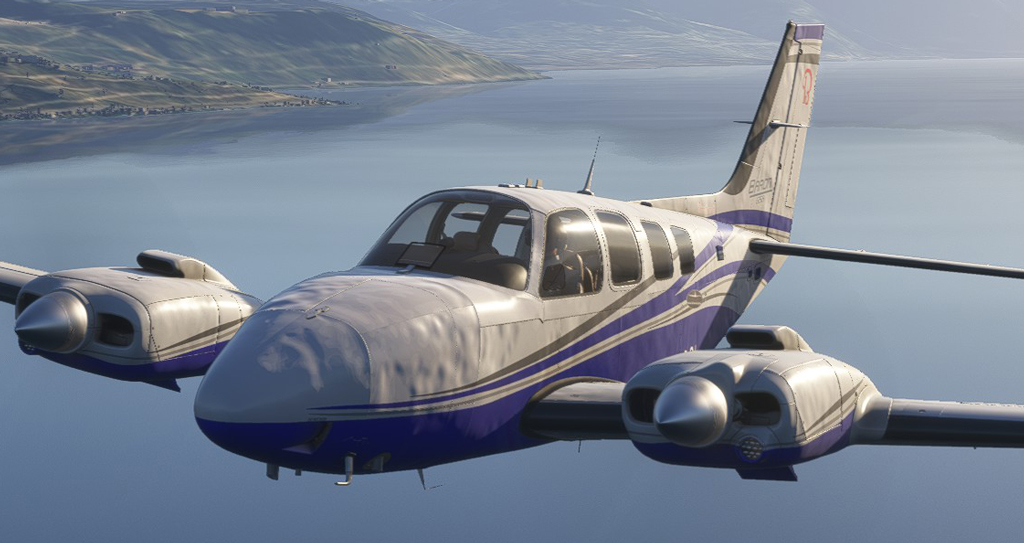
MSFS2024-FIRST
The product is just like the fuselage of the G58 captured in the game.  It’s full of dents which requires a lot of works to iron them out. Continue reading

854: MSFS 2024 Pre-Order Has Started

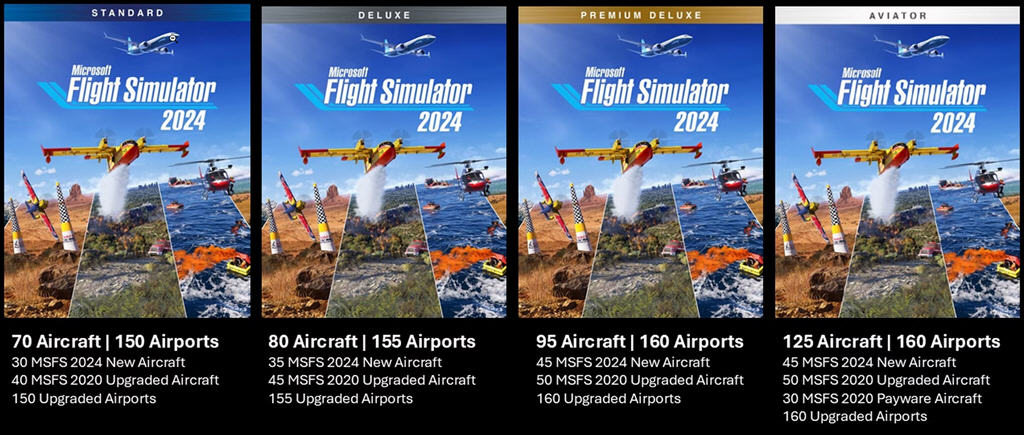
Microsoft Flight Simulator 2024 pre-order is now available for Xbox and Microsoft Store. Steam will come next week on September 26.MSFS2024_AircraftListMore information about the pre-order and additional details regarding the new simulator — including the full aircraft list — could be found on this page.   

As a special bonus, anyone who pre-orders will receive the De Havilland Canada CL-415 firefighting aircraft (part of the Standard Edition of MSFS2024) to use right now in Microsoft Flight Simulator (2020).

I am excited, aren’t you?

844: Running FIPs after Switching to XP-12

Since Logitech doesn’t have a specific FIP plugins for X-Plane 12, from time to time I receive inquires from friends asking how to run FIPs after switching to the new platform.

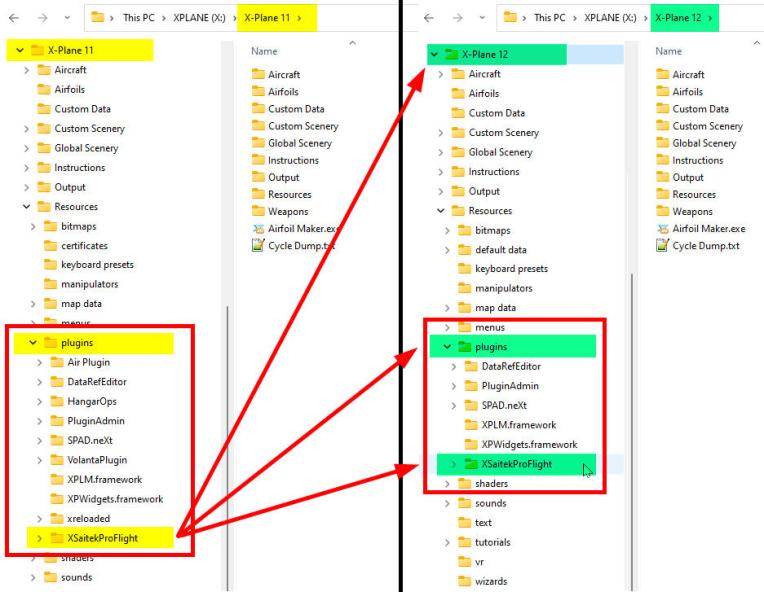
It’s simple.  Just copy the “XSaitekProFlight” folder from X-Plane 11’s plugins directory into X-Plane 12’s plugins directory. That will do.
LogitechPlugin_for_XP12