97: Double TPM Programmable Switches

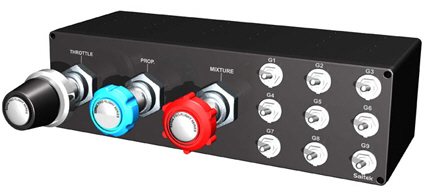
Saitek’s TPM Control Unit comes with 9 programmable toggle switches.    However, FSX’s SETTINGS only recognizes their downward actions during BUTTONS/KEYS assignments.    In other words, only 50% of TPM’s programmability are used.

To fully utilize the TPM: Continue reading

55: Redefine Virtual Cockpit Zoom Level

I mostly fly with Cessna and I want the virtual cockpit to initiate with a zoom level of 0.6 when a session starts.  There are two options to achieve that:

OPTION 1:  Save a New Default Flight
1) Start a flight with Cessna

2) Adjust the zoom level to 0.6 inside the virtual cockpit with “=” or “-” keys

3)  Save the flight as the new default flight

OPTION 2:  Modify the Default Startup Flight

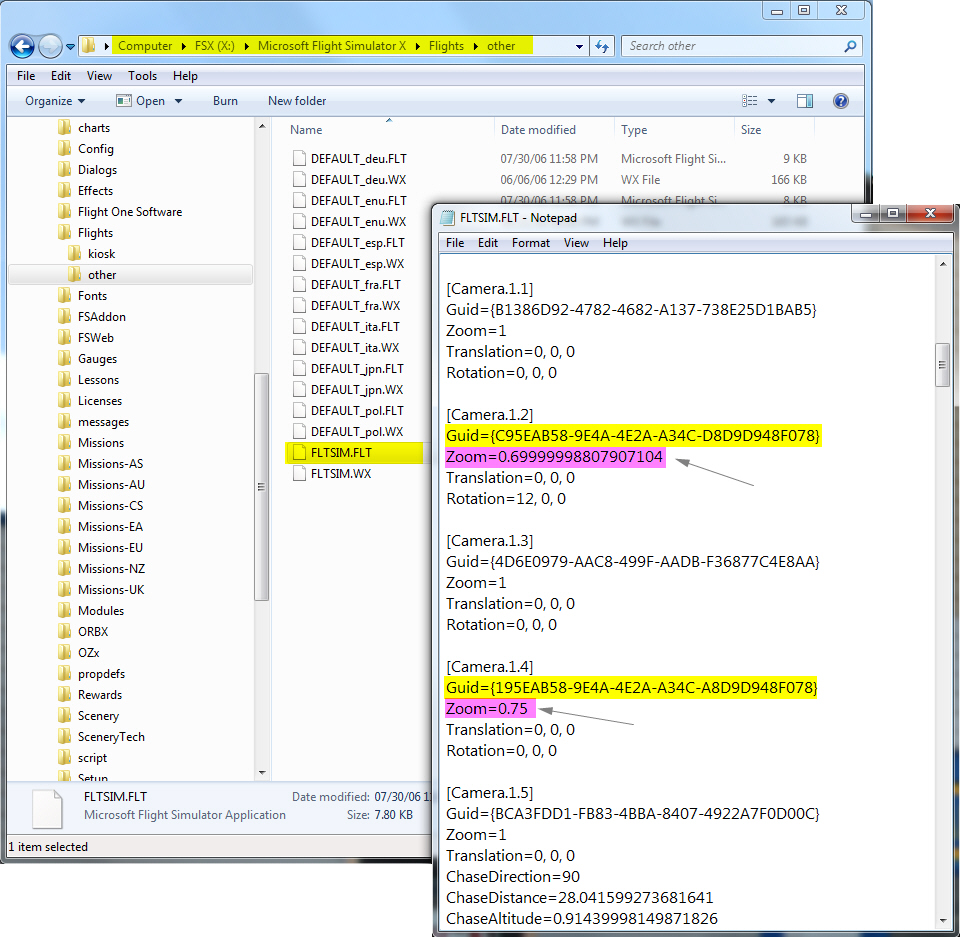
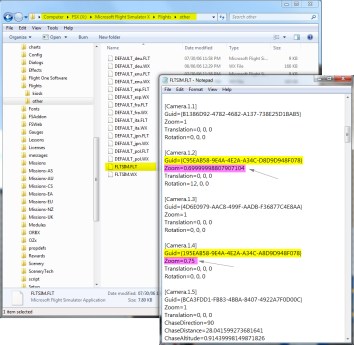
1) Open the default flight “FLTSIM.FLT” (or the earlier saved default flight) with Notepad

2) Look for Cameras with Guid = {C95EAB58-9E4A-4E2A-A34C-D8D9D948F078}

Note: This Guid number is assigned to Virtual Cockpit in FSX

3) Change the Zoom value to 0.6

Both Option 1 and Option 2 can easily set the zoom level of virtual cockpit to one needs.  However, the zoom level is likely to be changed when the aircraft (Cessna in this case) is swapped. Continue reading

53: Configuration Fits for ALL #6 – The Missing Part

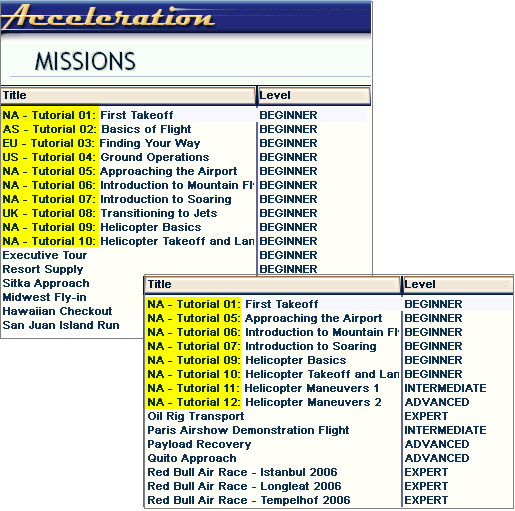
Once FSX is divided into flying zones, Missions can be categorized and automatically loaded as well.  There are two options available:

Option 1:

Add a prefix to all missions using the method of Renaming Missions posted earlier, so as to differentiate which flying zones where missions are belonging to.

For example, add the prefix of “EU-” to all missions taken place in Europe, “AS-” for Asia, “CS-” for Central and South America, etc.

Option 2: Continue reading

45: Configuration Fits for ALL #5 – Back to BASIC

With all the files prepared from previous steps, here’s the BASIC programming part to load corresponding files automatically when a flying zone is selected.

C:\Users\Tom\AppData\Roaming\Microsoft\FSX

Continue reading

44: Configuration Fits for ALL #4 – fsx.CFG

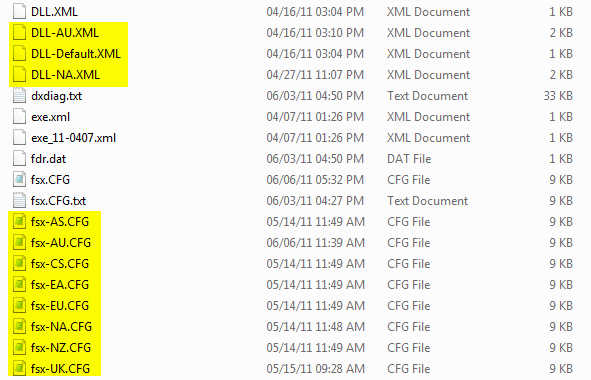
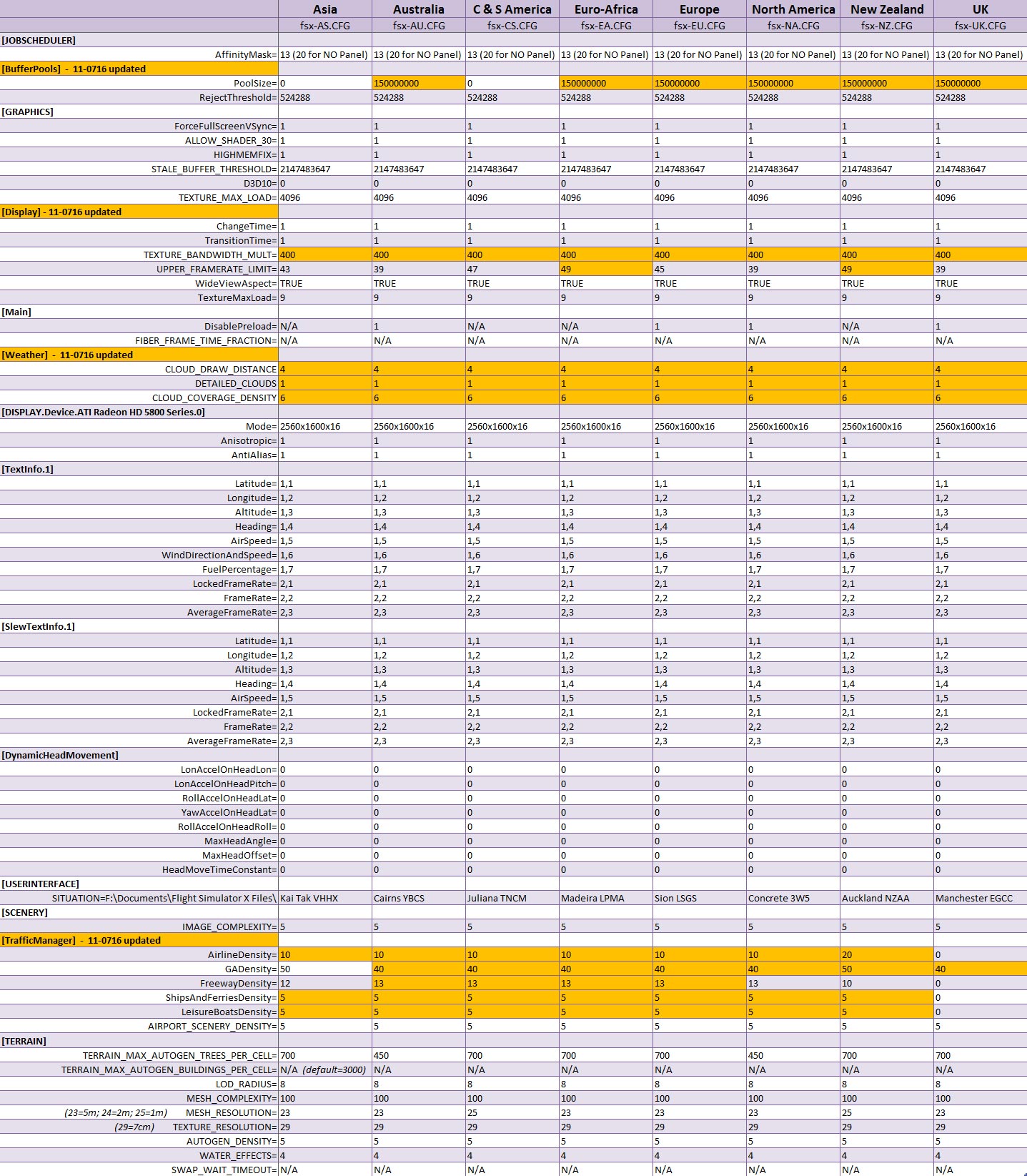
The concept of this approach is to divide FSX into a number of flying zones so as to minimize the impact from too many addons installed onto the system.  Therefore, a number of corresponding fsx.CFG are created.  This not only allows customzing fsx.CFG for each flying zone but also makes subtle fine-tuning possible according to actual performance resulted from each scenery.

So, instead of having only ONE My Best FSX Setup, I am actually having EIGHT as shown in the table below.   The matching fsx.CFG will be loaded via the BASIC command when a zone is selected.

fsx.CFG for different flying zones

Next post regarding the BASIC program will be the last of the series.

43: Configuration Fits for ALL #3 – scenery.CFG

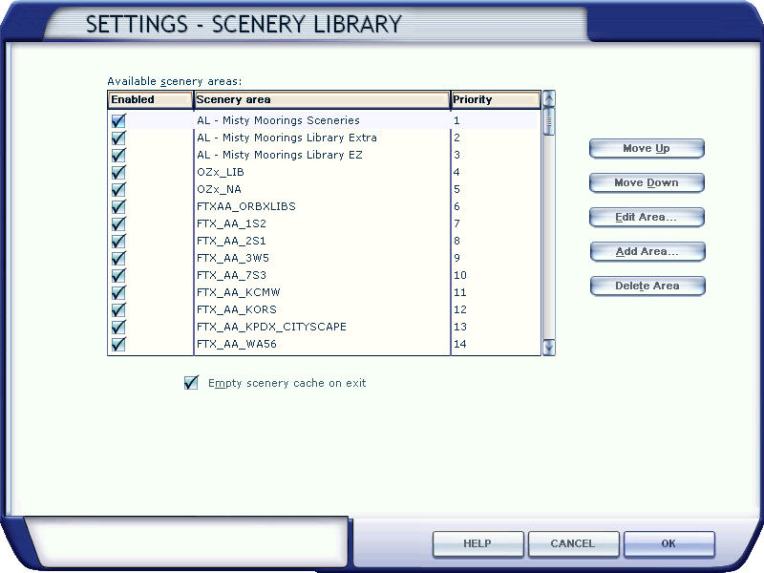
The more addons we install, the longer time FSX takes to load up a sim flight.  Deactivating sceneries from the Scenery Library won’t shorten load-up time as long as they remain in the Library.  The only solution is to remove them from the library completely.

Followings are scenery.CFG files modified for flying zones mentioned in Configuration Fits for ALL #2.  The matching scenery will be loaded via the BASIC program when a flying zone is selected. Continue reading

42: Configuration Fits for ALL #2 – The Files

The more addons we install, the longer time FSX is needed to load up, no matter if SSDs or 1,000rpm HDDs are used.   My system has nearly 400GB of third-party sceneries, not to mention additional aircrafts.   FSX load-up time, imaginable, is intolerably long.  Deactivating sceneries through Scenery Library under Setting will not help.

The main purpose of this flying zone approach is to trim down FSX system size and speed up loading and execution performance, without deleting any addons.  At present, I splitted my system into 8 Flying zones according to specific Landclass and Scenery installed.  They are: Continue reading

41: Configuration Fits for ALL #1 – The Concept

I usually flightsim only in areas with third-party sceneries installed.  FSX, however, performs vastly different due to scenery’s complexity and technology used.

Like many others, I’ve been searching for and experimenting tweaks and suggestions, aiming to get the best FSX result.

Unfortunately, One Setting that Fits for All simply doesn’t exist.    My Best FSX Setup may not apply to others at all, for example.

Inspired by Orbx’s FTX scenery approach, I started reconfiguring my FSX system into different flying zones about a year ago.  Tweaks and settings, therefore, are specifically customized to target the best result for a particular scenery or flying zone under the same hardware setup.

Nevertheless, the concept is pretty simple: Continue reading