192: Cessna Citation AirSpeed Gauge

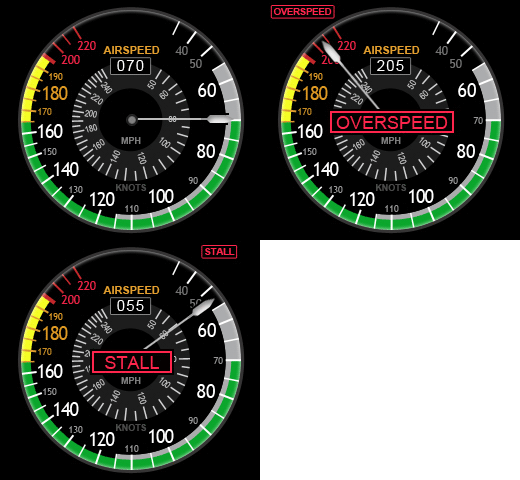
This new Airspeed Gauge is requested by Ray Marshall who would like to have an analog indicator that
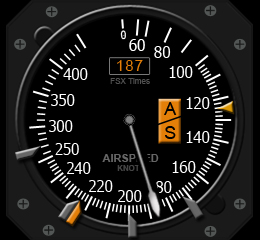
Citation_AirSpeedWNgoes up to about 400 knots with corresponding digital display for his favorite Cessna Citation.

The bugs, supposed to be movable, are static due to inherited limitation of the FIP.  If time allows in the future, will see if they could be controlled via the two knobs of the FIP itself.   If not, will consider adding other features to go with them.

FSX Times Subscribers could ask for the download link via COMMENTS section below.Citation_AirSpeedW
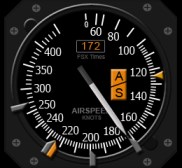
In the package, an earlier version that uses a thicker needle as shown on the right is also provided.    But note that the thicker needle could block the digital display when the aircraft is running below 70 knots.

As always, requests from non-FSX Times subscribers will be ignored.
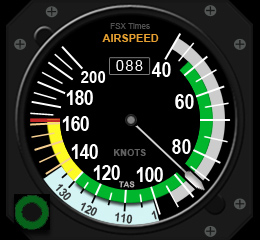
188: Cessna 172 AirSpeed Gauge

This Cessna 172 Airspeed Gauge has been requested by many fans of FSX Times.  So it finally arrives.  Despite its simple look, it did take me quite some time to layout it properly, however.C172_AirSpeed_BackgroundW

The TAS knob on the bottom left corner, unfortunately, is still a decoration.   I haven’t figured out how to make it function yet.   Besides that, it is fully functional.

Subscribers of FSX Times who are interested in this gauge could send me a request via the COMMENTS section below as usual for the download link.

Others who aren’t subscribers yet could enter their emails and press the [Enter Your Email to Subscribe] button on the right hand column to become a subscriber first.   Otherwise, requests will be ignored.

187: Adding New Gauges to FIP

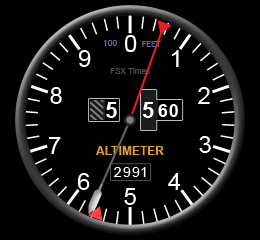
TechLevel02WT210_AltimeterW

Although my previous Post 28, Post 29 and Post 30 already talk about the basics, installation and tweaks for Saitek’s Flight Instrument Panel (FIP), there are still many friends asking for direct instruction on how my Centurion T210 gauges be installed.

So, here is a step-by-by tutorial in which I am using my Altimeter Gauge wide version as an example:

AAA
Download the T210 AlimeterW.rar from the link you received  —  Note that only subscribers of FSX Times are eligible to get my files (Edit: No More Available)

Continue reading

180: Centurion T210 Man/Fuel Gauge

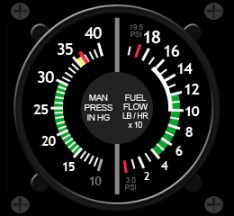
Here’s the Manifold Pressure / Fuel Flow Gauge for the Centurion T210.   It is the sixth gauge I’ve created for the T210 and it’s probably the last one specific for the aircraft.
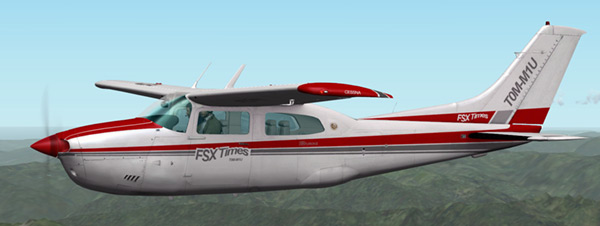
Actually it’s been done quite awhile ago.   But I’ve been looking for solutions to make the fuelflow gauge to rotate in a nonlinear (nonproportional) anitclockwise manner possible on the FIP as shown in the aircraft.

Unfortunately, after numerous attempts and helps from friends on the FSDeveloper forum, it seems that Saitek’s FIP doesn’t support nonlinear  anticlockwise rotation.

Already sent a note to Saitek for help.   They did responded quickly but no follow-up action for more than 3 weeks now — not even a reply to the two subsequent emails I sent.   (Edit: just got a reply and let’s see how it goes.)

Anyway, this one is fully functional.   Any subscriber of this blog who is interested to get a copy of it could send me a request via the COMMENTS section below for the download link.

Others who aren’t subscribers yet could enter their emails and press the [Click Me to Subscribe] button on the right hand column to become a subscriber first.   Otherwise, requests will be ignored.

Edit: This instrument is no more available.

176: A Basic Aircraft Livery Creation Guide

Ever wanted to create some custom liveries for your favorite aircrafts?    Here’s a simple step-by-step guide how I create mine for the Centurion T210.

Continue reading

172: Centurion T210 Altimeter Gauge

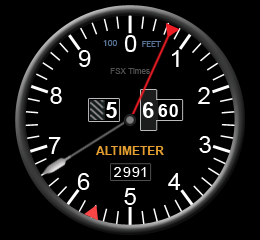
Here’s the Altimeter for the Centurion T210 I’ve been longing for.    I saw a similar one at a gauge discussion forum many years ago.   I desperately requested a copy of it but got no reply from the developer at all.
Now, here’s the one I created.

Anyone who is interested could send me a request via the COMMENTS section below.   I will definitely reply and share it with a download link.   Edit: This instrument is no more available.

But note, you have to become a Subscriber of this blog first.

You could enter their emails and press the [Click Me to Subscribe] button on the right hand column to become a subscriber.   Otherwise, requests will be ignored.

171: Centurion T210 AirSpeed Gauge

Actually I am working on the other story about how to create/modify aircraft liveries.    Since this AirSpeed gauge finishes first, so I have it posted first.   Also, tonight is a blue moon, which worths to do something special.

This new gauge uses a bigger image format (260 x 240) than the standard (240 x 240) size.

Since the extra space on both sides are good for adding additional gauge components when I am planning for its upgrade in the future, this format will be the standard for all my works from now on.   Moreover, the new form-factor looks to be more balanced on the FIP, too.
Continue reading

170: Gauge Obsession

Have been obsessed in creating and modifying gauges for my Saitek Flight Instrument Panels (FIPs) lately.    Just couldn’t help doing it one by one again.

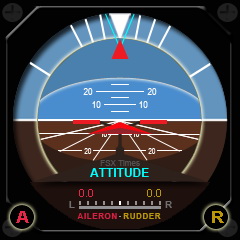
Here’s the Attitude and Vertical Speed meters for Centurion T210 again.   Actually they were modified not too long ago.   Moreover, even they are tagged for Centurion T210, the gauges can be used on other aircrafts as well.

Enhancement to the new Attitude Indicator is the inclusion of the Aileron and Rubber Trim functions.   Users can use the two knobs of the FIP to ajust the trim values as desired.

By modifying the FIP buttons as follows, users can reset both trim values quickly, when needed.
Continue reading

169: One Press, Two Actions

FSUIPC by Peter Dowson is no stranger to flightsimmers.  But many of us might have no idea of what it really is, even though we are all very likely having a copy of it installed in our systems.

Part of the reason is because the unregistered (free) version of the program is merely to provide necessary I/O communications between FSX addons (either software or hardware) and the simulation system.   And the process works hiddenly in the background.

The unlocked version, on the other hand, is indeed very powerful and comes with many sophisticated functions for the building of an advanced system.   However, these features are not designed for average users.

Here is a simple workout on how to add a second function to virtually any button on the flightsim yoke or TPM with the help of it. Continue reading