

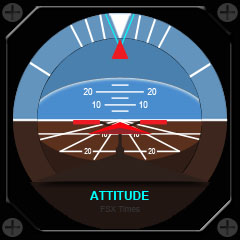
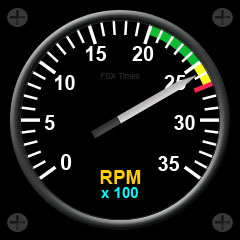
Here are two more gauges for the Centurion T210. Will stop updating the remainings for a moment. It’s quite exhausting.
Subscribers of this blog can send me a request for the download link via the COMMENTS section below.
Here are two more gauges for the Centurion T210. Will stop updating the remainings for a moment. It’s quite exhausting.
Subscribers of this blog can send me a request for the download link via the COMMENTS section below.
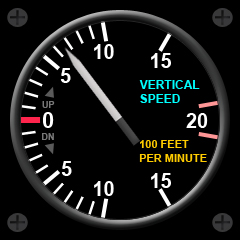 Image on the right is the newest version of the vertical speed indicator I just updated with fine details. It is a lot more realistic than the default one by Saitek or any versions I revised before.
Subscribers of this blog who already got the download link for the last version published two days ago (Aug-7) can use the same link to download this new gauge. Edit: This instrument is no more available.
The planned attitude indicator, however, will be delayed in order to render finer details comparable to this one.
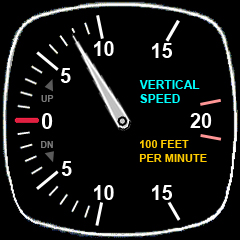 Just purchased my last two (well, seven in total, so far) Saitek Flight Instrument Panels (FIPs) to complete my flight system. To make them look more realistic and appealing for my favorite Centurion T210, I am working on to revise all gauges accordingly.
The image on the left is the new Vertical Speed Indicator I have just made after the last revised Airspeed Gauge. Of course, it can be used on similar aircrafts, too.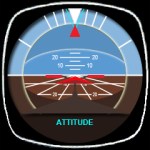
Subscribers of this blog are welcome to post a request in the COMMENTS section below to get the download link for it.
Here’s also the preview screenshot of the Attitude Gauge to be completed very soon.
A fan reported that my earlier Post 123 regarding Disable Unintended Auto-Pilot Wing Leveler doesn’t work on FSX’s default Airbus A321 and requested help for a fix.
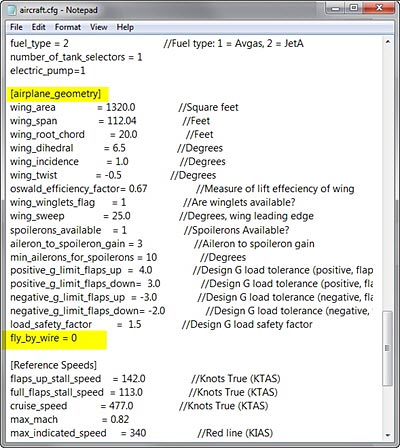 The issue is caused by the activation of Fly-by-Wire (FBW) function on the aircraft and followings are two solutions:
FIX 1:
Open aircraft.cfg of A321 and modify the parameter of fly_by_wire from 1 to 0 under the [airplane_geometry] section
fly_by_wire=0
This will disable the fly-by-wire function simulated on the aircraft and allows the Auto-Pilot Wing Leveler (Ctrl-V) to work.
FIX 2:
SHADE for FSX is built on the 10-day cycle of FSX. Therefore, up to 10 different SHADE presets can be saved via the program’s GUI utility (Shade_gui.exe).
Actually, it is possible to crack the 10-day limit and extend the cycle to cover all days in a month. And theoretically, it is even possible to use a different preset every day throughout the year and beyond, despite of the impracticality of the idea.
The concept of this tweak is pretty simple — when SHADE for FSX is executed, it will load the presets from the settings.ini created by Shade-gui.exe. Therefore, if one can:
Then, each day in a month can associate with a unique preset stored on these three settings.ini.
The tricky part is how to fully automate the swapping process of these three ini files according to a predefined condition without human intervention.
Here’s what I did:
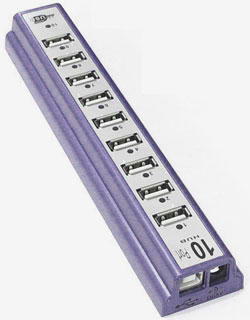
Received quite some inquires about loading specific gauges onto multiple FIPs (Flight Instrument Panels) in desired order.
Here’s how I do it:
The FIPs are required to plug in this manner because the USB hub always starts the FIPs in reverse order from the last numbered port to the first numbered port.
Updated: Nov-26, 2011
As mentioned earlier, I have replaced my long-used Saitek Yoke with CH Eclipse Yoke in my system. 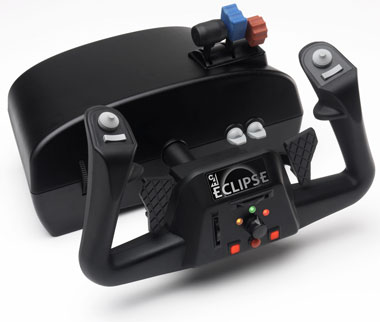
Actually I got the Eclipse just a month or two after its release. I was attracted by its rudders, vertical and horizontal trim wheels, and throttle quadrant all integrated into one single casing. In terms of features, Saitek Yoke really can’t compare.
However, the housing design of the Eclipse yoke (due to its oval shape) is very difficult to fit into my equipment chamber. So it’s been put aside for a long time until recently I figured out how to do with it.
Updated: Nov-26, 2011
With two additional FIPs added to my setup, key assignments are reconfigured as follows:

Startup order are:
The RPM Indicator is a virtual one which shares the same FIP with the Air Speed gauge.
Updated: 2011-1004
Lately, I have replaced my long-time Saitek Yoke with CH Eclipse Yoke after re-tuning my FSX system several weeks ago. Because of that, many controls of my gears have to be reconfigured accordingly.
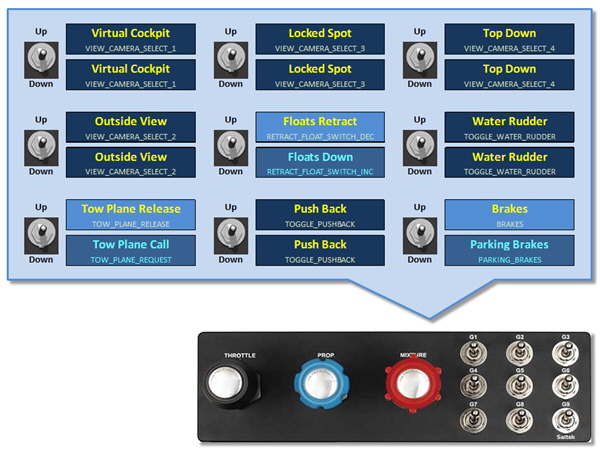
Followings are the new switch assignments for the TPM.
 FS Times